
Learn how to draw a great looking Combine Harvester with easy drawing instructions and video tutorial.
By following the simple steps, you too can easily draw a perfect Combine Harvester.
Step-by-Step Instructions for Drawing a Combine Harvester
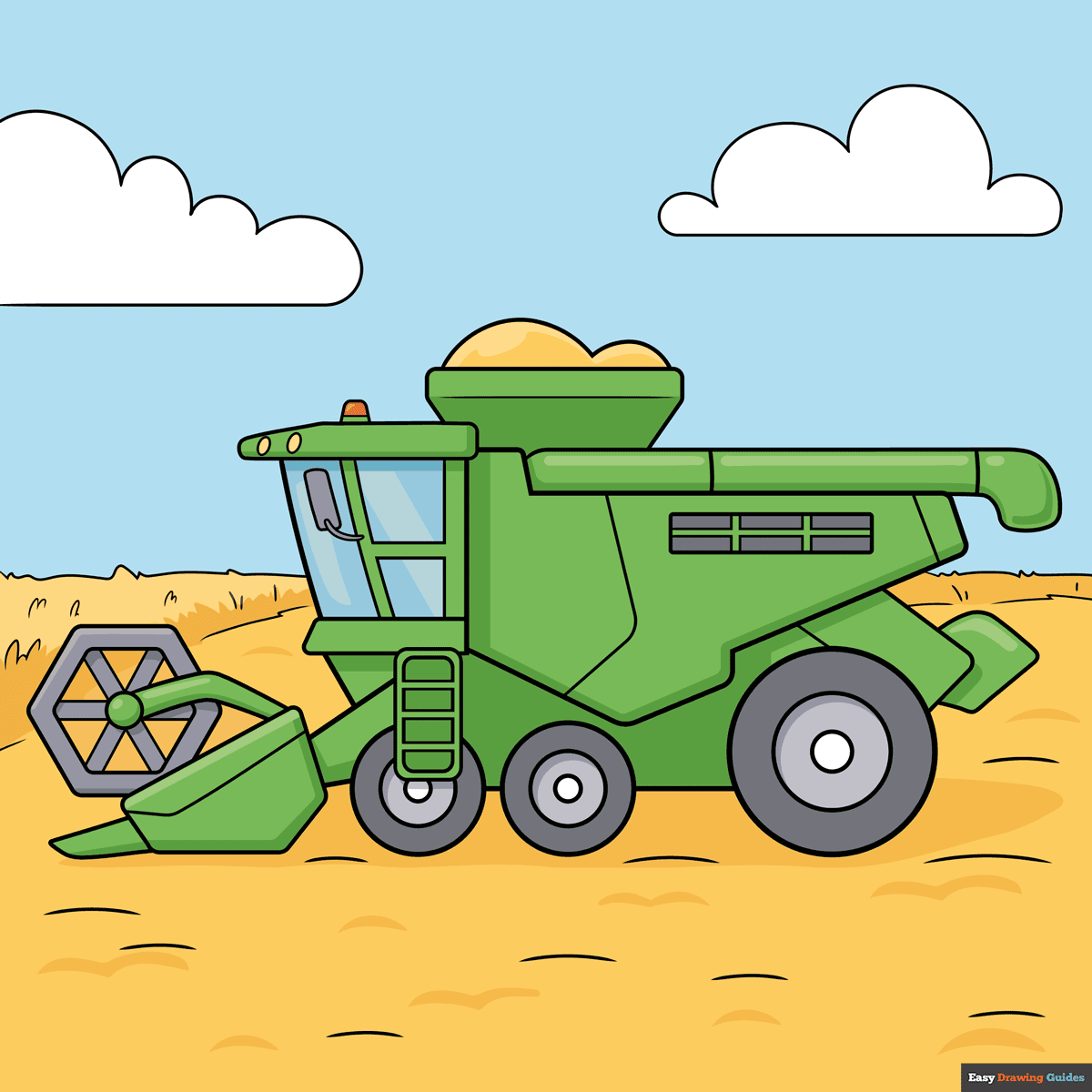
How to Draw a Great Looking Combine Harvester for Kids and Beginners - Step 1
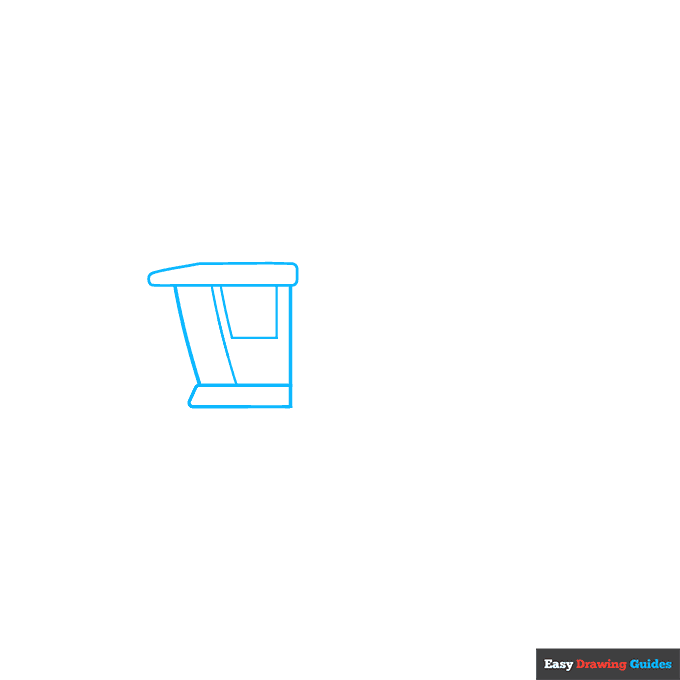
1. Draw two horizontal lines, making the top one longer than the other, then add a diagonal line on the left and a vertical line on the right.
Inside this shape, draw another diagonal line and a rectangle. Underneath, sketch a rectangle with a diagonal line on the left.
On top, draw another rectangle with a long triangle on the left side.
Drawing Step 2
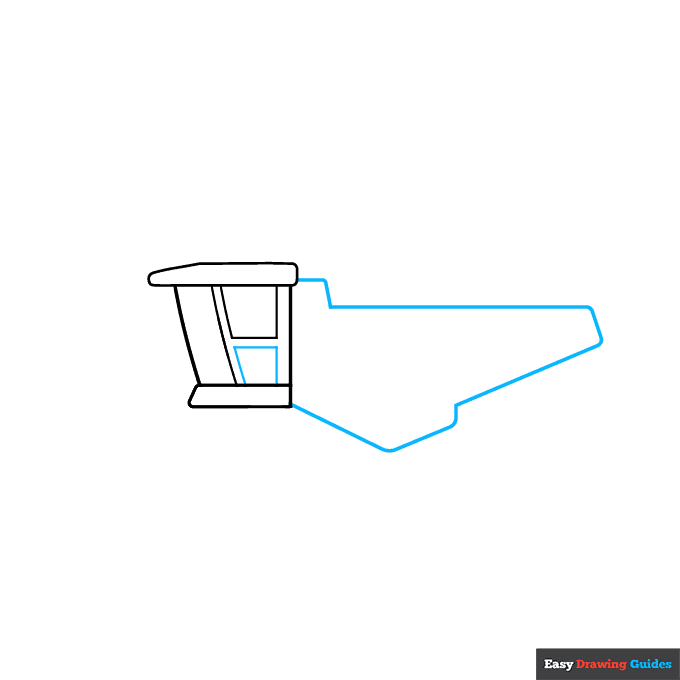
2. Sketch another rectangle inside the shape you just drew. To the right, add two straight dashes, then sketch a long horizontal line. Draw a short diagonal line, then add a long diagonal line, a curve and a triangle shape.
Unlock AD FREE and PRINTABLE drawing and coloring tutorials
- 2,600+ drawing & coloring PDFs
- 50+ ebooks
- Ad-free website
Drawing Step 3
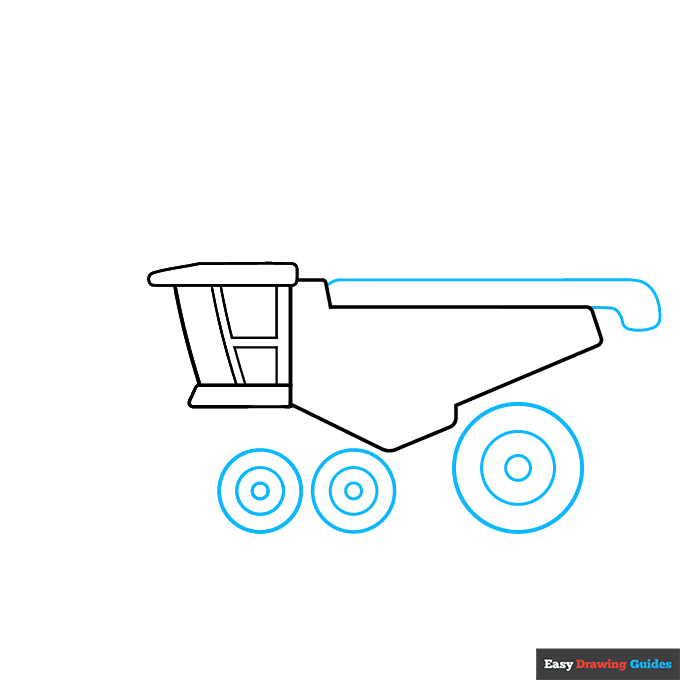
3. Draw three circles on the bottom, making the right circle bigger than the others. Add two smaller circles inside each shape. On top of the combine harvester, draw a long rectangle with a curved end like a faucet.
Drawing Step 4
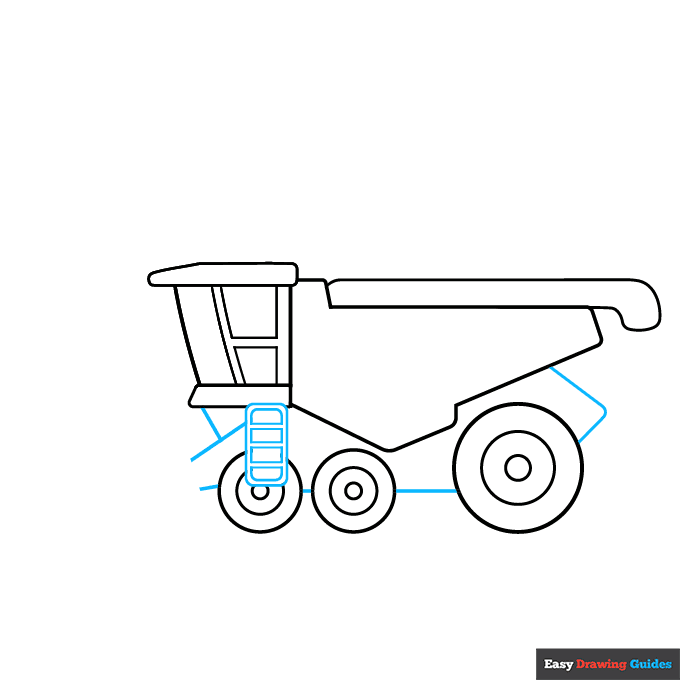
4. Attach a triangle to the right wheel, then connect the wheels with straight lines. Draw a rectangle with rounded edges over the left wheel, and sketch four small rectangles inside it. The top and bottom rectangles should have rounded corners.
To the left, draw three diagonal lines to form triangles.
Drawing Step 5
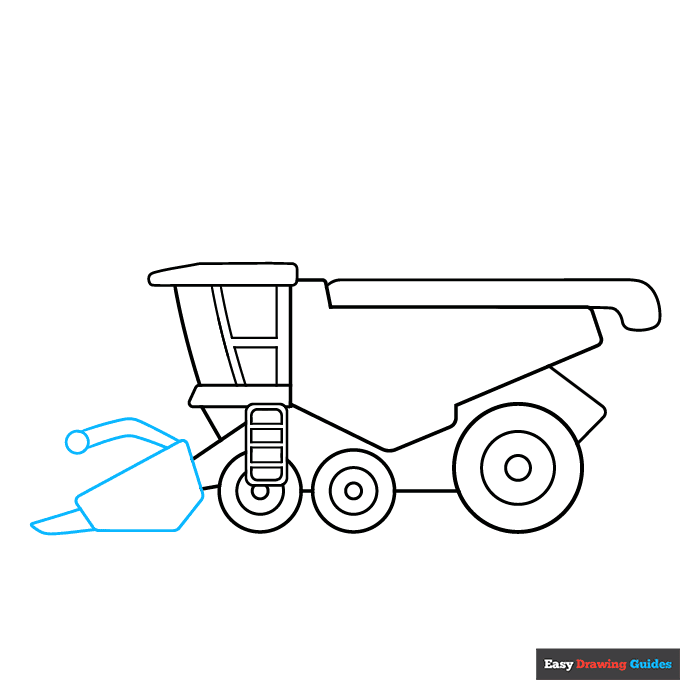
5. Sketch a triangle and a horizontal line, then connect the shapes with two diagonal lines. Above this shape, draw a circle and a thin tube that's bent in the middle. Sketch an oblong triangle that's close to the ground.
Drawing Step 6
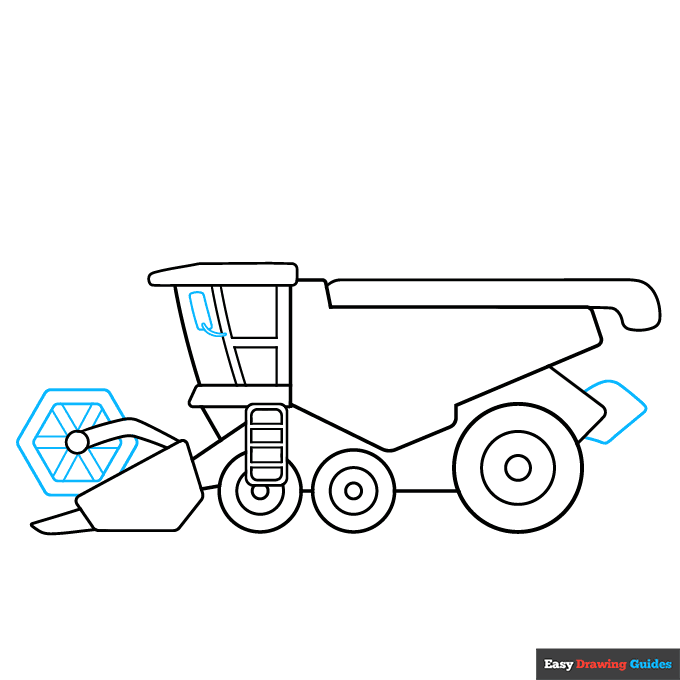
6. Draw a hexagon, then sketch a smaller hexagon inside it and add diagonal lines. For the mirror, add a rectangle and a U-shape. Sketch an oblong rectangle on the back of the equipment.
Drawing Step 7
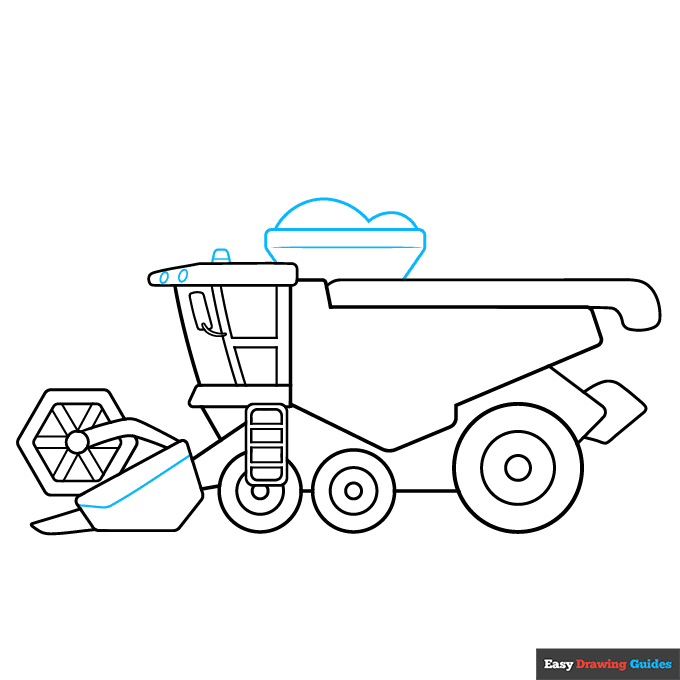
7. Draw a bent line near the hexagon, then sketch two ovals and a small dome on top of the machinery. To the right, draw a thin rectangle and two diagonal lines. Sketch two hills on top.
Add More Details to Your Combine Harvester Picture - Step 8
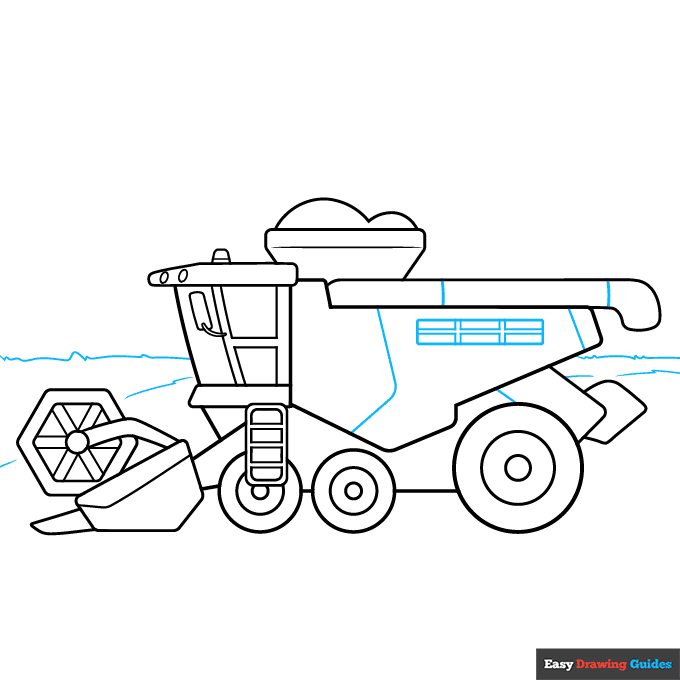
8. Sketch a rectangle on the right, then draw six smaller triangles inside it. Add a few lines on the equipment for extra detail. In the background, draw a few scraggly lines.
Complete the Outline of Your Combine Harvester Drawing - Step 9
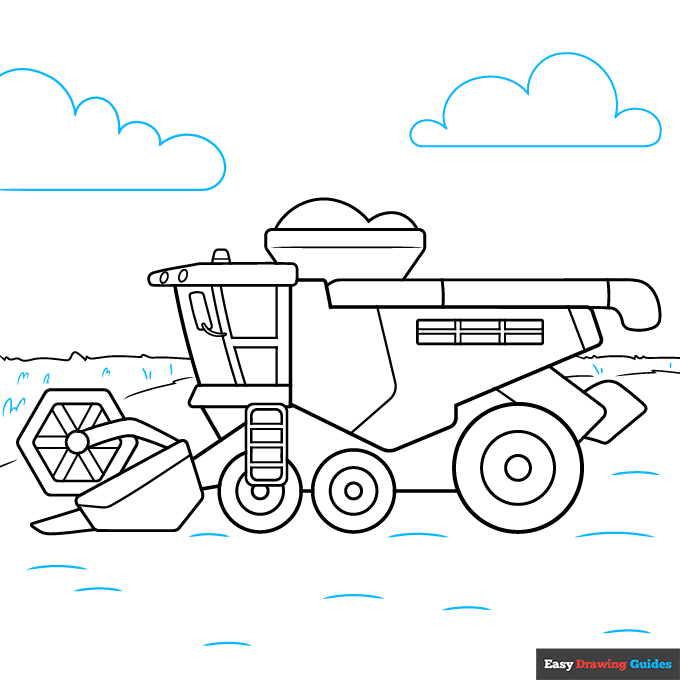
9. Draw dashes and small hills on the ground. For the clouds, draw horizontal lines with bubbly shapes on top.
Color Your Combine Harvester Drawing
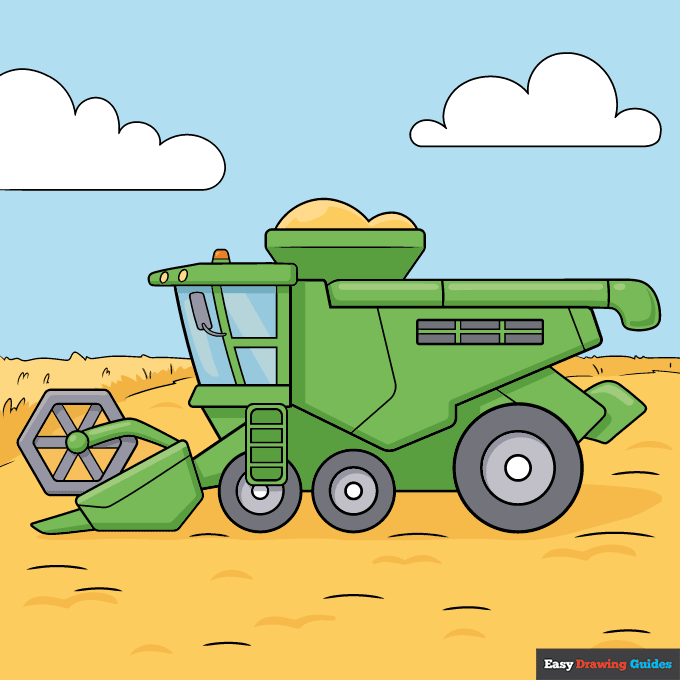
Color your easy combine harvester with shades of green, blue and grey. Use tan for the grain and blue for the sky. Leave the clouds white.
Watch 'How to Draw a Combine Harvester' Video Tutorial
Learn More About The Combine Harvester Drawing
Combine harvesters make it easy for farmers to harvest their crops. Learn how to draw a combine harvester that's working in the fields.
While this combine harvester might look complex, it's actually made of basic shapes, such as ovals, triangles and rectangles. You'll need to draw a lot of straight lines, so grab a ruler to keep them clean and even.
On the left, you might notice that the grain appears to disappear into the horizon. This is a perspective trick that makes the drawing look three-dimensional. Instead of sketching a straight line, you'll use a diagonal line to make the grain look angled.
For more fun with farms, check out this step-by-step farm drawing tutorial or learn how to draw a farmer.
Combine Harvester Drawing Tutorial - Easy & Fun Printable Pages
Join now and get immediate access to thousands of printable drawing instruction and practice pages!
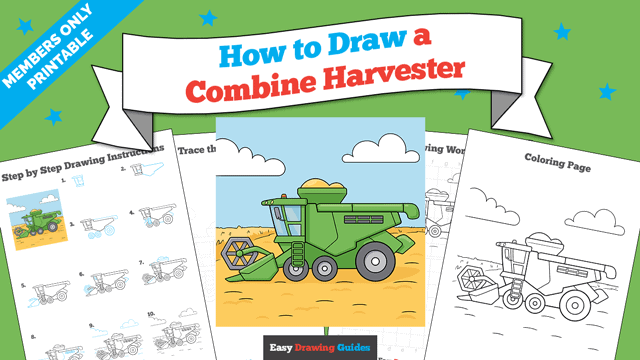
Learn how to get access to thousands of printable pages!

MEMBER TROUBLESHOOTING
Still seeing ads or not being able to download the PDF?
First, check that you're logged in. You can log in on the member login page.
If you're still not able to download the PDF, the likely solution is to reload the page.
You can do this by clicking the browser reload button.
It is a circular arrow-shaped icon at the top of the browser window, typically found in the upper-left side (you can also use keyboard shortcuts: Ctrl+R on PC and Command+R on Mac).