
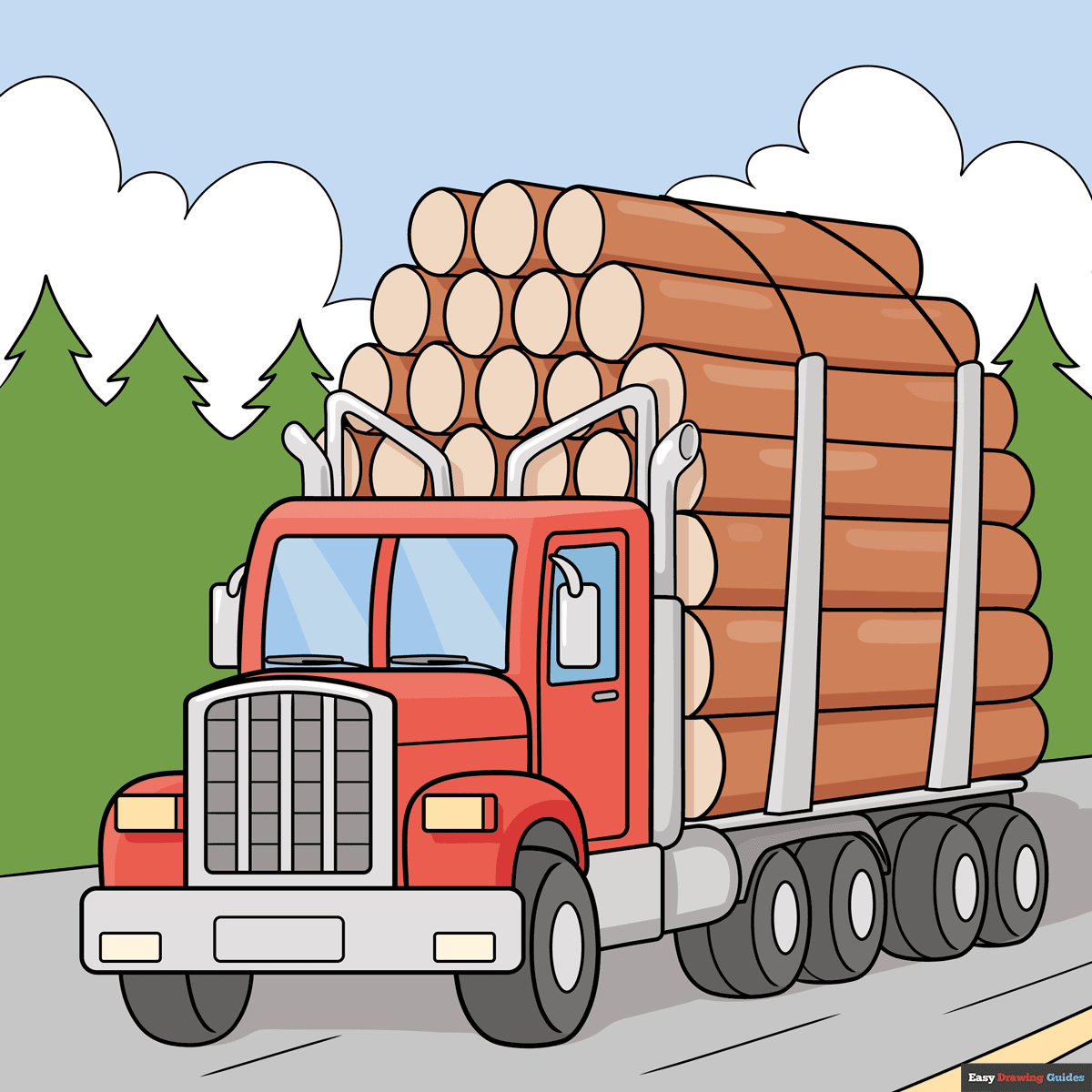
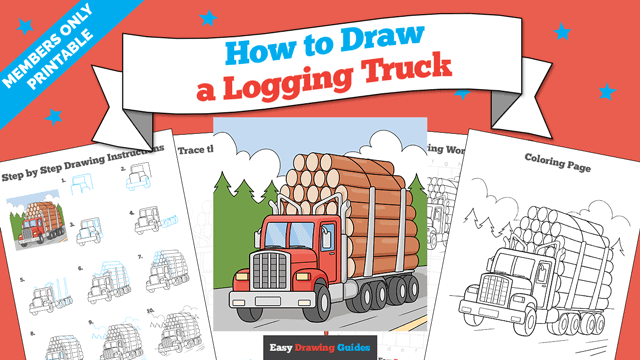
Learn how to draw a great looking Logging Truck with easy drawing instructions and video tutorial.
By following the simple steps, you too can easily draw a perfect Logging Truck.
Step-by-Step Instructions for Drawing a Logging Truck
How to Draw a Great Looking Logging Truck for Kids and Beginners - Step 1
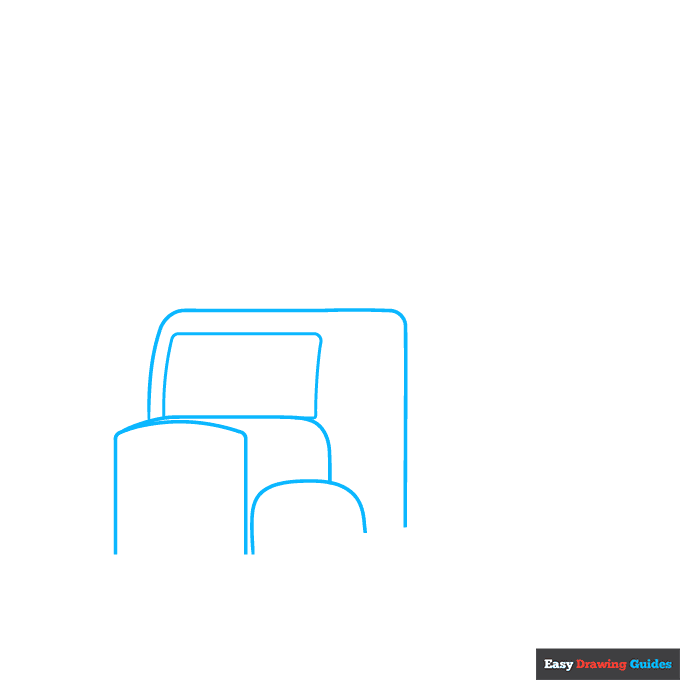
1. Draw a large semi-rectangle with rounded corners. Sketch a smaller rectangle on the left, then add a horizontal curve and two vertical lines. Draw a horizontal line and a curve behind this shape like you're drawing a loaf of bread.
On the right, add a semi-oval.
Drawing Step 2
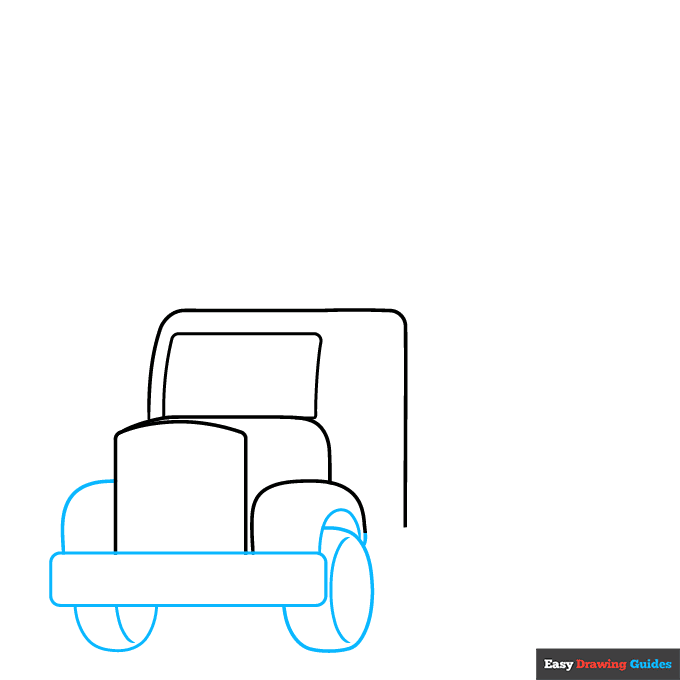
2. Sketch a rectangle on the front of the vehicle. On the left, sketch a hill and a semi-oval with a curve inside it. To the right, draw a hill with an oval underneath. Sketch another curve inside this oval.
Unlock AD FREE and PRINTABLE drawing and coloring tutorials
- 2,600+ drawing & coloring PDFs
- 50+ ebooks
- Ad-free website
Drawing Step 3
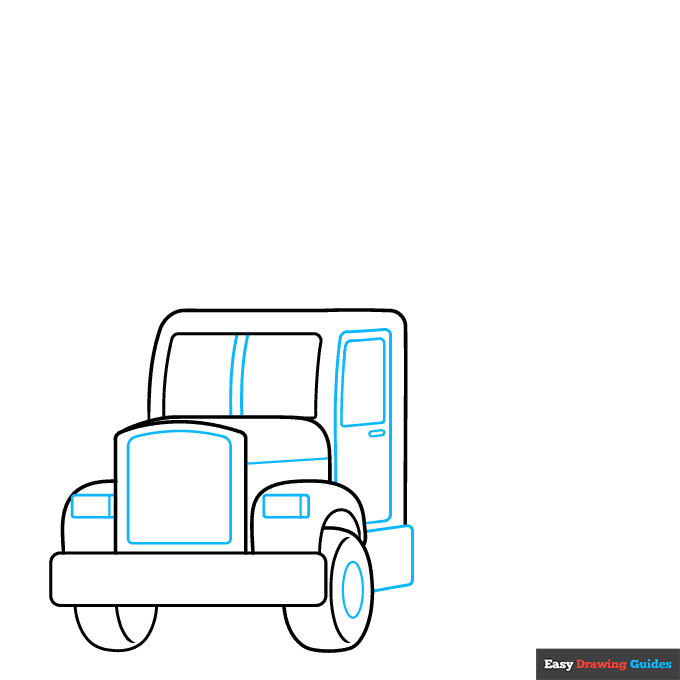
3. Add a large rectangle on the front and smaller rectangles on the sides. Sketch an oval inside the right wheel, then draw two lines inside the windows and a diagonal line below.
For the door, sketch a long rectangle with a smaller rectangle and a thin oval inside it.
Draw a rectangle behind the right wheel.
Drawing Step 4
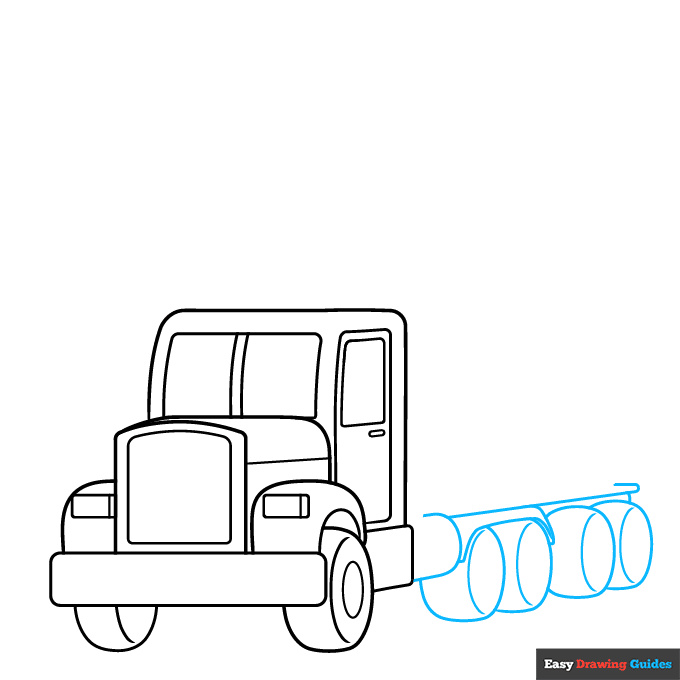
4. Sketch a semi-oval near the bottom of the vehicle, then add a long diagonal line with a hook on the end.
For the wheels, sketch four overlapping ovals with curves inside them. Sketch a hill above the first two wheels with a thin triangle on the right.
Drawing Step 5
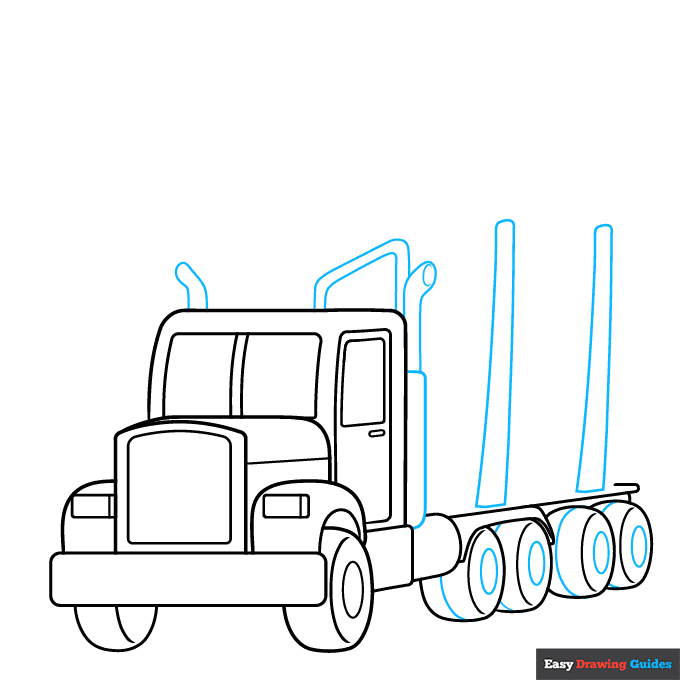
5. Draw smaller ovals and curves inside the wheels. Sketch two long, thin rectangles, then add a tube with a spout on top. Add a bent tube on the left side of the vehicle and a triangular shape on the right.
Drawing Step 6
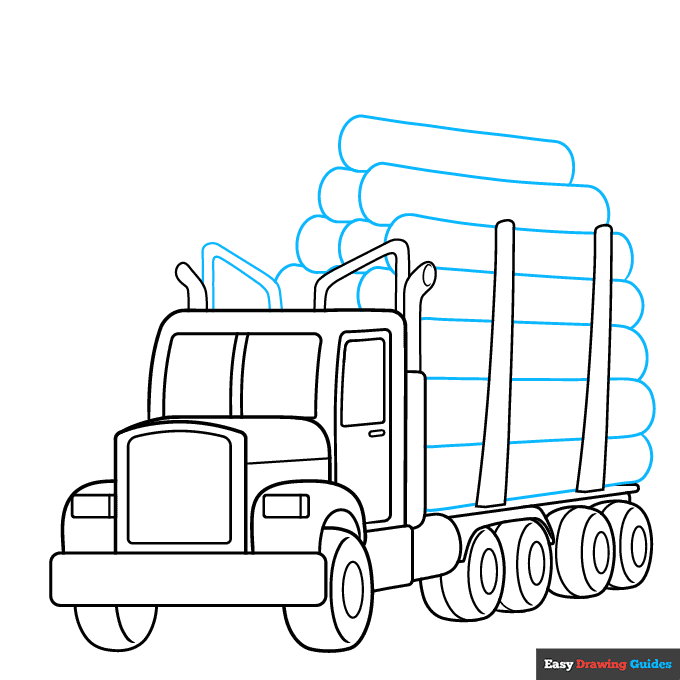
6. Sketch another triangular shape on the left. For the logs, draw large tubes that overlap each other. Make sure they're roughly the same size.
Drawing Step 7
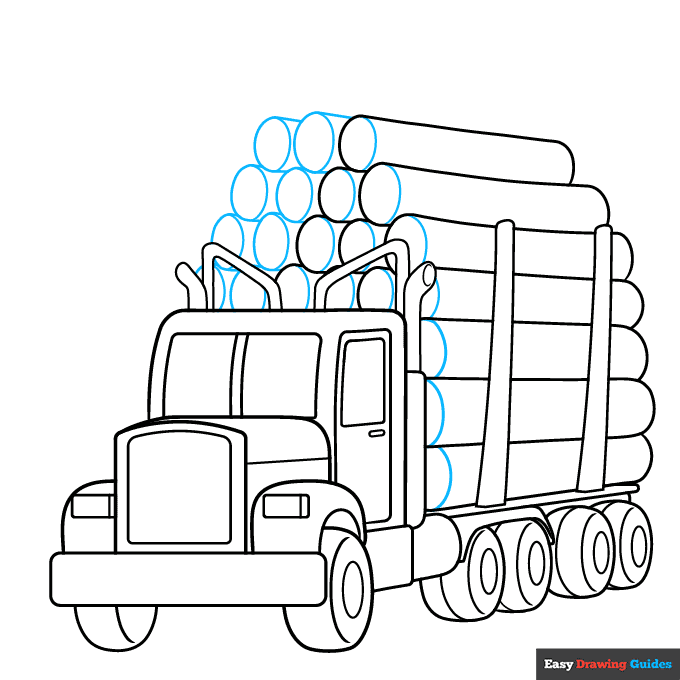
7. Draw curves on the tubes that you just drew, then sketch more ovals and straight lines to the left.
Add More Details to Your Logging Truck Picture - Step 8
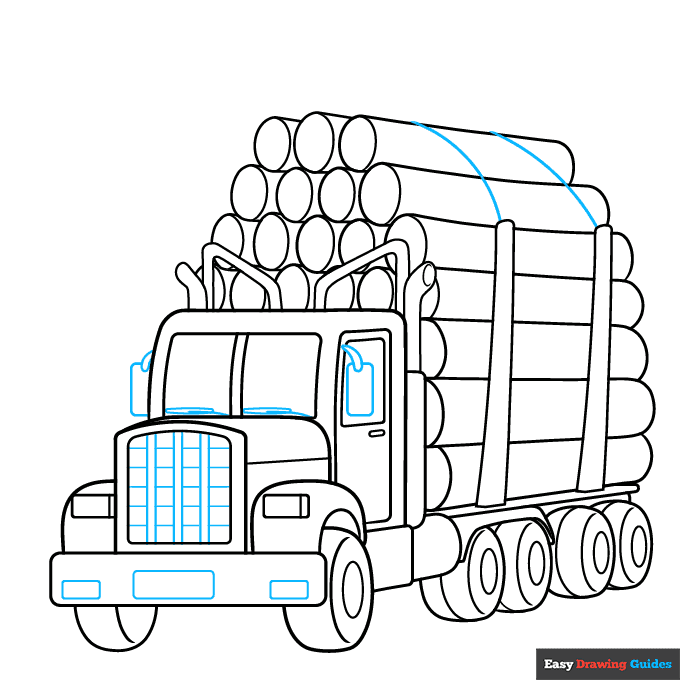
8. Sketch curved lines on the upper logs. Add squares and rectangles to the front of the vehicle, then outline the mirrors with rectangles and teardrop shapes. Draw thin, narrow shapes inside the windows.
Complete the Outline of Your Logging Truck Drawing - Step 9
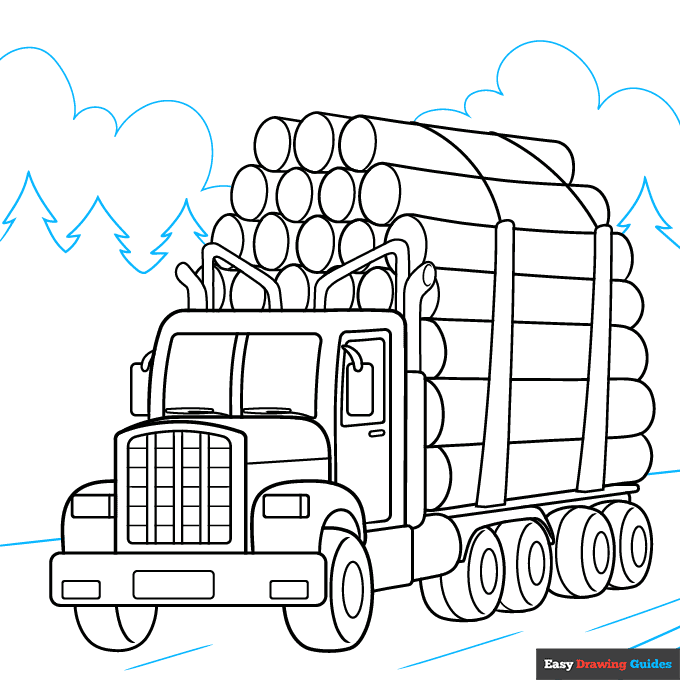
9. Outline the road with diagonal lines. Use triangles for the trees and hills for the clouds.
Color Your Logging Truck Drawing
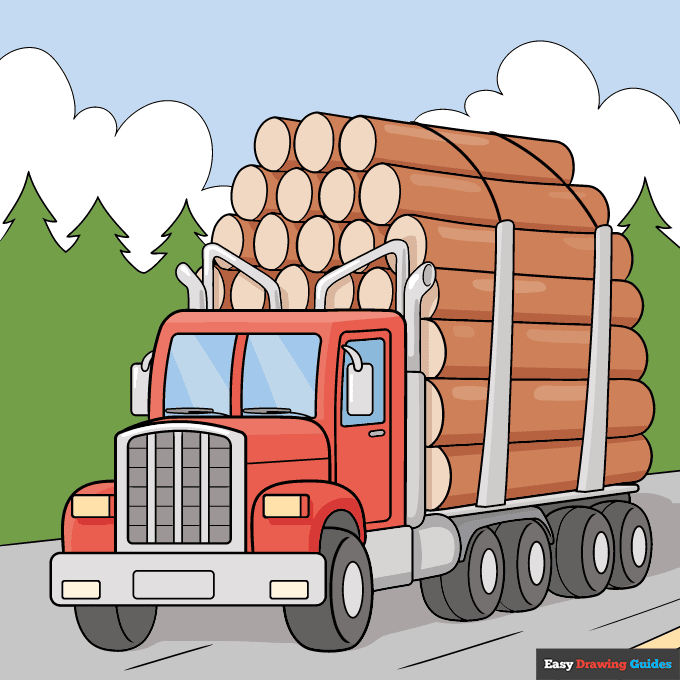
Color your easy logging truck with shades of red and grey, then use blue for the windows. Make the logs brown, and color the trees green. Use blue for the sky and grey and yellow for the road.
Watch 'How to Draw a Logging Truck' Video Tutorial
Learn More About The Logging Truck Drawing
If you see a logging truck on the road, it's probably on the way to a factory or processing plant. Learn how to draw a logging truck with trees in the background.
The logs on this logging truck are basically giant tubes. If they look difficult to sketch, just imagine that you're drawing giant straws. You'll make them overlap so that they look like they're stacked on top of each other.
Instead of outlining each tree, this guide shows you how to draw silhouettes. This creates a simple background that doesn't draw attention from the focal point: your logging truck.
When you're ready to practice more vehicles, learn how to draw a truck with a Christmas tree or try this step-by-step firetruck drawing guide.
Logging Truck Drawing Tutorial - Easy & Fun Printable Pages
Join now and get immediate access to thousands of printable drawing instruction and practice pages!
Learn how to get access to thousands of printable pages!

MEMBER TROUBLESHOOTING
Still seeing ads or not being able to download the PDF?
First, check that you're logged in. You can log in on the member login page.
If you're still not able to download the PDF, the likely solution is to reload the page.
You can do this by clicking the browser reload button.
It is a circular arrow-shaped icon at the top of the browser window, typically found in the upper-left side (you can also use keyboard shortcuts: Ctrl+R on PC and Command+R on Mac).