
Learn how to draw a great looking Yuji Itadori from Jujutsu Kaisen with easy drawing instructions and video tutorial.
By following the simple steps, you too can easily draw a perfect Yuji Itadori from Jujutsu Kaisen.
Step-by-Step Instructions for Drawing Yuji Itadori from Jujutsu Kaisen
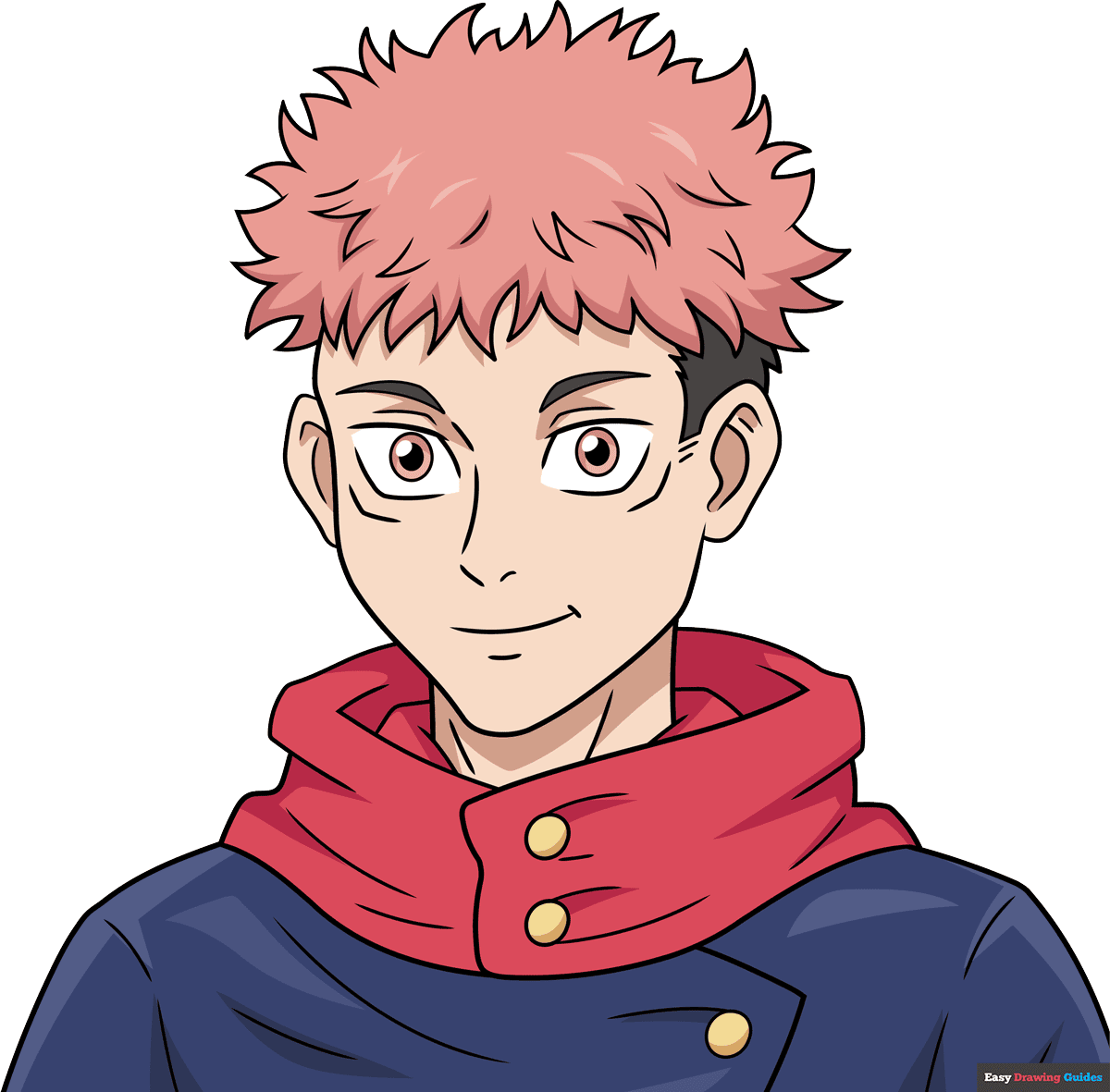
How to Draw a Great Looking Yuji Itadori from Jujutsu Kaisen for Kids and Beginners - Step 1
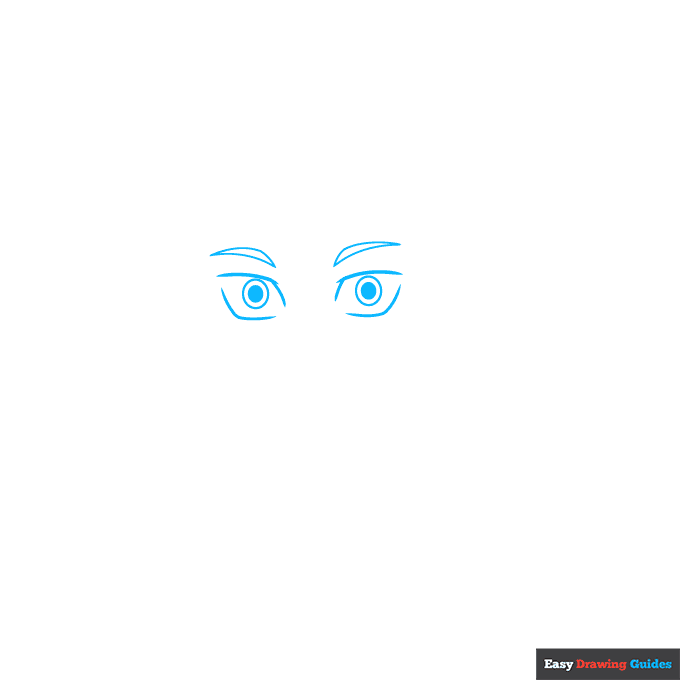
1. Begin the Yuji Itadori from Jujutsu Kaisen outline by drawing his rectangular anime eyes. Use curved lines that don't meet at the corners to draw the rectangular shapes of the eyes. Draw two concentric circles inside each eye, shading the smaller ones.
Above the eyes, sketch the double-pointed shapes of the eyebrows, each using two curved lines.
Drawing Step 2
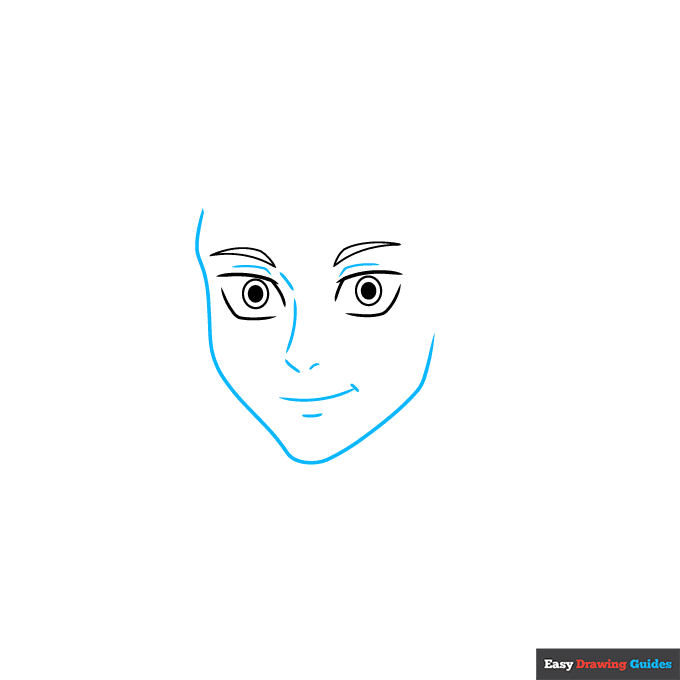
2. Use a long curved line to sketch the outline of the face, with shorter lines contouring the eyes, nose, mouth, and chin.
Unlock AD FREE and PRINTABLE drawing and coloring tutorials
- 2,600+ drawing & coloring PDFs
- 50+ ebooks
- Ad-free website
Drawing Step 3
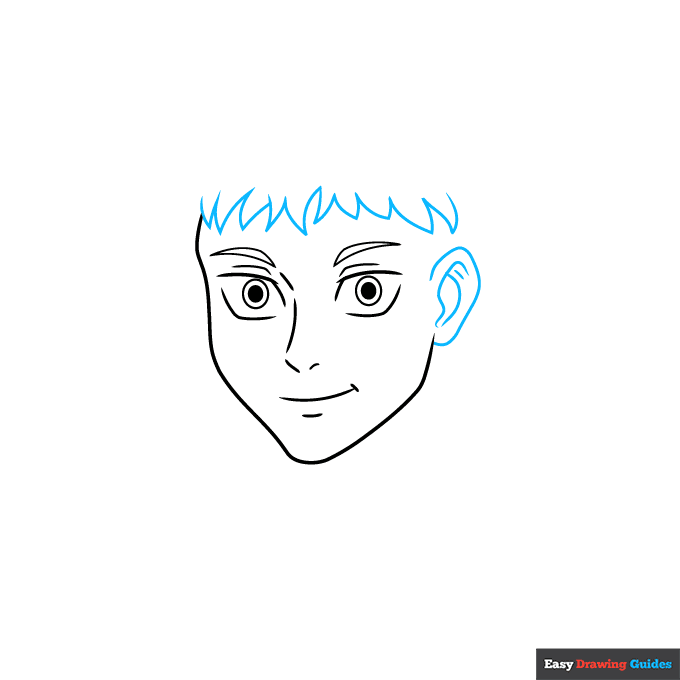
3. Draw the ear, contouring the inside. Then, use a series of curved lines that meet at points to begin drawing the spiky anime hair.
Drawing Step 4
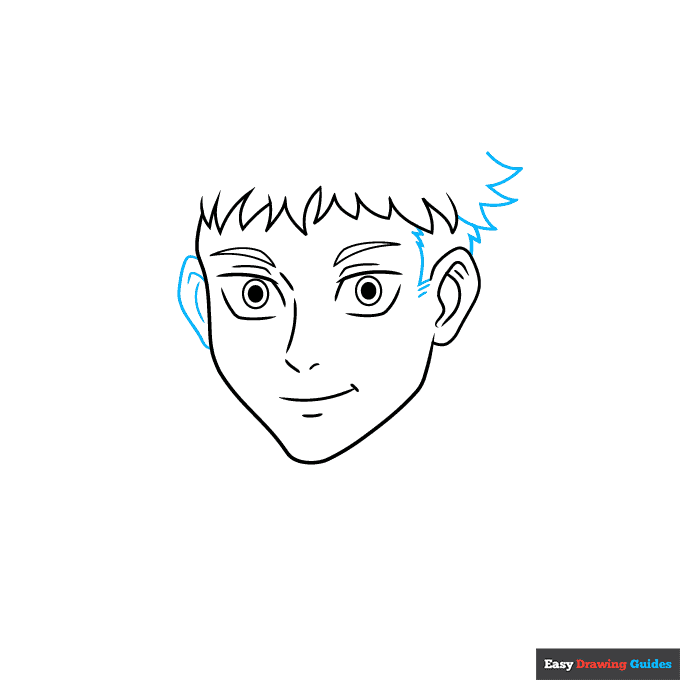
4. Draw and contour the remaining ear. Use curved lines that meet at points to draw the sideburns and continue the spiky hair.
Drawing Step 5
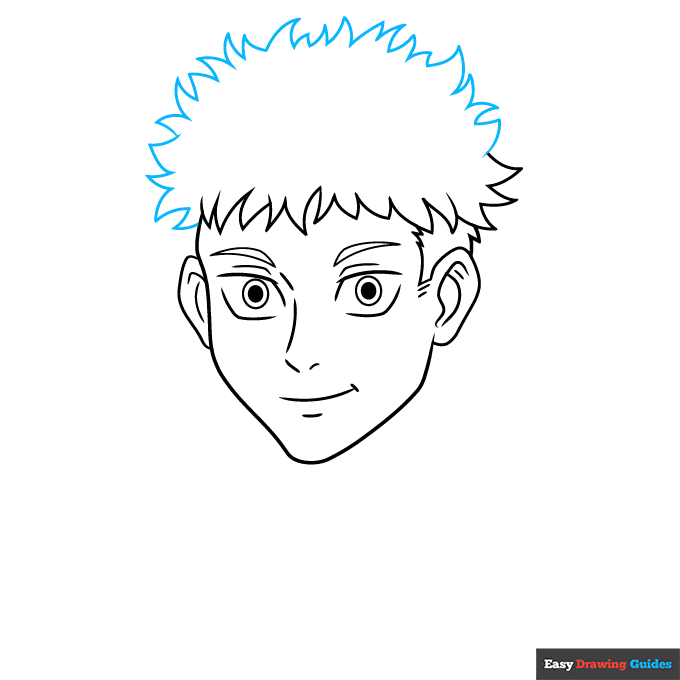
5. Continue to use short curved lines that meet at jagged points to enclose the rounded shape of the hair.
Drawing Step 6
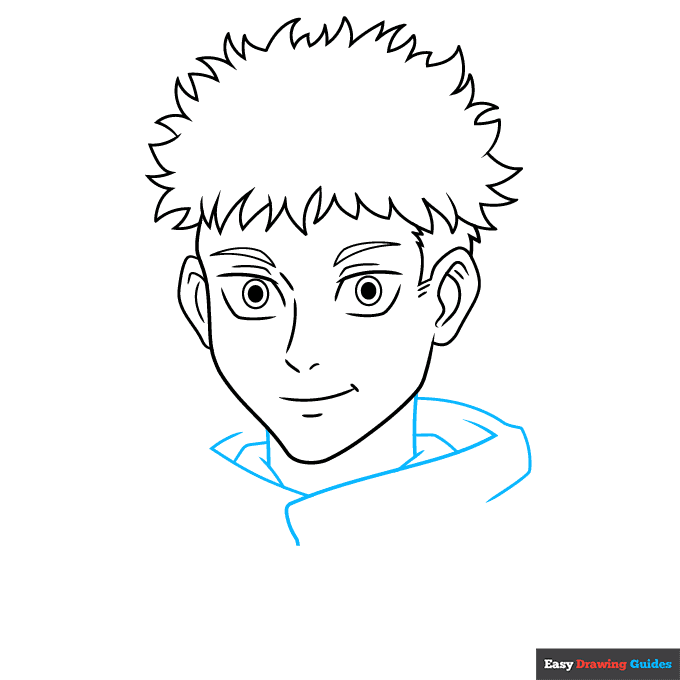
6. Extend two vertical lines below the head to form the neck. Use a series of overlapping curved lines to enclose the necks of the inner and outer garments around the boy's neck.
Drawing Step 7
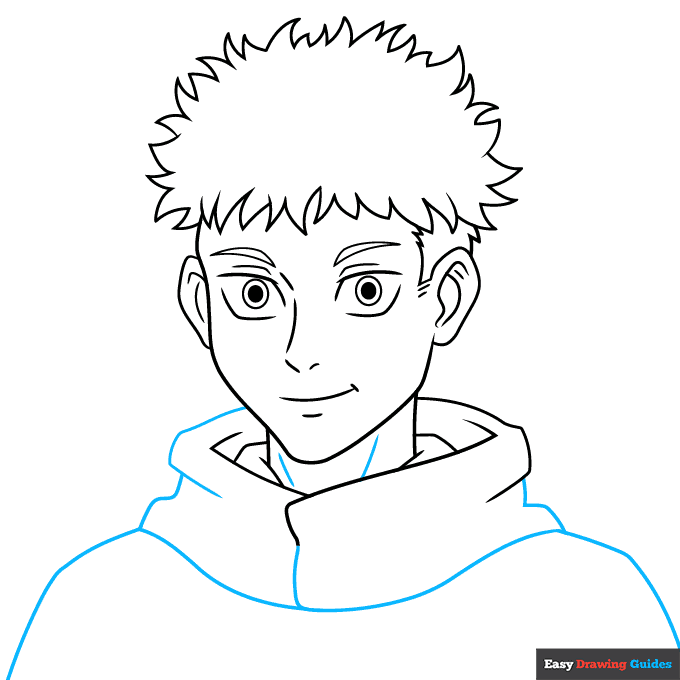
7. Contour the neck with curved lines. Then,, use overlapping curved lines to continue the wide neck of the garment and to draw the shoulders.
Add More Details to Your Yuji Itadori from Jujutsu Kaisen Picture - Step 8
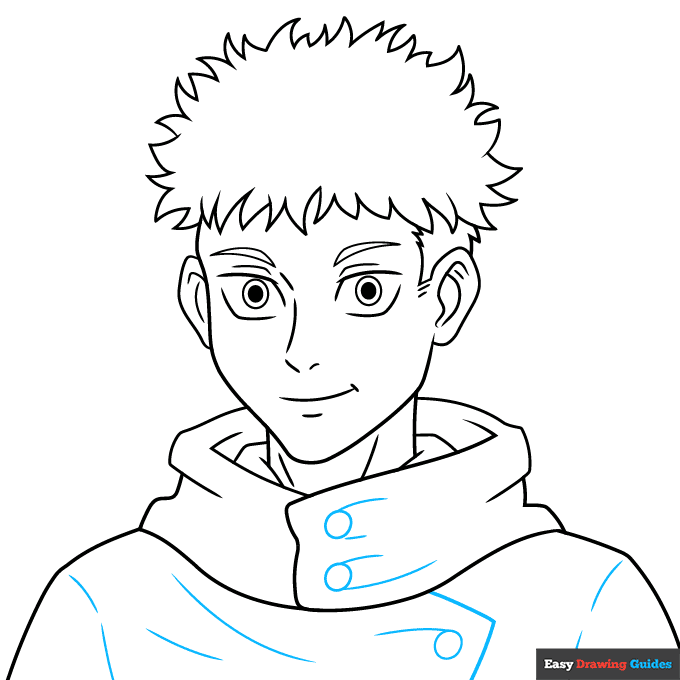
8. Draw two circular buttons on the garment's neck and another on its front. Then, use curved lines to contour the fabric around the buttons and shoulders. Draw the flap of the garment around the button using an "L" shaped line.
Complete the Outline of Your Yuji Itadori from Jujutsu Kaisen Drawing - Step 9
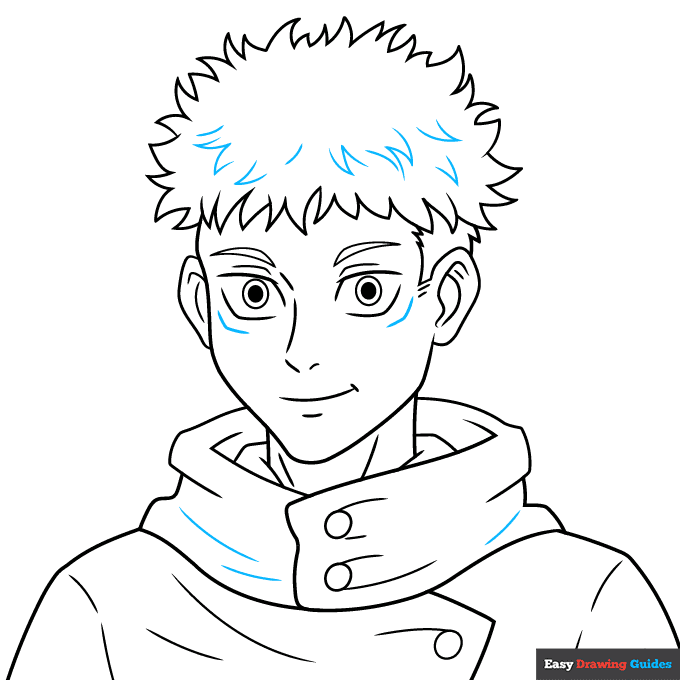
9. Use curved lines, some of which meet at jagged points, to add a spiky texture to the hair. Use additional curved lines to form the slits below the eyes and contour the garment.
Color Your Yuji Itadori from Jujutsu Kaisen Drawing
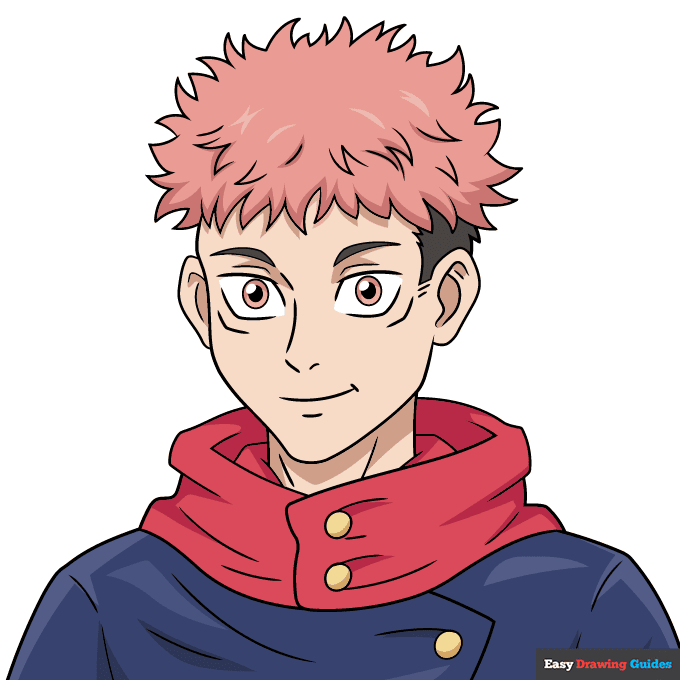
Your Yuji Itadori from Jujutsu Kaisen outline is now complete. Color your anime character. Yuji has pink hair and light brown eyes.
Watch 'How to Draw Yuji Itadori from Jujutsu Kaisen' Video Tutorial
Click HERE to save the tutorial to Pinterest!
Learn More About The Yuji Itadori from Jujutsu Kaisen Drawing
Yuji Itadori is the main protagonist of Jujutsu Kaisen. You can learn how to draw Yuji Itadori from Jujutsu Kaisen - as well as his friends and enemies - with the help of our easy, step-by-step anime drawing tutorials.
After eating one of Sukuna's indestructible fingers, Yuji became the legendary sorcerer's vessel. In this drawing, you see Yuji in his "normal" form. The only giveaway of his powers are the slits below each eye.
When Sukuna is in control, a small secondary set of eyes opens on Yuji's face, and his body becomes covered in tattoos. Check out this Sakuna drawing to see this form.
Don't forget to check out our other Jujutsu Kaisen characters, including this Megumi drawing and this Gojo drawing.
Yuji Itadori from Jujutsu Kaisen Drawing Tutorial - Easy & Fun Printable Pages
Join now and get immediate access to thousands of printable drawing instruction and practice pages!
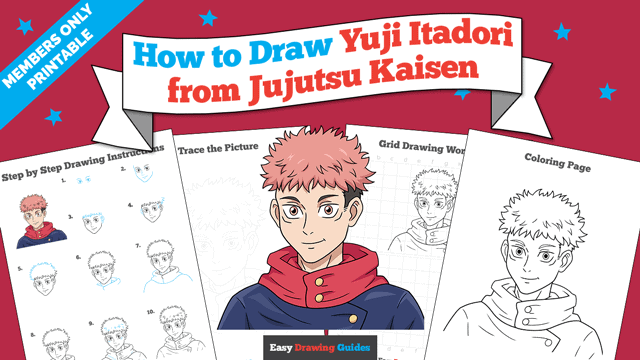
Learn how to get access to thousands of printable pages!

MEMBER TROUBLESHOOTING
Still seeing ads or not being able to download the PDF?
First, check that you're logged in. You can log in on the member login page.
If you're still not able to download the PDF, the likely solution is to reload the page.
You can do this by clicking the browser reload button.
It is a circular arrow-shaped icon at the top of the browser window, typically found in the upper-left side (you can also use keyboard shortcuts: Ctrl+R on PC and Command+R on Mac).