
Learn how to draw a great looking Baddie with easy drawing instructions and video tutorial.
By following the simple steps, you too can easily draw a perfect Baddie.
Step-by-Step Instructions for Drawing a Baddie
How to Draw a Great Looking Baddie for Kids and Beginners - Step 1

1. For the eyes, sketch curves with dashes above them, then add curves above the dashes and draw a circle inside each shape. Use thick curves for the eyebrows. Draw a hook shape next to the left eye.
Drawing Step 2
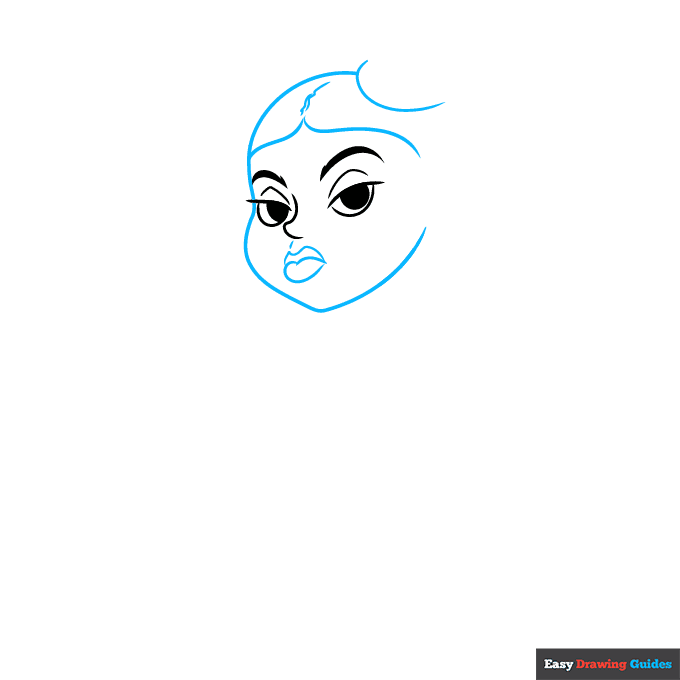
2. Add a dash below the nose. To outline the lips, sketch a rounded heart shape with two hills on top. Draw two horizontal curves on the forehead, and add squiggly lines between them.
Sketch two curves on top of the head, then outline the face with a loose heart shape.
Unlock AD FREE and PRINTABLE drawing and coloring tutorials
- 2,600+ drawing & coloring PDFs
- 50+ ebooks
- Ad-free website
Drawing Step 3
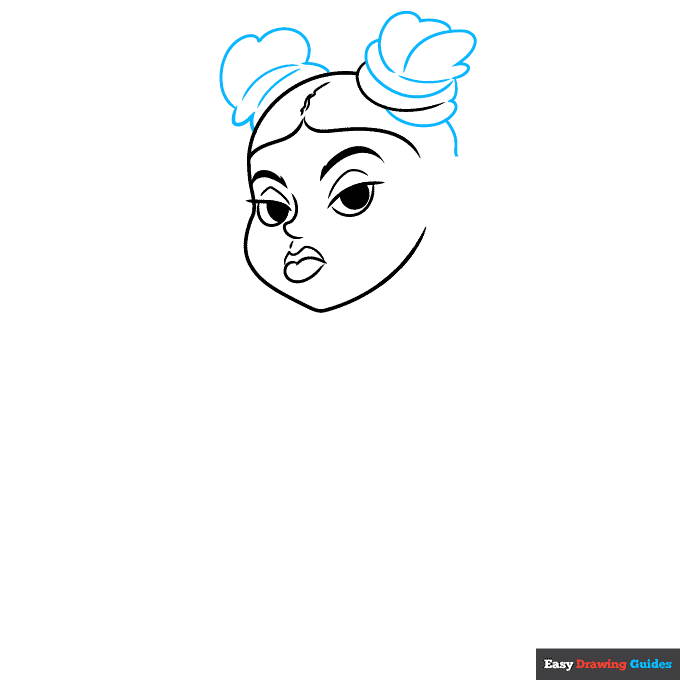
3. For the buns, draw loose, wavy hills like you're sketching puffy clouds, then add curves inside these shapes. Draw a short vertical curve on the right.
Drawing Step 4
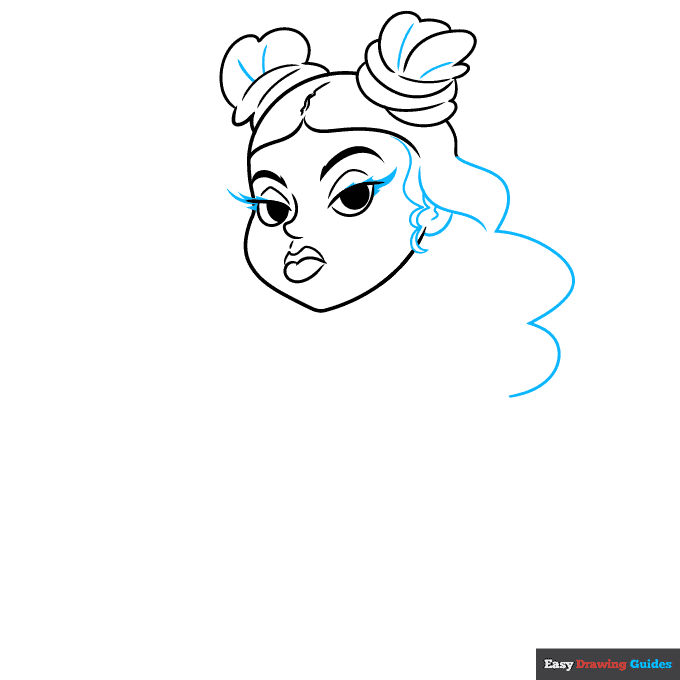
4. Sketch more curves inside the buns. Next, draw loose, curvy lines on the right to make the hair look wavy. Use an S-shape and a semi-oval for the ear.
Add triangles to give the eyelashes a thick, wavy appearance.
Drawing Step 5
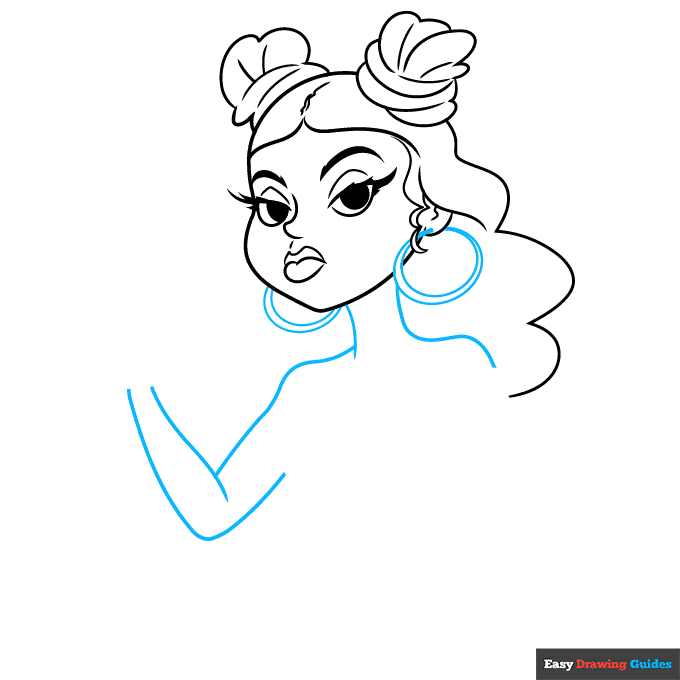
5. Use circles for the earrings, then outline the neck with vertical lines. Draw curves for the shoulders. For the left arm, sketch two loose V-shapes.
Drawing Step 6
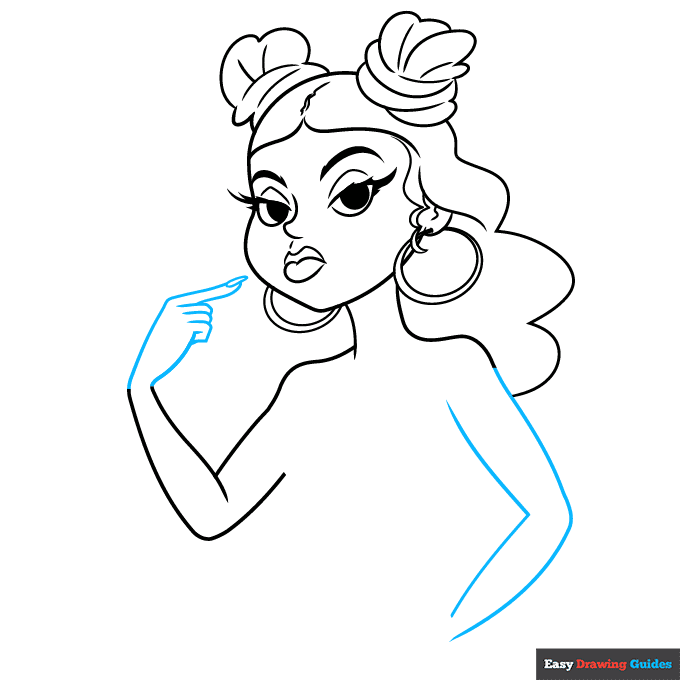
6. Sketch the right arm with four diagonal curves. Outline the left hand with two curves, then use hot dog shapes for the fingers. Draw the fingernail with a narrow oval.
Drawing Step 7
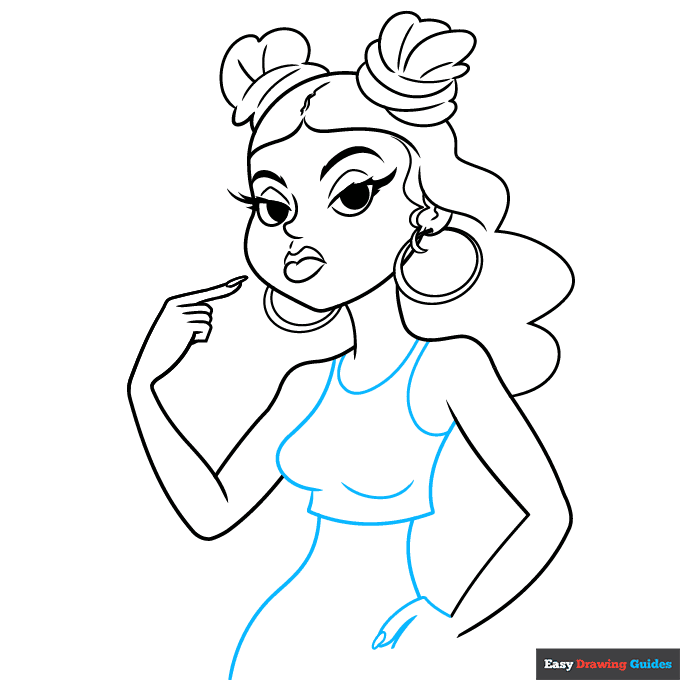
7. Draw a curve underneath the neck. On the left side of the body, sketch a curve and a straight line, then add another curve on the right and connect them with a horizontal line. Draw more curves on the chest and near the right shoulder.
Sketch two more curves underneath the shirt. Start the right hand with a diagonal line and a hot dog shape with a small triangle on the end.
Add More Details to Your Baddie Picture - Step 8
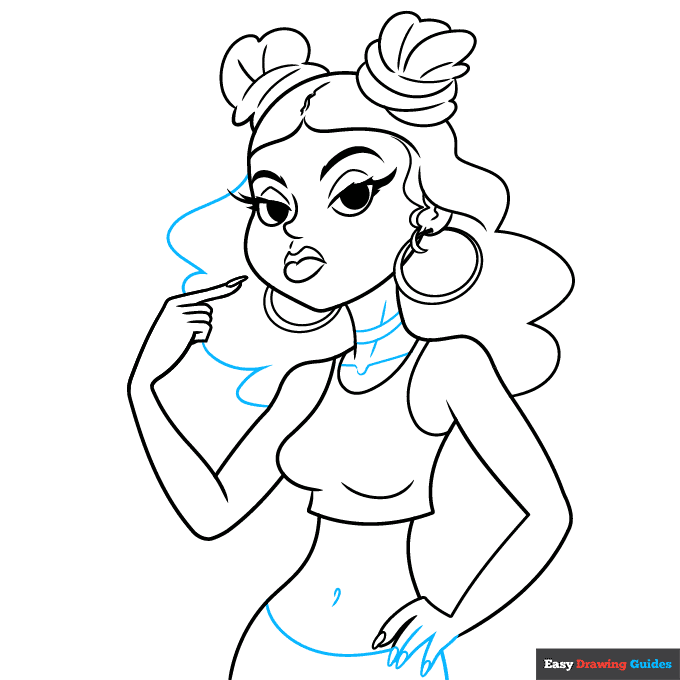
8. Add three more fingers, then sketch a curve below the waist and a small hook above it. Draw wavy lines behind the left side of the head. Sketch more curves inside the neck.
Complete the Outline of Your Baddie Drawing - Step 9
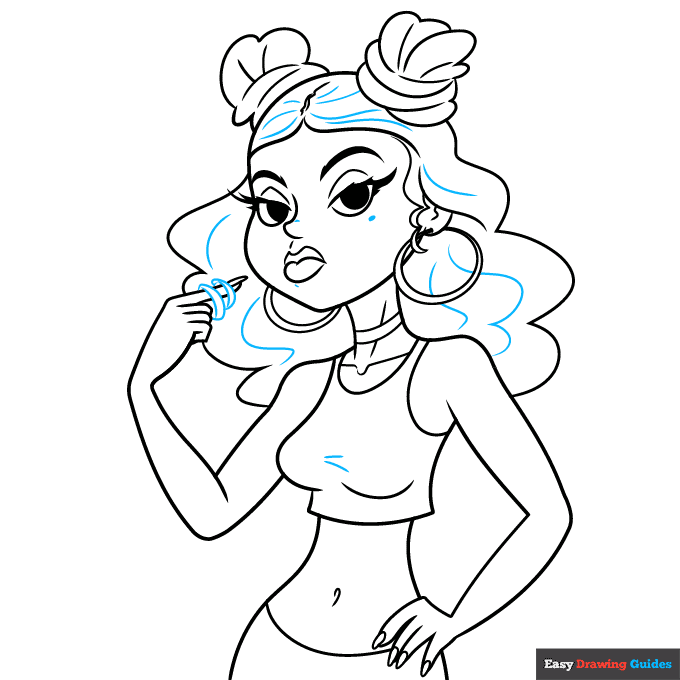
9. Draw curves on the index finger, then sketch wavy lines on the hair and shirt. Add a dot below the right eye.
Color Your Baddie Drawing
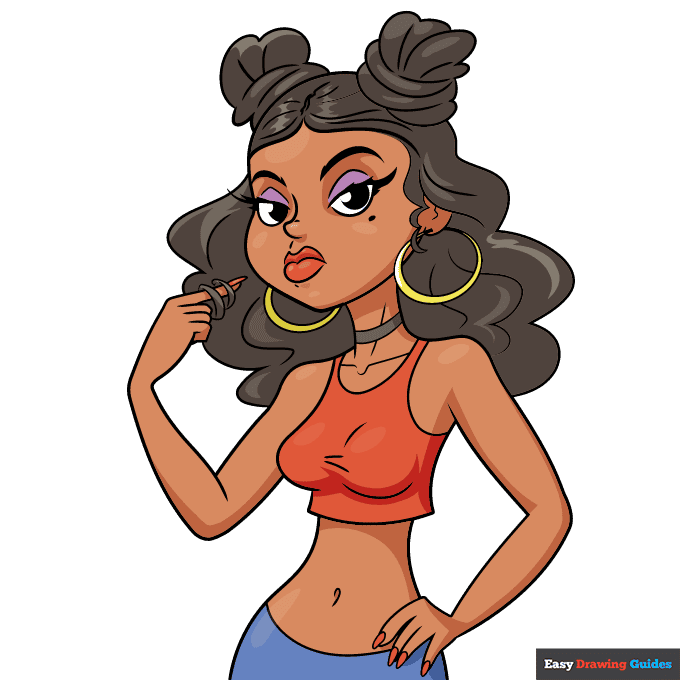
10. Outline your easy baddie drawing with black ink.
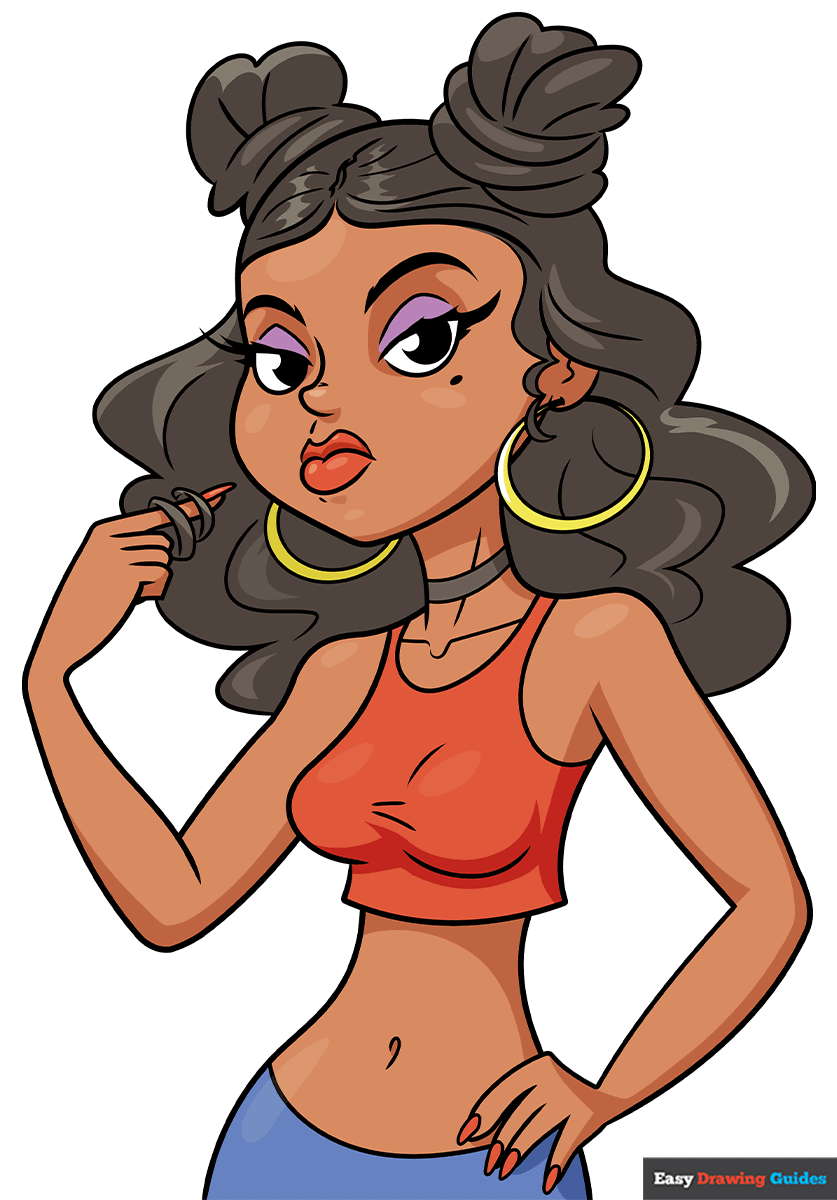
Color your step-by-step baddie with your favorite skin and hair colors. Use red for the shirt, lipstick and nail polish, blue for the skirt, purple for the eyeshadow and yellow for the earrings.
Watch 'How to Draw a Baddie' Video Tutorial
Learn More About The Baddie Drawing
A "baddie" is a term for an attractive woman, often a social media influencer. Learn how to draw a baddie wearing a fashionable outfit.
Baddies often post selfies on Instagram and other social media platforms. To draw this influencer, you'll use a lot of curvy, wavy lines for the hair and facial features. Curves and ovals make her lips look plump as she pouts at the viewer.
Once you've drawn the hair, try outlining the highlights before you fill it in. This gives your baddie's hair a bouncy, shiny appearance.
For more fun with female characters, learn how to draw an aesthetic girl, visit our black girl drawing guide or try a step-by-step pretty girl drawing.
Baddie Drawing Tutorial - Easy & Fun Printable Pages
Join now and get immediate access to thousands of printable drawing instruction and practice pages!
Learn how to get access to thousands of printable pages!

MEMBER TROUBLESHOOTING
Still seeing ads or not being able to download the PDF?
First, check that you're logged in. You can log in on the member login page.
If you're still not able to download the PDF, the likely solution is to reload the page.
You can do this by clicking the browser reload button.
It is a circular arrow-shaped icon at the top of the browser window, typically found in the upper-left side (you can also use keyboard shortcuts: Ctrl+R on PC and Command+R on Mac).