
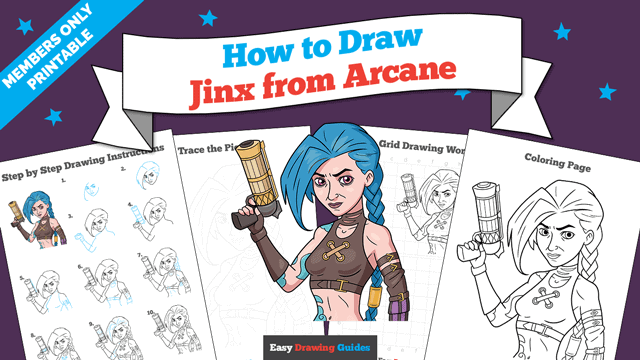
Learn how to draw a great looking Jinx from Arcane with easy drawing instructions and video tutorial.
By following the simple steps, you too can easily draw a perfect Jinx from Arcane.
Step-by-Step Instructions for Drawing Jinx from Arcane
How to Draw a Great Looking Jinx from Arcane for Kids and Beginners - Step 1
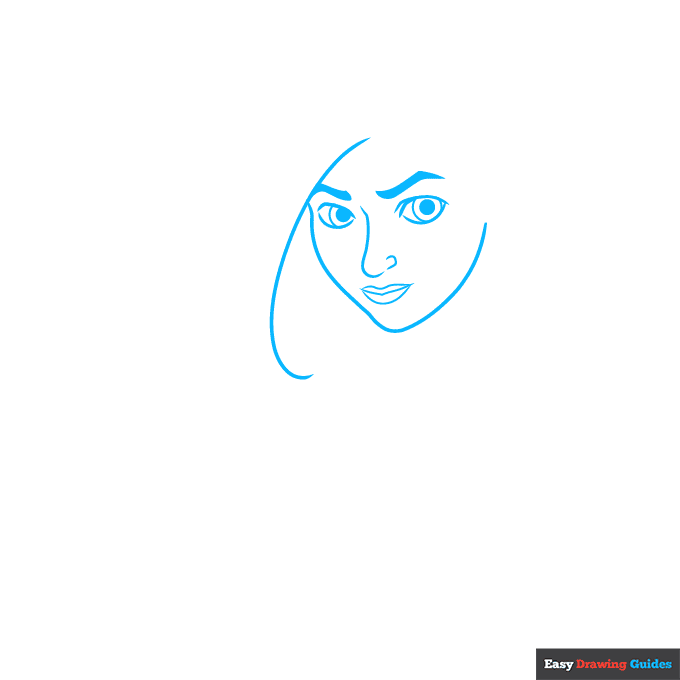
1. Draw two lemon shapes with circles inside them, then use thick lines for the eyebrows. Sketch the nose with a hook shape and a small curve. For the mouth, draw a wide W-shape, then add curves above and below this line.
Add a swooping curve on the left.
Drawing Step 2
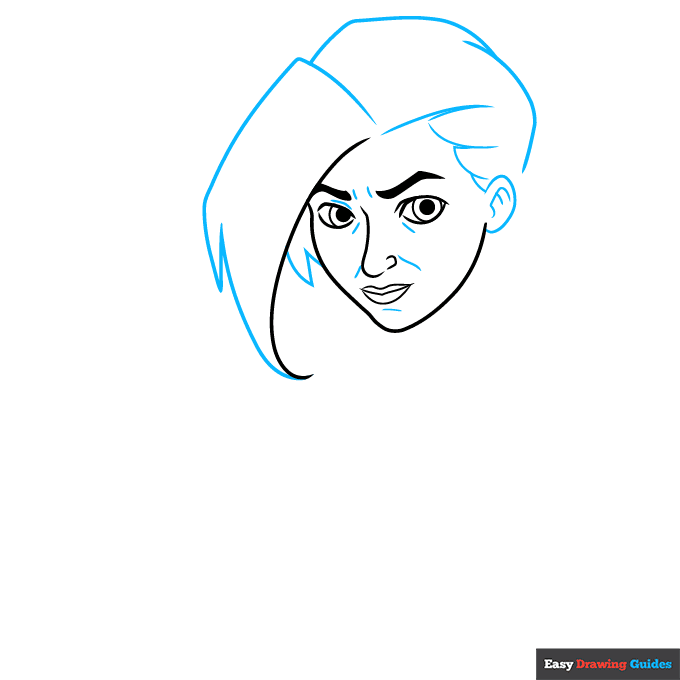
2. For the left side of the hair, sketch a rectangle with two triangles at the end. Add two more triangles near the face. On the right, sketch two curves, then draw loose, sketchy lines for the hairline.
Draw the ear with an oval and curved lines. Sketch dashes near the facial features.
Unlock AD FREE and PRINTABLE drawing and coloring tutorials
- 2,600+ drawing & coloring PDFs
- 50+ ebooks
- Ad-free website
Drawing Step 3
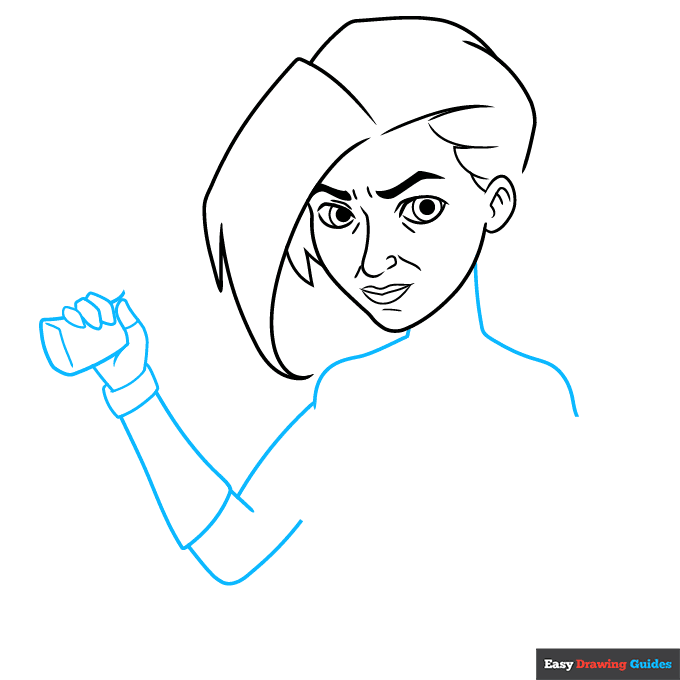
3. Outline the neck with vertical lines, then add curves for the shoulders. For the left arm, draw two loose V-shapes and use oblong rectangles for the armband.
Sketch the fingers with blocky ovals, and draw a rectangle with an upside-down L-shape inside the fist.
Drawing Step 4
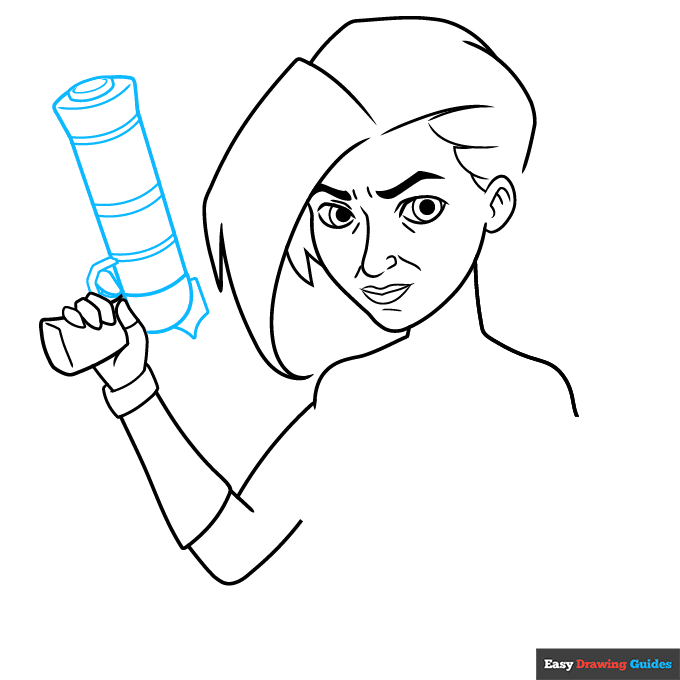
4. Sketch a large cylinder, then add an oval with a curve inside it on the end. Add curves inside the cylinder and a spiky shape on the bottom. Sketch the index finger with two more curves around it.
Drawing Step 5
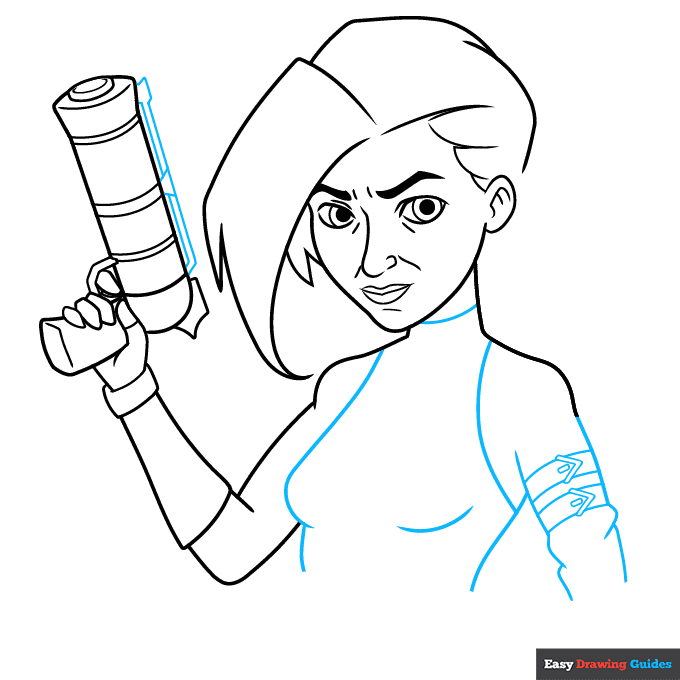
5. Draw triangles and a long, narrow rectangle on the top of the gun. Outline the body with curved lines, then draw more curves inside the chest.
On the right arm, sketch curved lines with small arrows and rectangles inside them, then add curves to make the fabric look wrinkled.
Drawing Step 6
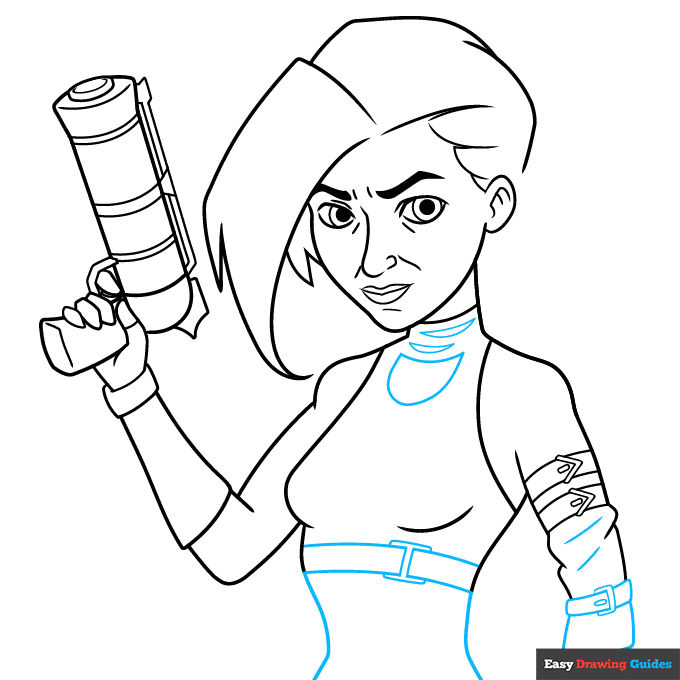
6. Sketch another belt and two rectangles on the right arm, then draw two diagonal lines. On the chest, draw two narrow rectangles with a square behind them. Add two curves below this shape.
Draw three semi-ovals on the neck.
Drawing Step 7
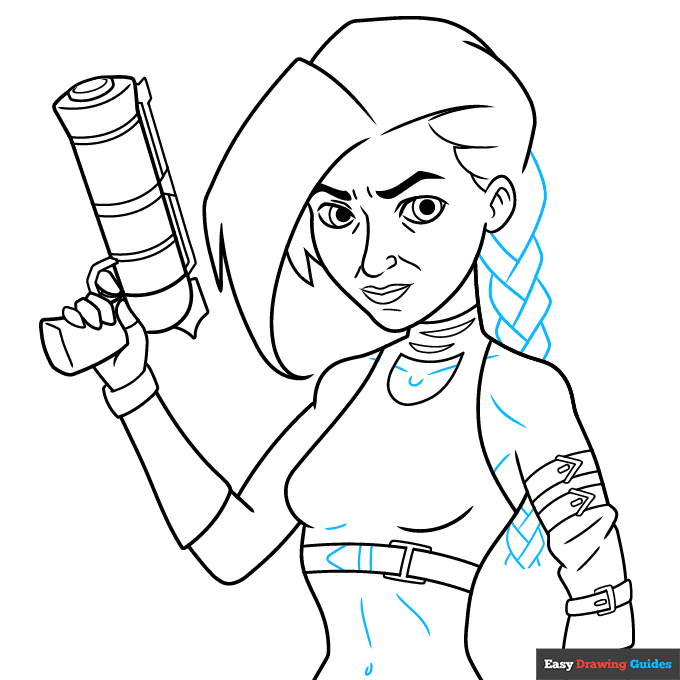
7. Add lines throughout the body for added detail. Sketch the braid with curvy rectangles that alternate in a pattern.
Add More Details to Your Jinx from Arcane Picture - Step 8
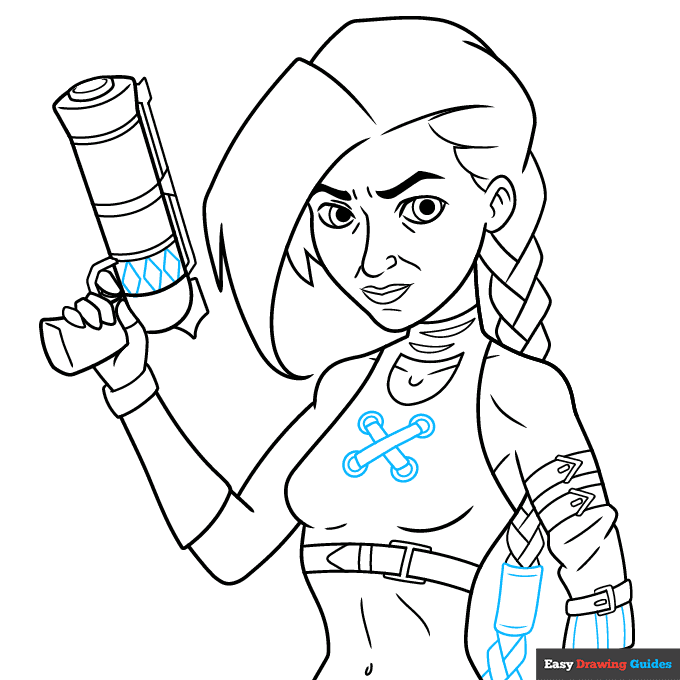
8. Add lines throughout the body for added detail. Sketch the braid with curvy rectangles that alternate in a pattern.
Complete the Outline of Your Jinx from Arcane Drawing - Step 9
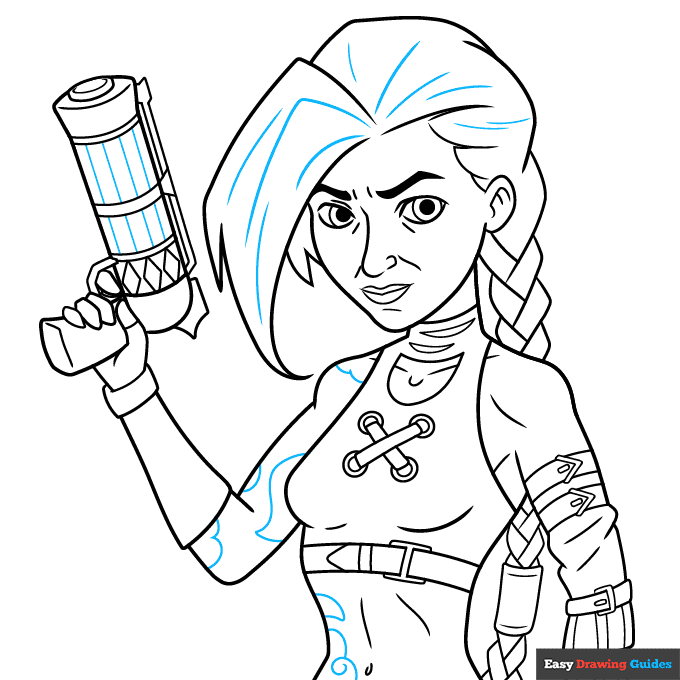
Sketch lines inside the hair and gun, and draw curves on the body. Outline your easy Jinx from Arcane drawing with black ink.
Color Your Jinx from Arcane Drawing
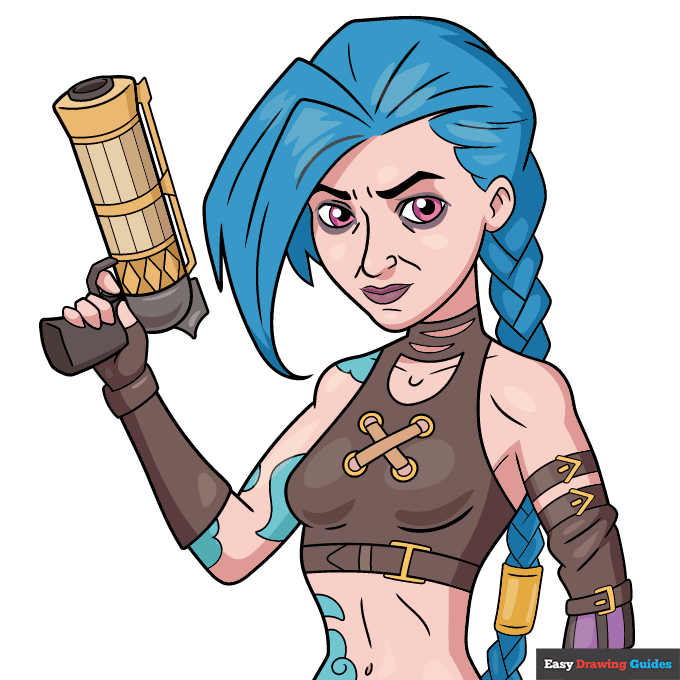
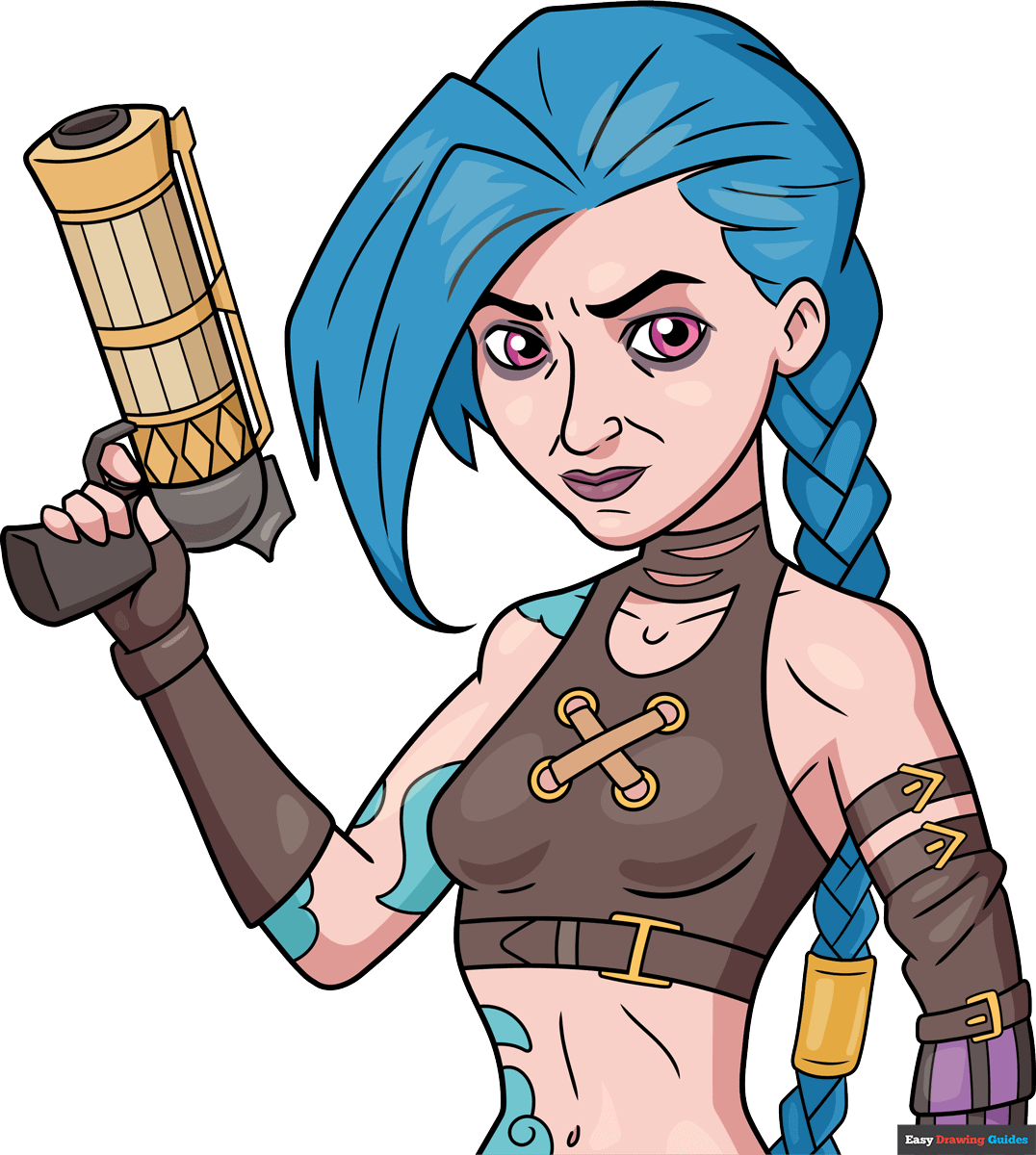
Color your Jinx from League of Legends with pale skin, blue hair, blue tattoos and pink eyes. Use gold and grey for the gun, then color her outfit with brown, purple and gold.
Watch 'How to Draw Jinx from Arcane' Video Tutorial
Learn More About The Jinx from Arcane Drawing
In 2013, Jinx became a playable League of Legends character. Learn how to draw Jinx from Arcane as she gets ready for battle.
Arcane is an animated show about Jinx and other characters. Jinx is famous for her bright blue hair and bold tattoos that make her stand out. While you'll use neutral shades for her clothes and skin, her hair and eyes require the boldest colors you can find in your crayon box.
When you're ready to tackle more animated characters, try this step-by-step Nezuko Kamado from Demon Slayer drawing guide or learn how to draw Hinata Hyuga from Naruto.
Jinx from Arcane Drawing Tutorial - Easy & Fun Printable Pages
Join now and get immediate access to thousands of printable drawing instruction and practice pages!
Learn how to get access to thousands of printable pages!

MEMBER TROUBLESHOOTING
Still seeing ads or not being able to download the PDF?
First, check that you're logged in. You can log in on the member login page.
If you're still not able to download the PDF, the likely solution is to reload the page.
You can do this by clicking the browser reload button.
It is a circular arrow-shaped icon at the top of the browser window, typically found in the upper-left side (you can also use keyboard shortcuts: Ctrl+R on PC and Command+R on Mac).