
Learn how to draw a great looking Medieval Castle with easy drawing instructions and video tutorial.
By following the simple steps, you too can easily draw a perfect Medieval Castle.
Step-by-Step Instructions for Drawing a Medieval Castle

How to Draw a Great Looking Medieval Castle for Kids and Beginners - Step 1
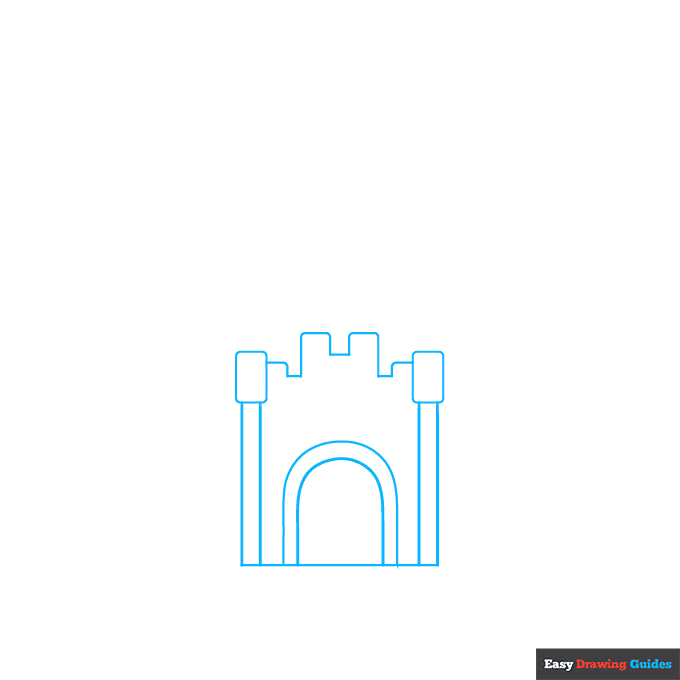
1. Begin the medieval castle outline by drawing the castle's gates. Start with a three-sided, incomplete rectangle shape.
Draw two "U" shaped arches inside. On the ends of the lines draw small rectangles, then enclose long rectangles beneath them. Use a long line to draw the blocky, zigzagging shape of the top of the wall.
Drawing Step 2

2. Draw a curved line above the arches. Then enclose curved rectangles with wider bases than tops on each side of the gates.
Extend two straight lines from the upper corners of each, forming incomplete trapezoids. Connect them to the gate with straight and blocky zigzag lines.
Unlock AD FREE and PRINTABLE drawing and coloring tutorials
- 1,900+ drawing & coloring PDFs
- 50+ ebooks
- Ad-free website
Drawing Step 3
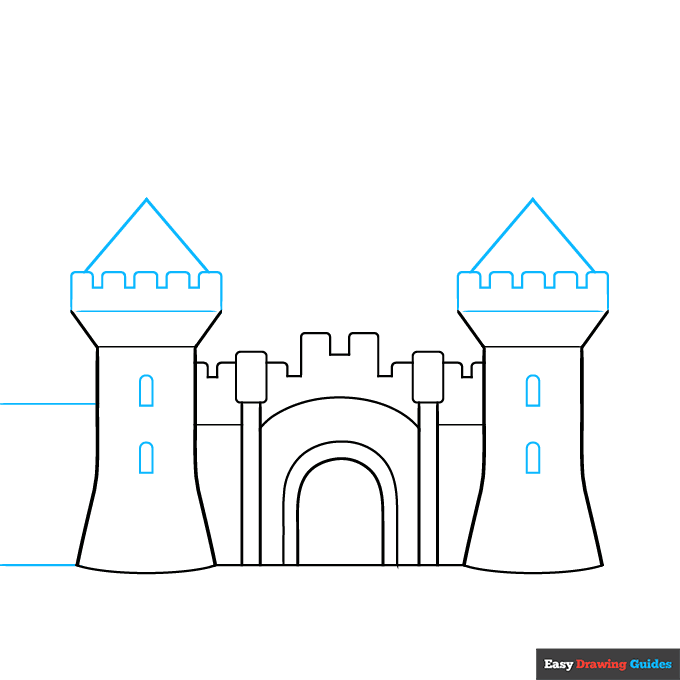
3. Draw two small, arch-shaped windows on the side Draw a straight line to complete each trapezoid.
Then, enclose the rounded rectangular blocks that make up the top of the wall. Above that, use two straight lines to enclose a triangle on top of each tower.
Finally, extend the lines of the wall horizontally from one of the towers.
Drawing Step 4
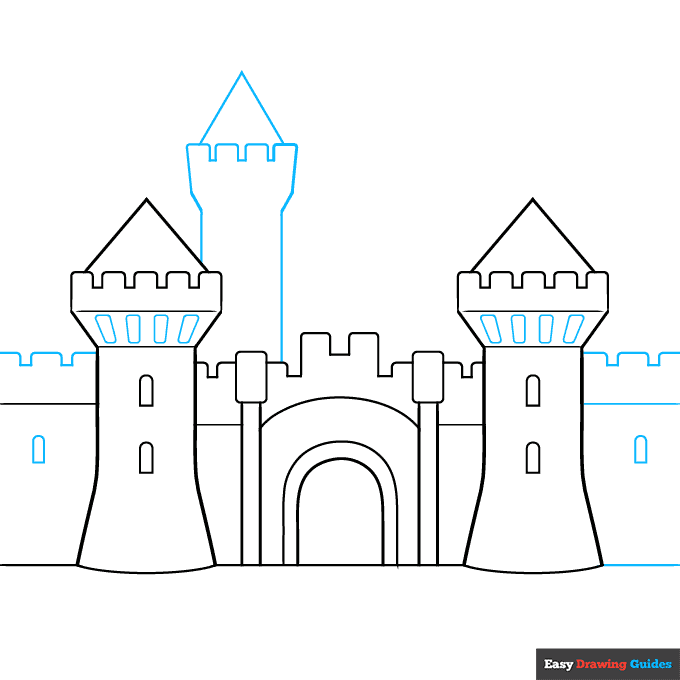
4. Draw the blocky top of the wall and a small arched window in the wall. Then, extend the opposite wall the same way - two straight lines, a blocky top, and a small arched window.
Enclose rounded rectangle shapes on the bottoms of the tower balconies. Then, use long and short straight lines to enclose another tower with a triangular top in the background.
Drawing Step 5
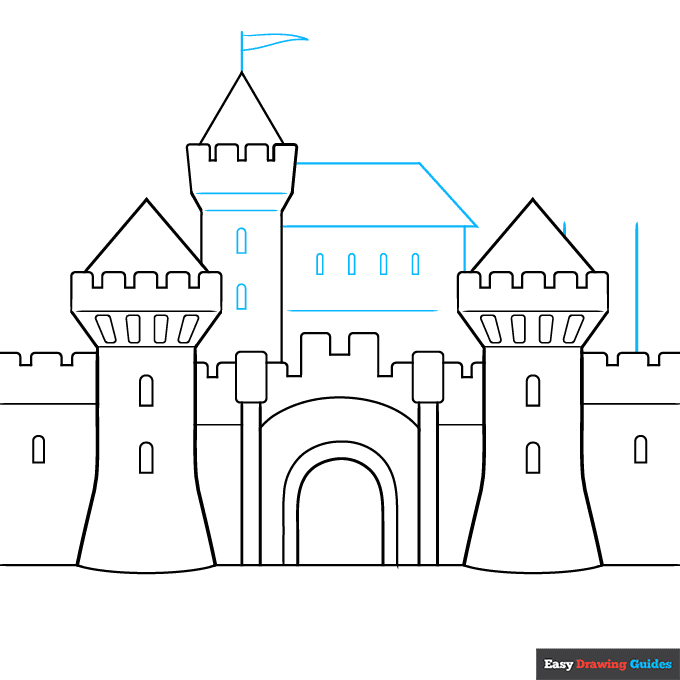
5. Use straight lines to enclose the walls of another tower and a rectangular building with a trapezoid-shaped roof.
Draw horizontal line details and small arch-shaped windows on the tower and building. From the top of the tower, extend a vertical line, and enclose a triangular pennant flag on it.
Drawing Step 6
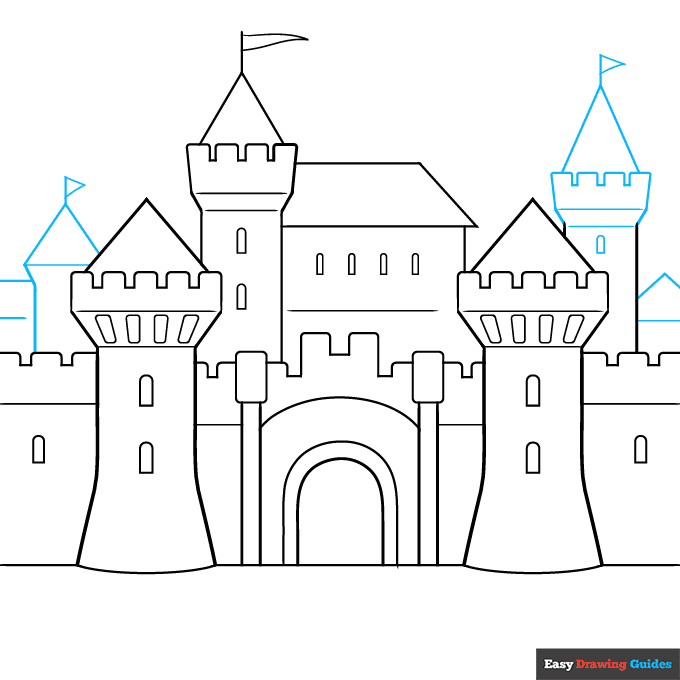
6. Use straight lines to draw more towers in the background, their walls, their triangular tops, their flag poles, and their flags. Enclose a small arched window on one of them.
Drawing Step 7
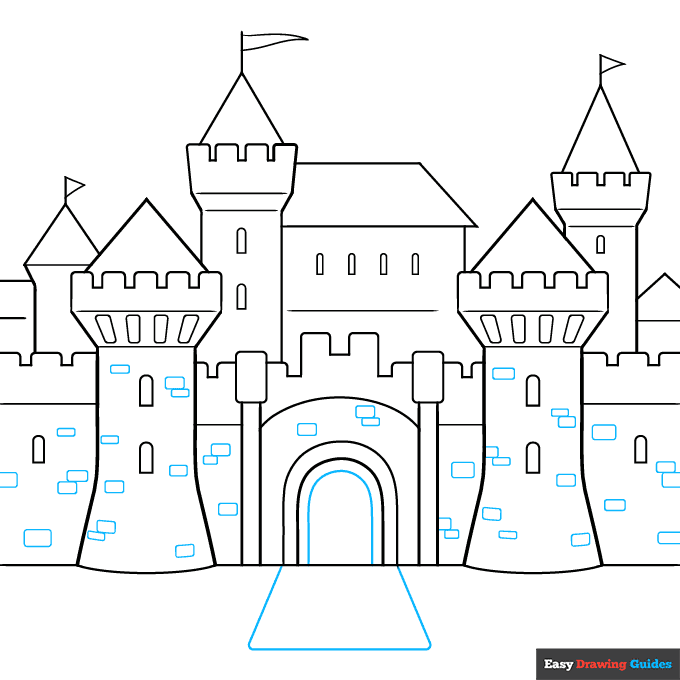
7. Draw another "U" shaped arch within the doorway. Enclose a triangular drawbridge in front of it. Give the walls a stone block texture by drawing rounded rectangles on them.
Add More Details to Your Medieval Castle Picture - Step 8
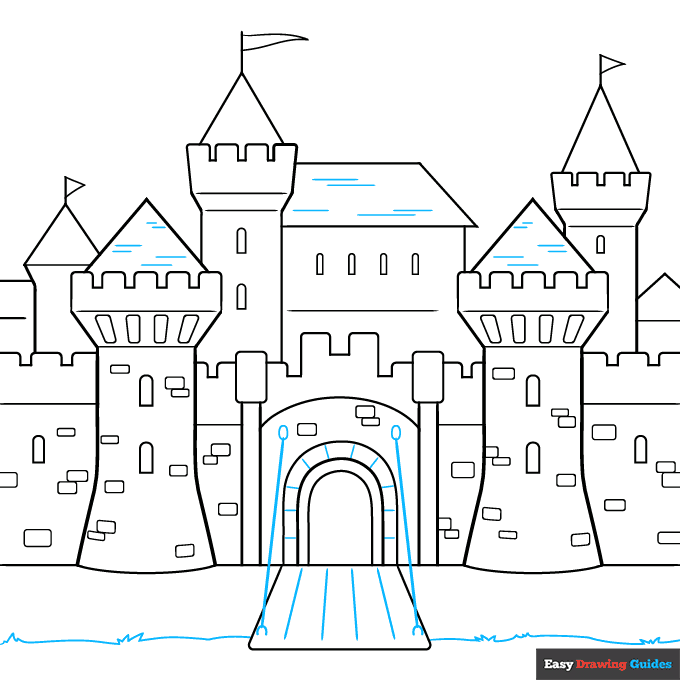
8. Texture the drawbridge with straight lines. Draw ovals on the castle and "U" shapes on the bridge, connecting them with straight lines.
Texture the doorway and the roofs with straight lines. Draw the grass using a series of curved lines that meet at jagged points.
Complete the Outline of Your Medieval Castle Drawing - Step 9
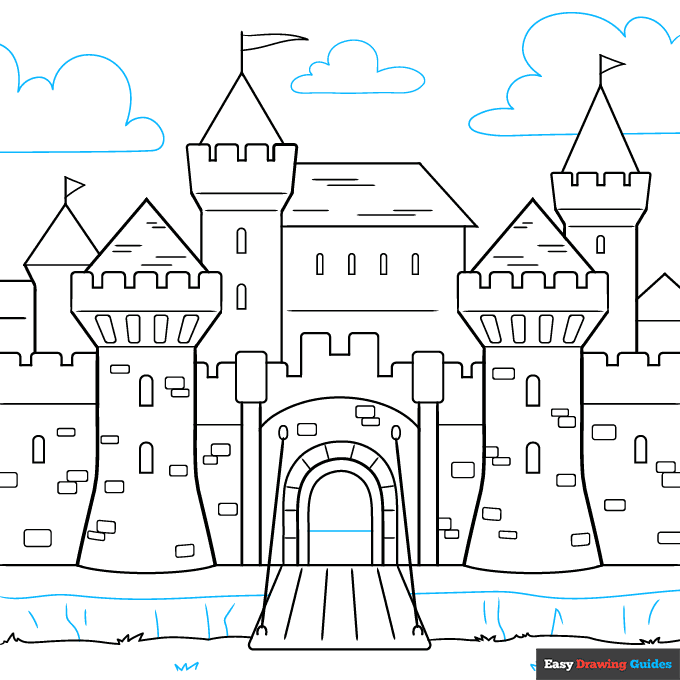
9. Draw a long curved line on the ground, with several shorter lines to indicate the banks of the moat. Draw some more grass on the ground and clouds in the sky.
Color Your Medieval Castle Drawing
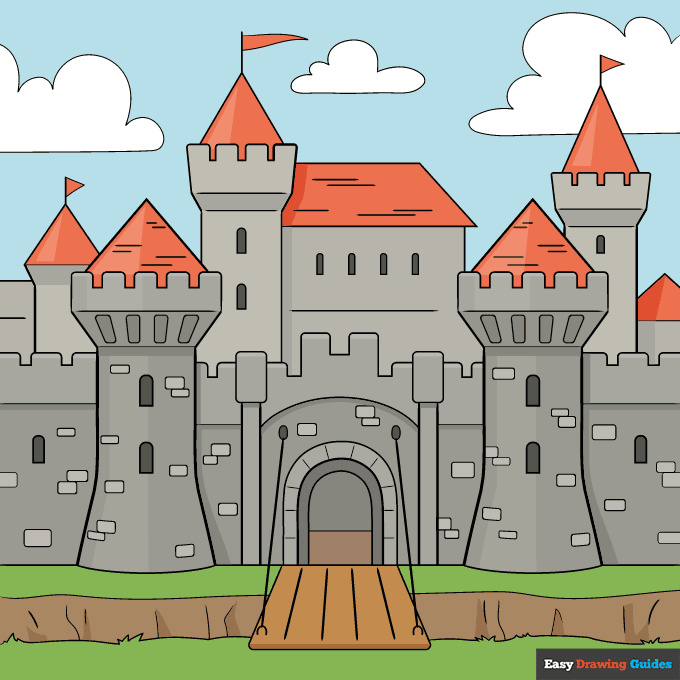
Your medieval castle outline is now complete. Color your drawing. Castles were the color of stone, such as grey or light brown.
Watch 'How to Draw a Medieval Castle' Video Tutorial
Learn More About The Medieval Castle Drawing
Whether you're dreaming of a fairytale castle or the scene of a medieval siege, this medieval castle drawing tutorial can help.
Castles proliferated in western Europe from the ninth century onward. They protected kings and other rulers. They had special defenses, like the moat, towers, and drawbridge you see here.
Fairytale castle drawings often include dragons or giants. But real castles defended against knights, archers, and machines called siege engines.
You can draw a knight in armor, ready to defend his castle.
Medieval Castle Drawing Tutorial - Easy & Fun Printable Pages
Join now and get immediate access to thousands of printable drawing instruction and practice pages!
Learn how to get access to thousands of printable pages!

MEMBER TROUBLESHOOTING
Still seeing ads or not being able to download the PDF?
First, check that you're logged in. You can log in on the member login page.
If you're still not able to download the PDF, the likely solution is to reload the page.
You can do this by clicking the browser reload button.
It is a circular arrow-shaped icon at the top of the browser window, typically found in the upper-left side (you can also use keyboard shortcuts: Ctrl+R on PC and Command+R on Mac).