
Learn how to draw a great looking Felicia from Shrek with easy drawing instructions and video tutorial.
By following the simple steps, you too can easily draw a perfect Felicia from Shrek.
Step-by-Step Instructions for Drawing Felicia from Shrek
How to Draw a Great Looking Felicia from Shrek for Kids and Beginners - Step 1
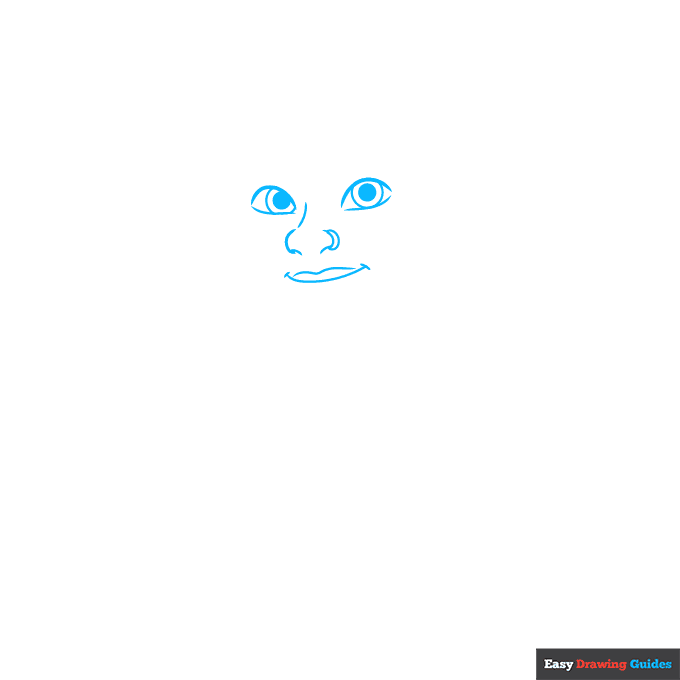
1. Begin the Felicia from Shrek outline by drawing her face. Use curved lines for her eyes, nose, and mouth. Notice that the lines of the eyes don't meet at the corners. Within each eye, enclose a circle within a partial circle. Shade the small circles to indicate the pupils.
Drawing Step 2
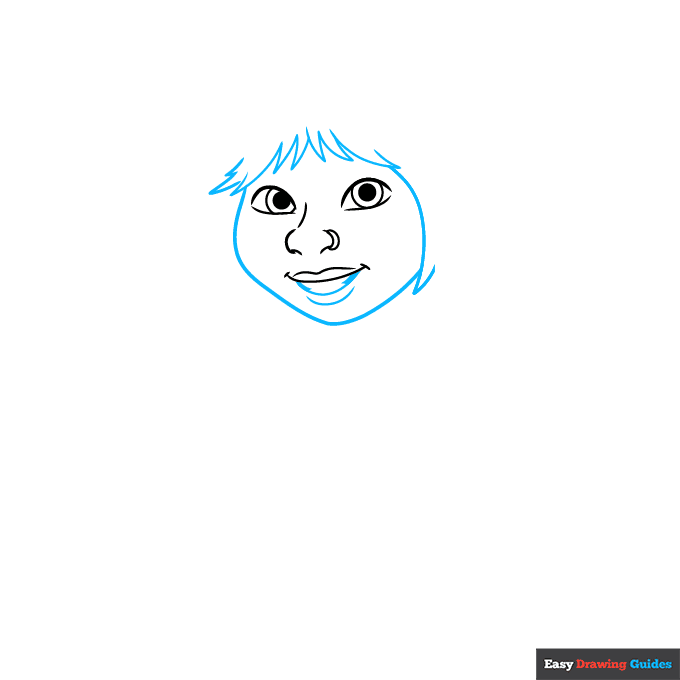
2. Use curved lines that meet at sharp points to draw the hair of her bangs and at the side of her face. Use a long curved line to outline her face and shorter ones to complete her mouth.
Unlock AD FREE and PRINTABLE drawing and coloring tutorials
- 2,600+ drawing & coloring PDFs
- 50+ ebooks
- Ad-free website
Drawing Step 3
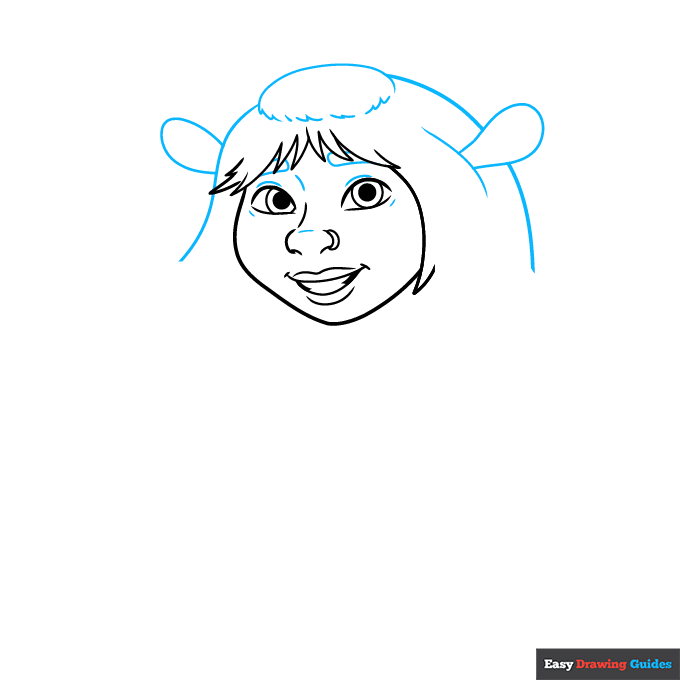
3. Draw a "C" shaped line above her face and short connected and unconnected lines to make an oval-shaped bun.
Use long curved lines for the hair, and curved lines that double back on themselves for her ears. Contour her nose and eyes and enclose her eyebrows with short curved lines.
Drawing Step 4
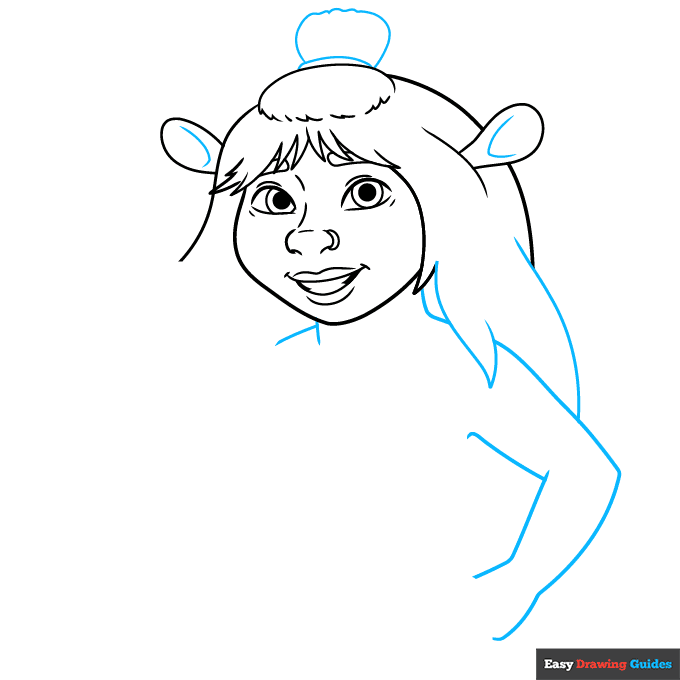
4. Use a curved line and a wavy line to form the short ponytail above the bun. Contour inside the ears and continue the hair with long lines that meet at points. Use overlapping curved lines to begin sketching the neck, shoulders, and arm.
Drawing Step 5
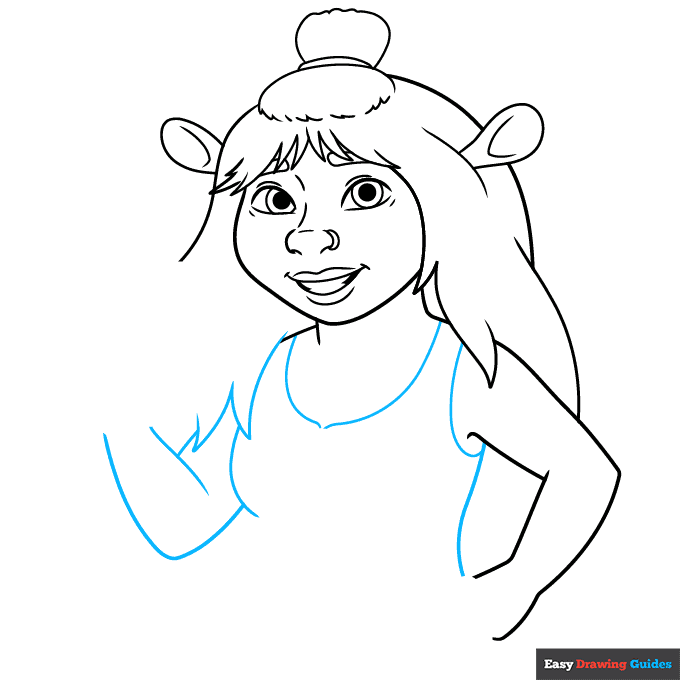
5. Use curved lines to draw the tank top neckline, shoulder straps, and torso. Use overlapping lines that meet at points to continue drawing the hair and the remaining arm.
Drawing Step 6
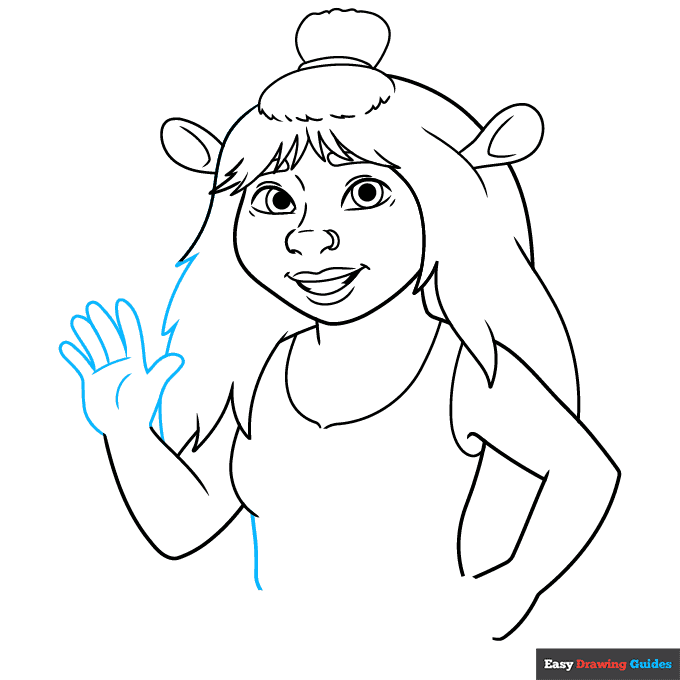
6. Finish enclosing the hair with curved lines that meet at jagged points. Use overlapping lines that double back on themselves to enclose the hand. Continue the torso with a vertical line.
Drawing Step 7
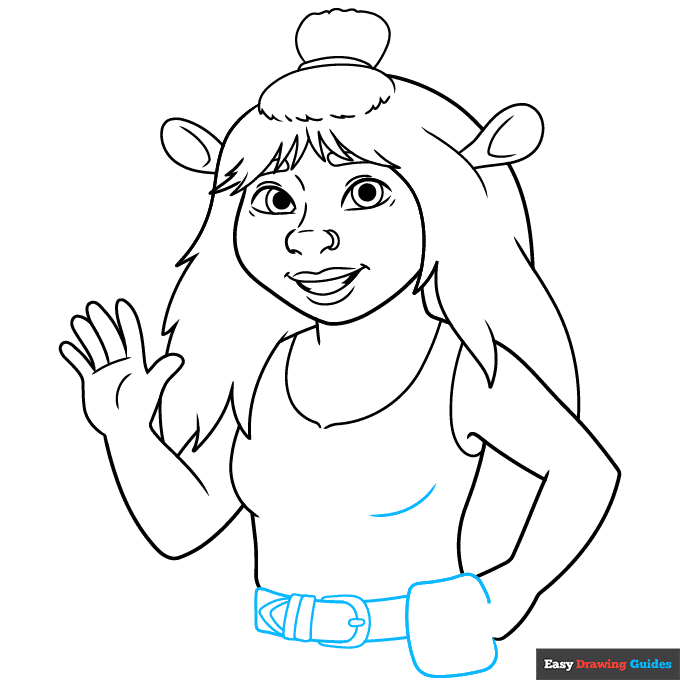
7. Use a series of rounded triangles and rectangles to draw the belt, buckle, and pouch.
Add More Details to Your Felicia from Shrek Picture - Step 8
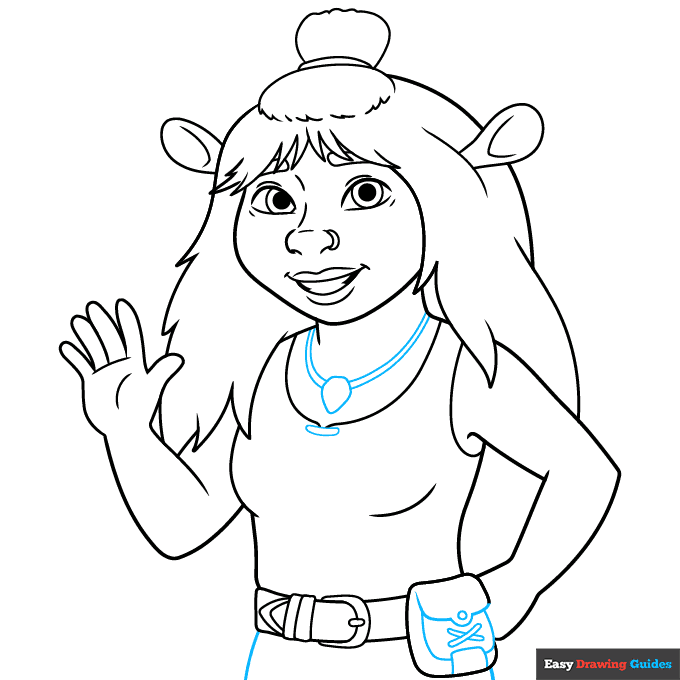
8. Use curved lines to draw the flap and sides of the pouch. Draw a small round button and strings in an "X" shape across it. Extend curved lines from the belt to indicate the legs. Draw a teardrop shaped pendant on the neck, and use pairs of curved lines for the necklace chain.
Complete the Outline of Your Felicia from Shrek Drawing - Step 9
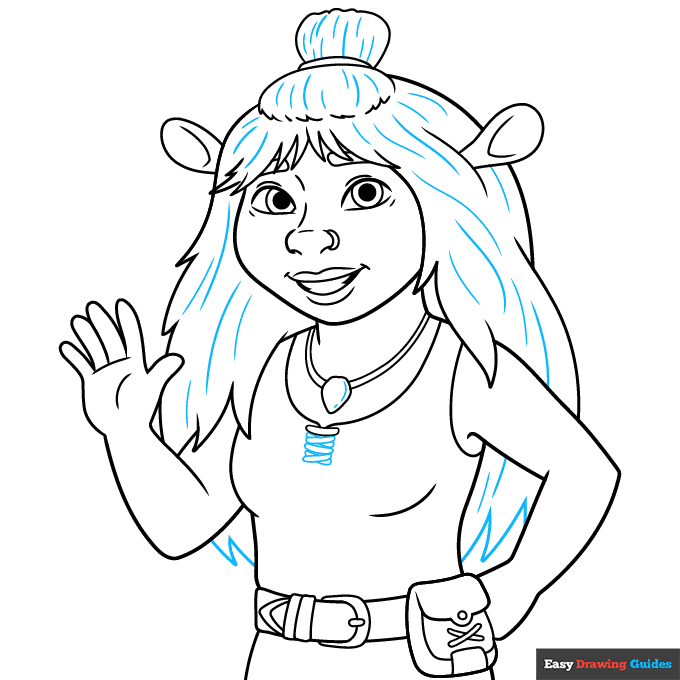
9. Texture Felicia's hair with curved lines, and complete the ends with lines that meet at jagged points. Draw narrow, rounded rectangle shapes, some of which cross in an "X" pattern, on the front of the shirt.
Color Your Felicia from Shrek Drawing
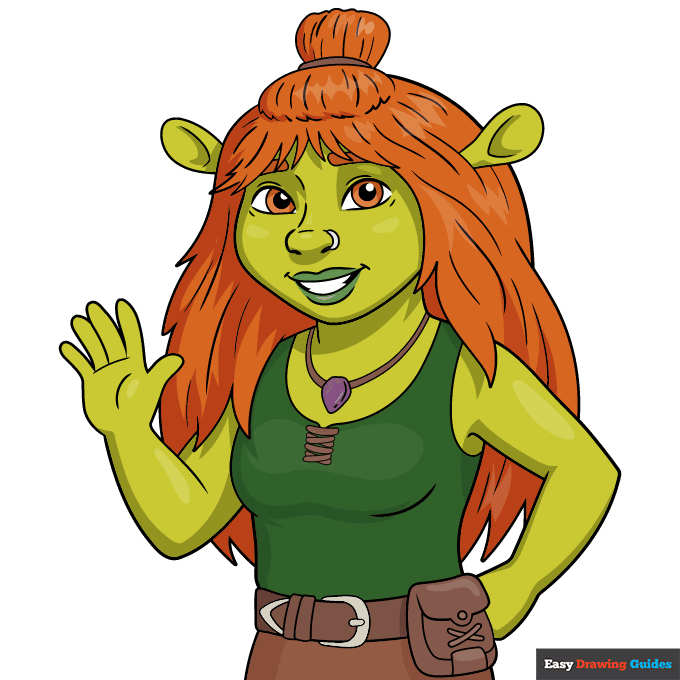
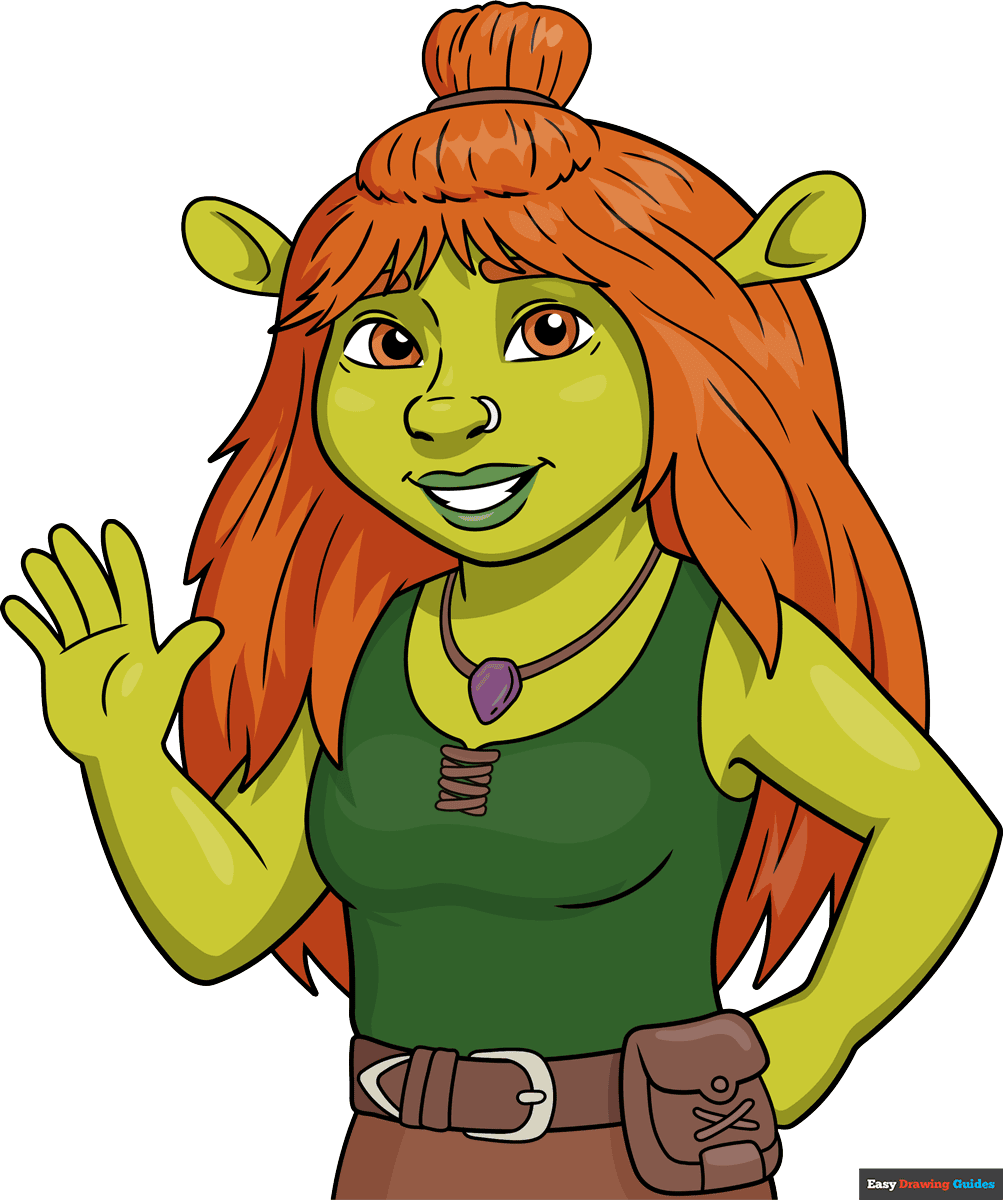
Your Felicia from Shrek outline is now complete. Color your character. Felicia has red hair like her mother, and green skin. Her lips are darker green, and she often wears green and brown.
Watch 'How to Draw Felicia from Shrek' Video Tutorial
Click HERE to save the tutorial to Pinterest!
Learn More About The Felicia from Shrek Drawing
Who says ogres have to be ugly? You can learn how to draw Felicia from Shrek with the help of this easy, step-by-step movie character drawing guide.
Felicia is Shrek and Fiona's only daughter. She's a triplet; she has two brothers, Fergus and Farkle.
In the film Shrek 5, Felica is no longer a baby, but a teenager going on adventures of her own. That's how she appears in the drawing below.
Do you think Felicia looks like her dad? Check out this portrait of Shrek drawing and decide for yourself. What about her mom? Check out this drawing of Fiona in her ogre form.
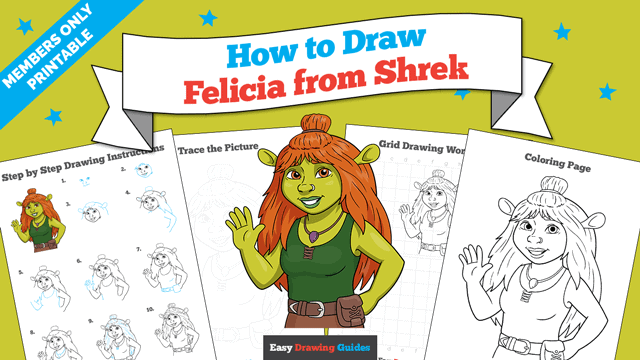
Felicia from Shrek Drawing Tutorial - Easy & Fun Printable Pages
Join now and get immediate access to thousands of printable drawing instruction and practice pages!
Learn how to get access to thousands of printable pages!

MEMBER TROUBLESHOOTING
Still seeing ads or not being able to download the PDF?
First, check that you're logged in. You can log in on the member login page.
If you're still not able to download the PDF, the likely solution is to reload the page.
You can do this by clicking the browser reload button.
It is a circular arrow-shaped icon at the top of the browser window, typically found in the upper-left side (you can also use keyboard shortcuts: Ctrl+R on PC and Command+R on Mac).