
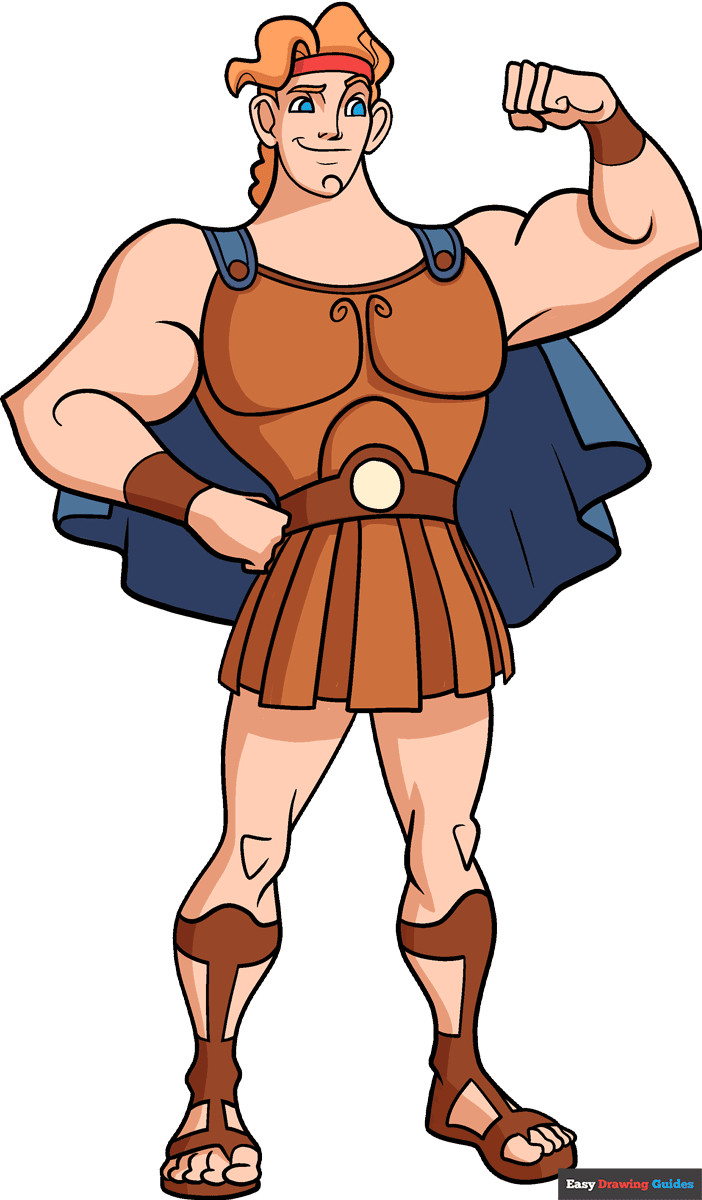
Learn how to draw a great looking Hercules with easy drawing instructions and video tutorial.
By following the simple steps, you too can easily draw a perfect Hercules.
Step-by-Step Instructions for Drawing Hercules
How to Draw a Great Looking Hercules for Kids and Beginners - Step 1

1. Near the top of the page, sketch two semi-ovals with curves inside them. Draw a vertical line near the right eye, then add short curves near the bottom. Beneath the nose, add a horizontal line with a dash on the left and a curve underneath.
Outline the face with a loose semi-oval, and add a curl on the chin. Draw the ears with two ovals with curves inside them. For the eyebrows, sketch curves above the eyes.
Drawing Step 2

2. Sketch two curves for the neck, then draw semi-ovals on the shoulders and sketch circles and curves inside them.
Draw three hills behind the neck. Sketch the hair with swooping curves and rounded triangles, and use two curves for the headband.
Unlock AD FREE and PRINTABLE drawing and coloring tutorials
- 1,900+ drawing & coloring PDFs
- 50+ ebooks
- Ad-free website
Drawing Step 3
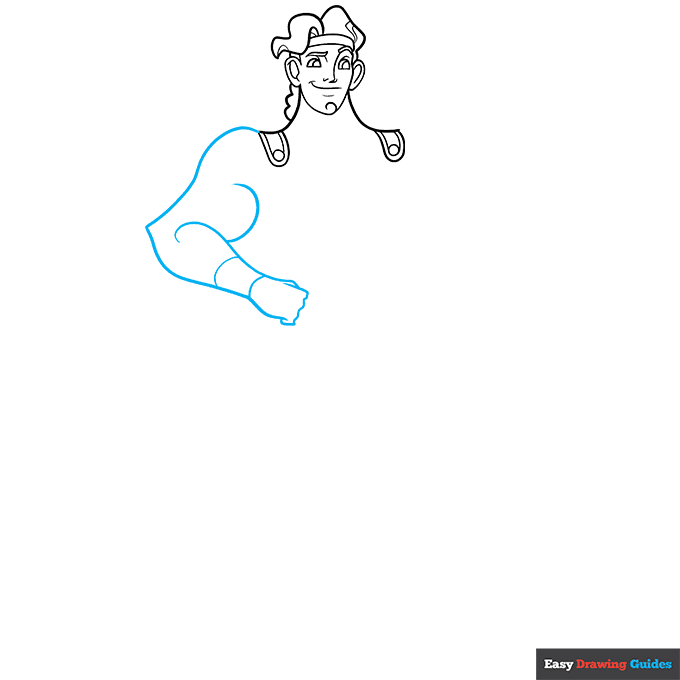
3. For the left arm, sketch two curved lines that connect at a point, then add two swooping curves and outline the wristband with two lines.
Outline the knuckles with a wavy line, and add a small loop, straight line and triangle for the thumb and pinky.
Drawing Step 4
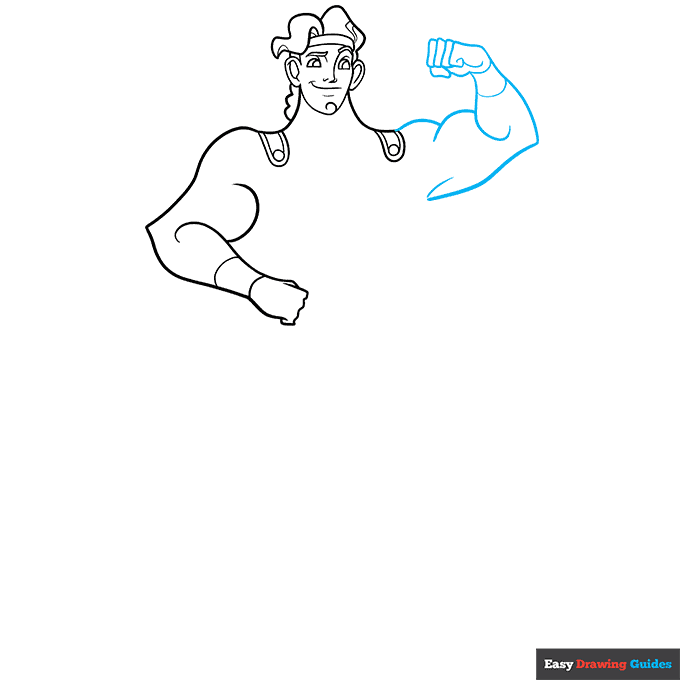
4. On the right, draw two hills and a backward L-shape, then complete the forearm with a C-shape and two curves for the wristband. Sketch the fingers with loose, rounded rectangles. Sketch a small curve near the pinky.
Drawing Step 5
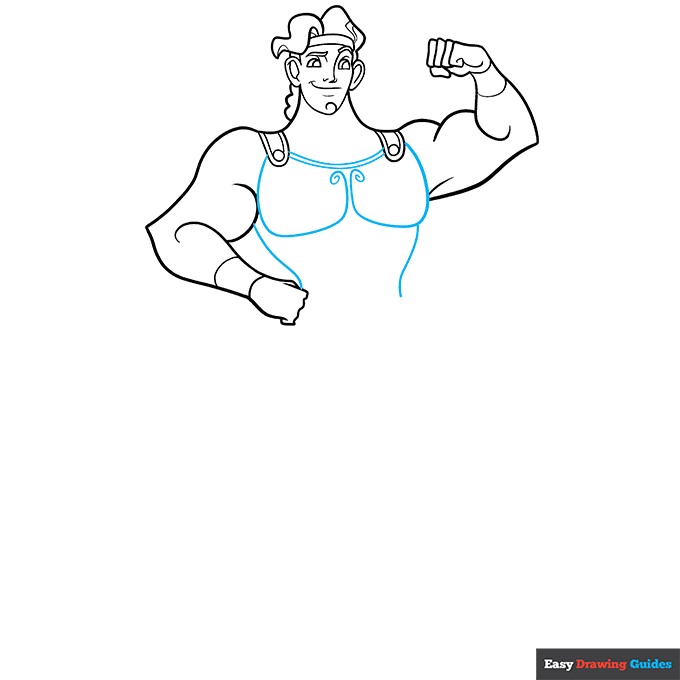
5. Connect the shoulder straps with two curves, then draw two rounded squares that end in spirals. Add two vertical curves.
Drawing Step 6
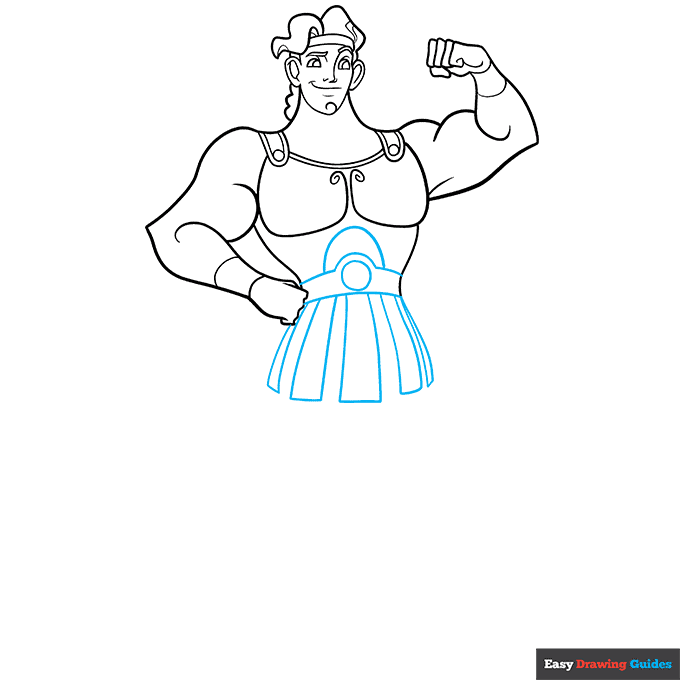
6. Draw a circle, then surround it with a hill and vertical curves. Sketch a semi-oval above the circle. Underneath, draw five curved rectangles.
Drawing Step 7
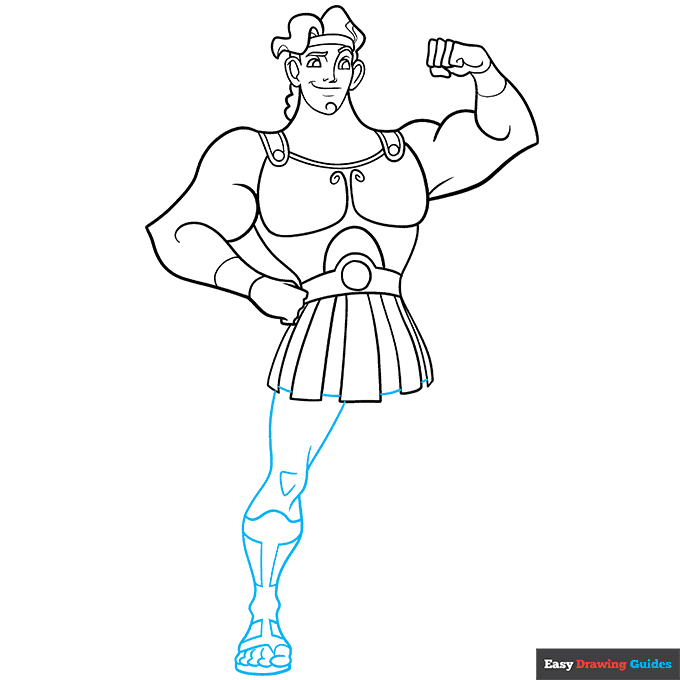
7. Connect the rectangles with straight lines, then outline the leg with two diagonal lines, a bump for the knee and two curves.
Add small bumps for the ankle, then add two more curves and use ovals for the toes. Sketch lines and squares inside the leg.
Add More Details to Your Hercules Picture - Step 8
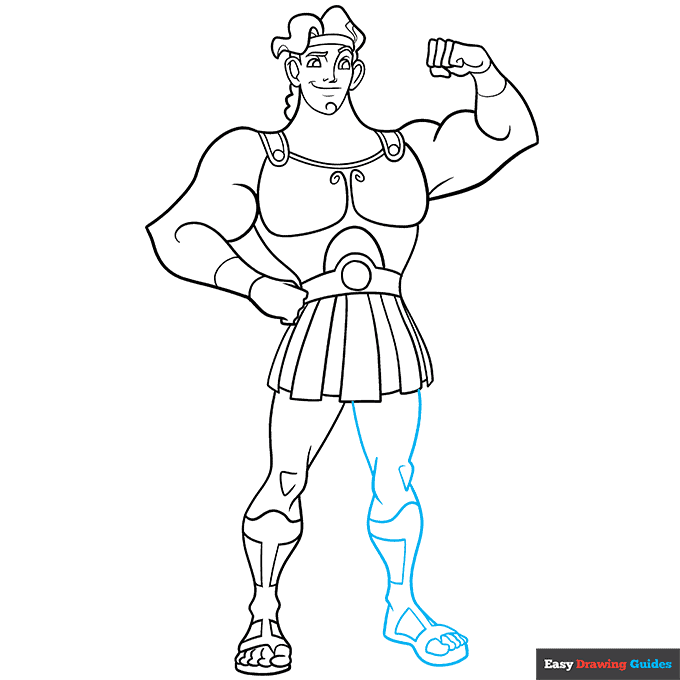
8. Repeat the previous step for the right leg, but adjust it slightly to make the leg point to the right.
Complete the Outline of Your Hercules Drawing - Step 9
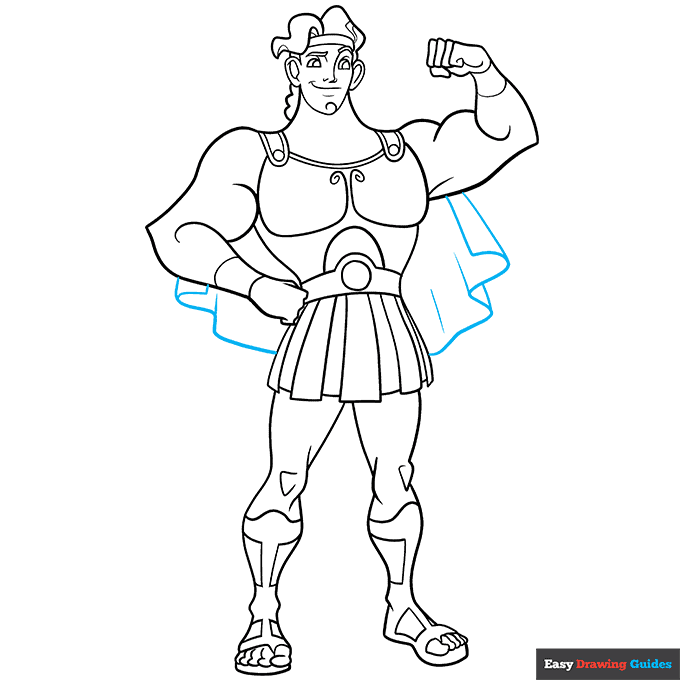
9. Sketch two wavy lines behind the body, then complete the cape with straight lines. Outline your Disney version of Hercules with black ink.
Color Your Hercules Drawing
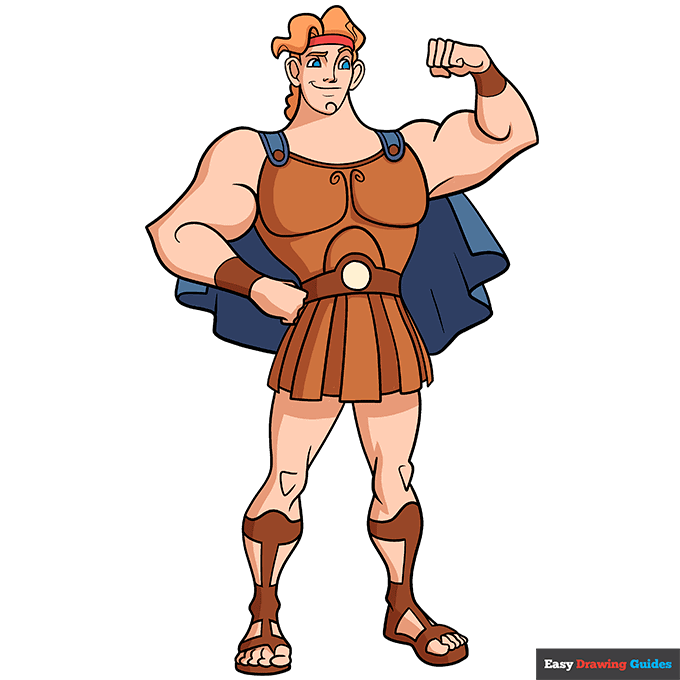
Finally, color your easy Hercules drawing with tan skin, blue eyes and orange hair. Use red for the headband, bronze for the armor and shoes, and blue for the cape.
Watch 'How to Draw Hercules' Video Tutorial
Learn More About The Hercules Drawing
Hercules is a Greek hero who also appears in a 1997 Disney film. Learn how to draw Hercules in the famous Disney style.
Cartoon characters typically have clean outlines, simple shading and large, exaggerated features. For example, this Hercules drawing has large dome-shaped eyes that might remind you of anime art styles. Simple lines make up his nose and mouth.
Since Hercules is a strong character, you'll use a lot of curves, hills and semi-ovals. The wavy lines make his muscles bulge impressively.
For more fun with mythology, learn how to draw Cyclops from The Odyssey or master an Achilles drawing with these step-by-step guides.
Hercules Drawing Tutorial - Easy & Fun Printable Pages
Join now and get immediate access to thousands of printable drawing instruction and practice pages!
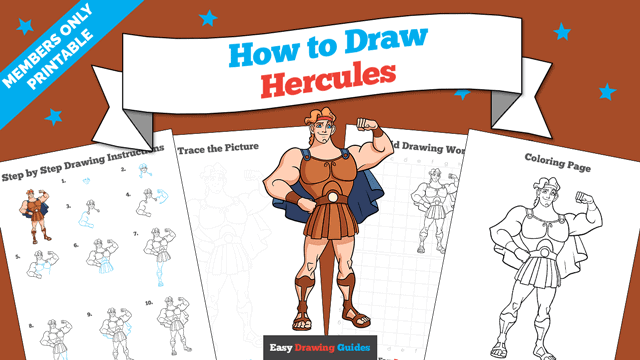
Learn how to get access to thousands of printable pages!

MEMBER TROUBLESHOOTING
Still seeing ads or not being able to download the PDF?
First, check that you're logged in. You can log in on the member login page.
If you're still not able to download the PDF, the likely solution is to reload the page.
You can do this by clicking the browser reload button.
It is a circular arrow-shaped icon at the top of the browser window, typically found in the upper-left side (you can also use keyboard shortcuts: Ctrl+R on PC and Command+R on Mac).