
Learn how to draw a great looking Judy Hopps from Zootopia with easy drawing instructions and video tutorial.
By following the simple steps, you too can easily draw a perfect Judy Hopps from Zootopia.
Step-by-Step Instructions for Drawing Judy Hopps from Zootopia
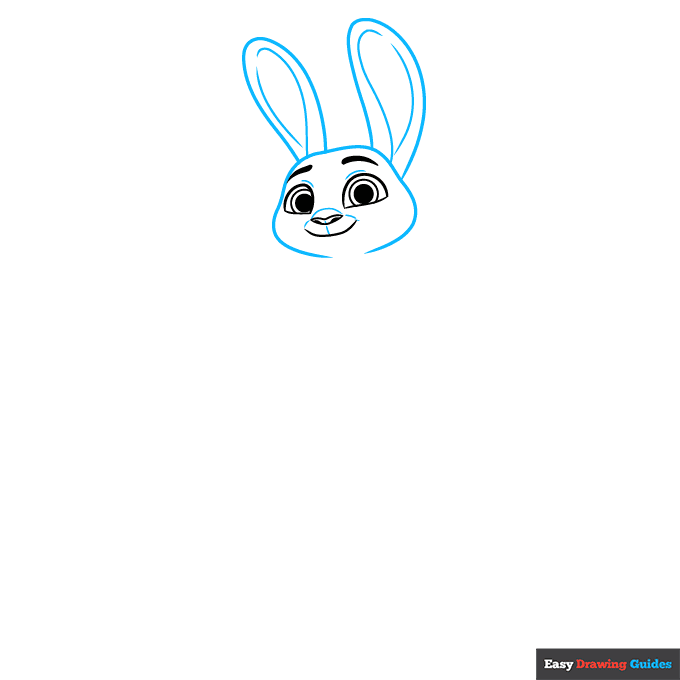
How to Draw a Great Looking Judy Hopps from Zootopia for Kids and Beginners - Step 1

1. Begin the Judy Hopps from Zootopia outline by drawing her face. Use curved lines to enclose the half-circle shapes of Judy's eyes, with two successively smaller partial circles in each. Shade the inmost circles.
Use thick lines for the eyebrows. Enclose the nose and shade the round nostrils within it. Use a long curved line for the smiling mouth.
Drawing Step 2
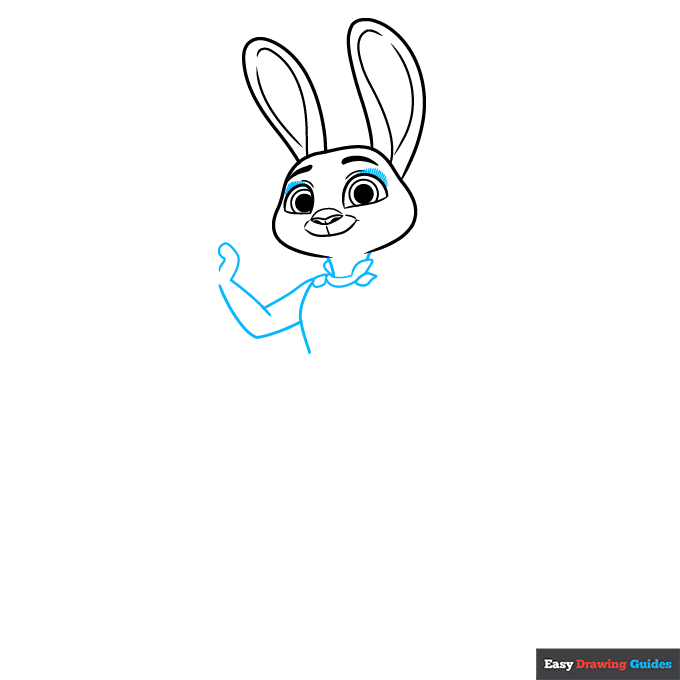
2. Use long, curved lines to outline the head and ears, and to contour the inside of the ears. Use shorter lines to contour around the eyes, nose, and mouth.
Unlock AD FREE and PRINTABLE drawing and coloring tutorials
- 2,600+ drawing & coloring PDFs
- 50+ ebooks
- Ad-free website
Drawing Step 3
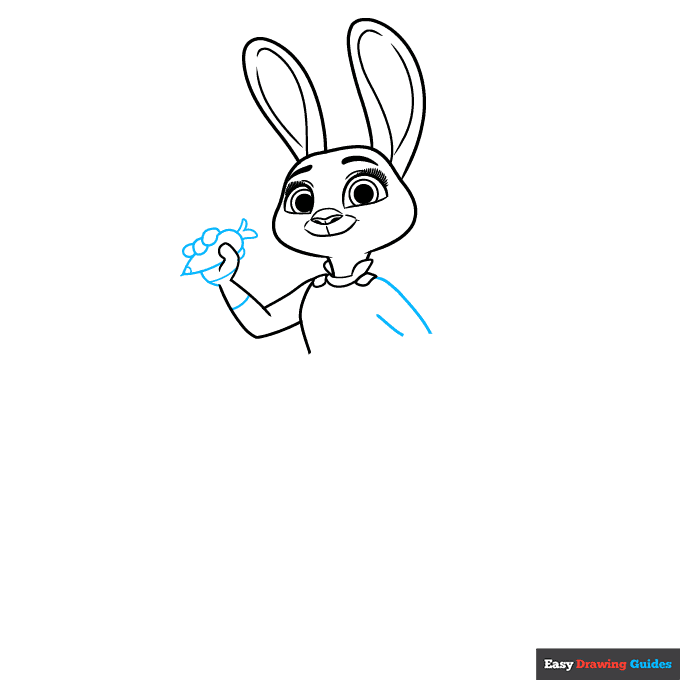
3. Use short lines to draw lots of eyelashes around Judy's eyes. Then, use long and short intersecting lines to sketch her neck, the collar of her uniform, her torso, and her arm.
Drawing Step 4
4. Draw a teardrop shape in her hand, then draw her fingers curled around it. This is her carrot-shaped pen.
Enclose a "V" shape at one end, then band the pen tip, hand, and arm with curved lines. Use additional curved lines to begin the remaining arm.
Drawing Step 5
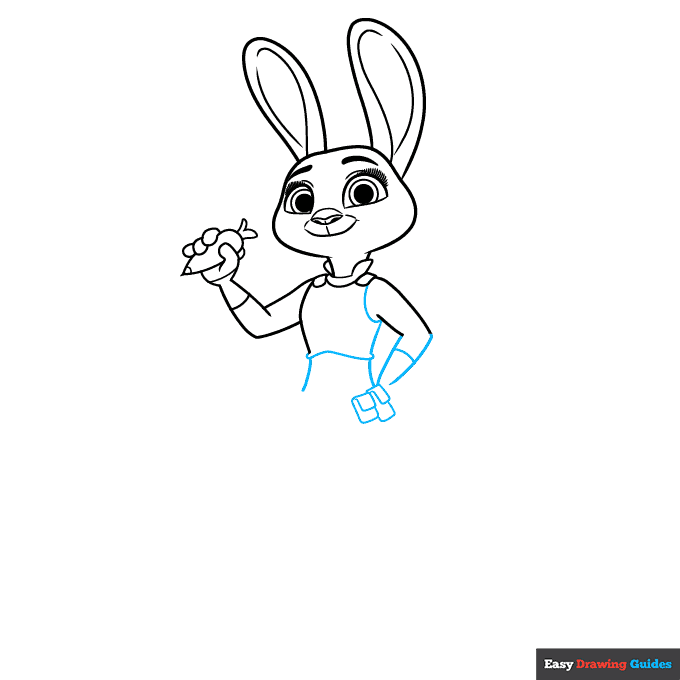
5. Use curved lines to continue the arm and band it, and to complete the vest and torso. Draw overlapping rectangles with rounded corners to form the pouches on her belt.
Drawing Step 6
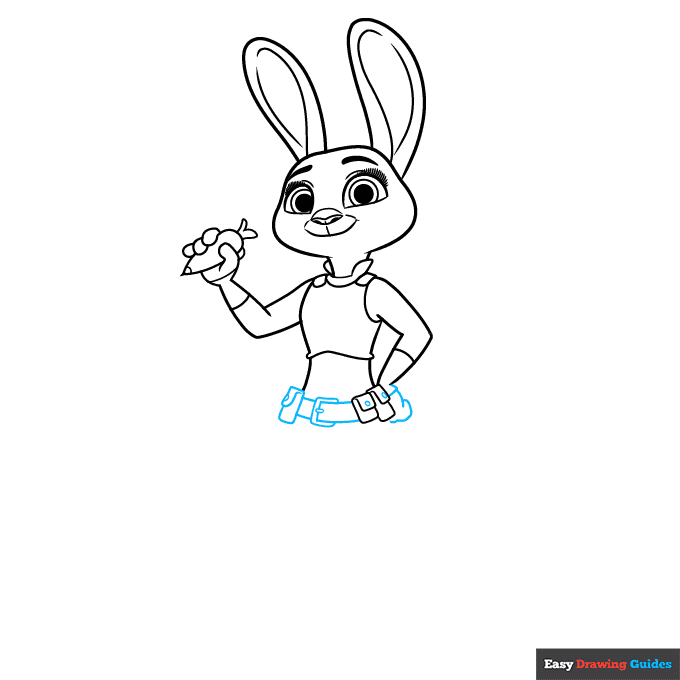
6. Continue drawing the belt, buckle, and pouches using rounded rectangles. Use small circles for the snaps and overlapping curved lines for her remaining hand.
Drawing Step 7
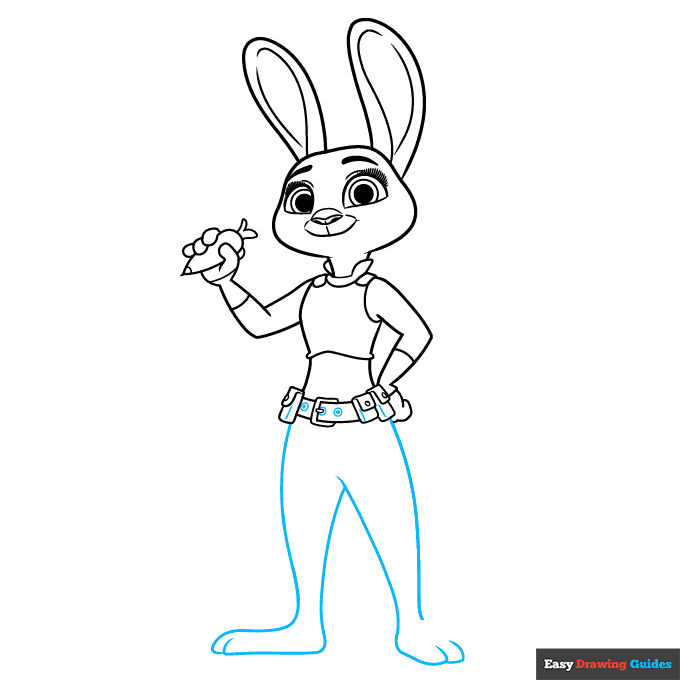
7. Use long curved lines to draw Judy's legs and overlapping lines for her feet and toes. Finish the belt by drawing and shading small circles, and detailing with short lines.
Add More Details to Your Judy Hopps from Zootopia Picture - Step 8
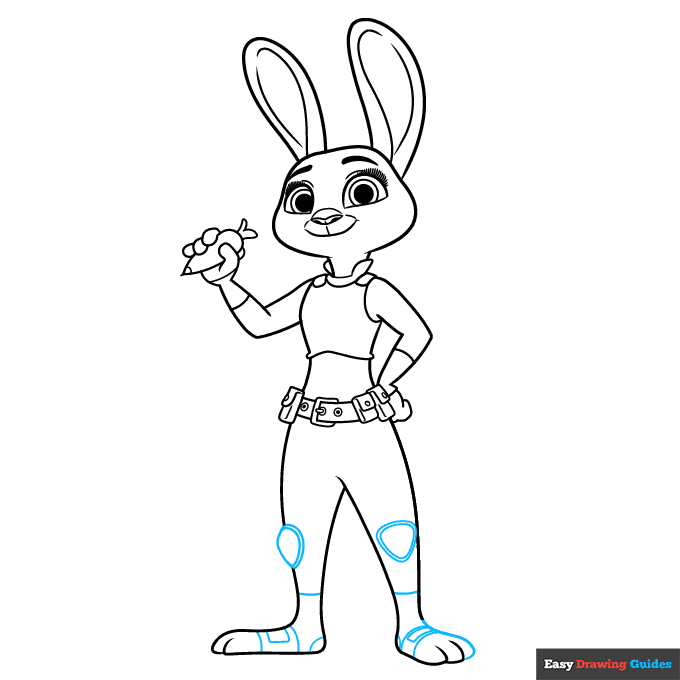
8.Use curved lines, erasing as necessary, to draw Judy's knee pads and detail her shoes.
Complete the Outline of Your Judy Hopps from Zootopia Drawing - Step 9
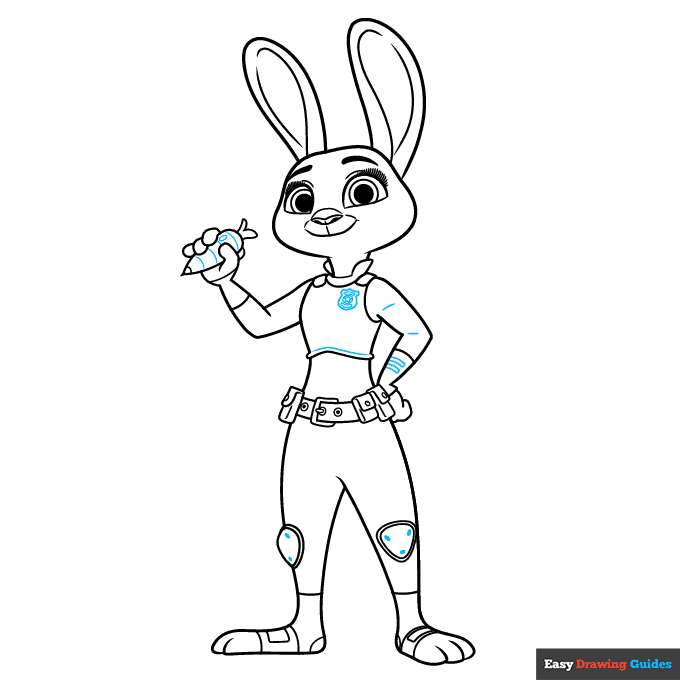
9. Draw a shield-shaped badge on Judy's vest and detail her clothing and carrot with curved lines, rectangles, and shaded ovals.
Color Your Judy Hopps from Zootopia Drawing
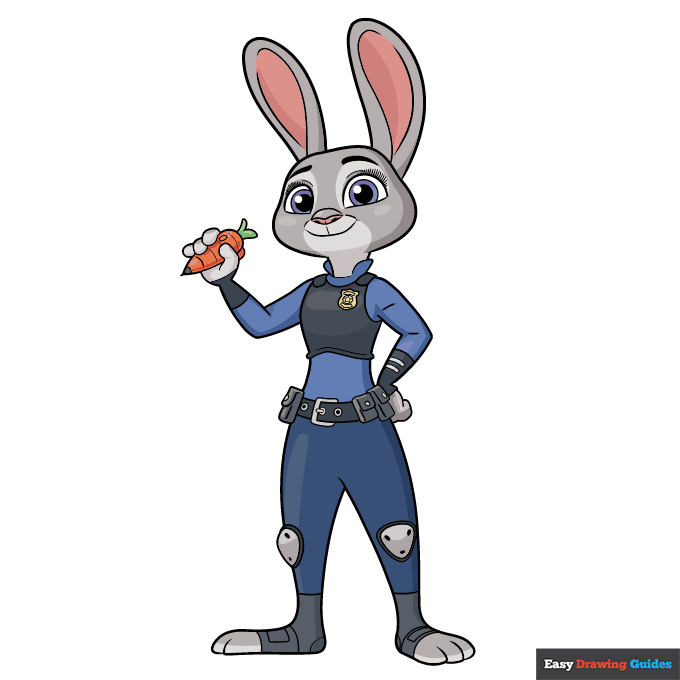
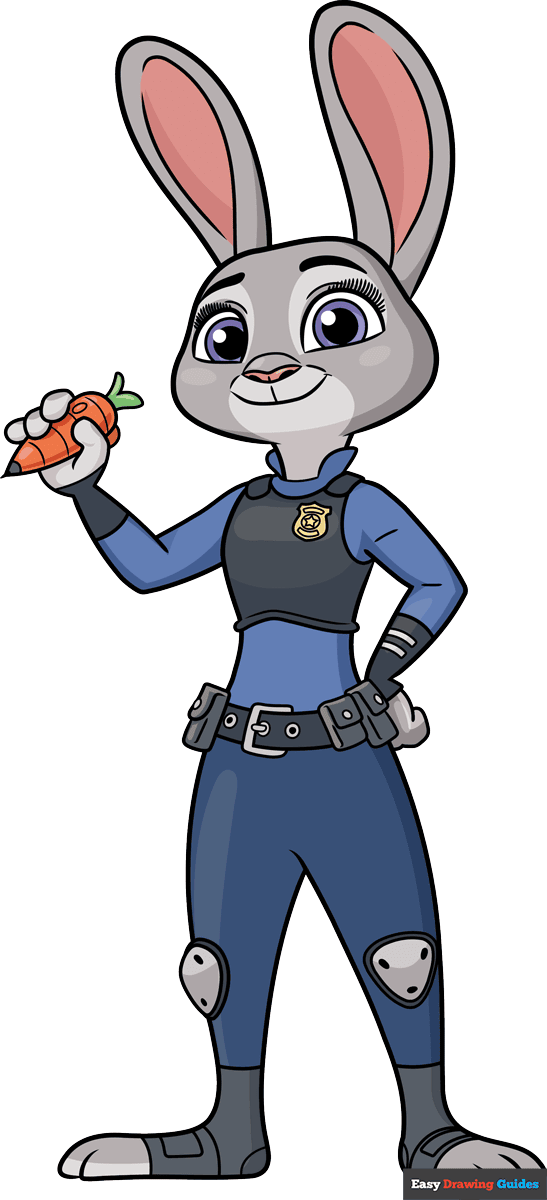
Your outline of Judy Hopps from Zootopia is now complete. Color your cartoon. Judy has light grey fur. Her uniform is several shades of blue, black, and grey.
Watch 'How to Draw Judy Hopps from Zootopia' Video Tutorial
Click HERE to save the tutorial to Pinterest!
Learn More About The Judy Hopps from Zootopia Drawing
She's no dumb bunny! Judy Hopps is the first bunny cop - ahem, rabbit officer - on the ZPD Zootopia Police Force. You can learn how to draw Judy Hopps from Zootopia with the help of this easy, step-by-step Disney character drawing guide.
Judy is an anthropomorphic rabbit. It's easy to see that she's a bunny - she has fur, long ears, and a cute, wiggly nose.
Compare this realistic rabbit drawing. But Judy wears clothes and walks on two legs like a human.
Judy grew up on a carrot farm, and she carries a voice recorder and ink pen shaped like a carrot. You can learn how to draw a carrot here.
Zootopia is filled with animals of all shapes and sizes. You can use our collection of animal drawing guides to populate the city. Don't forget about Judy's best friend, Nick Wilde.
Judy Hopps from Zootopia Drawing Tutorial - Easy & Fun Printable Pages
Join now and get immediate access to thousands of printable drawing instruction and practice pages!
Learn how to get access to thousands of printable pages!

MEMBER TROUBLESHOOTING
Still seeing ads or not being able to download the PDF?
First, check that you're logged in. You can log in on the member login page.
If you're still not able to download the PDF, the likely solution is to reload the page.
You can do this by clicking the browser reload button.
It is a circular arrow-shaped icon at the top of the browser window, typically found in the upper-left side (you can also use keyboard shortcuts: Ctrl+R on PC and Command+R on Mac).