
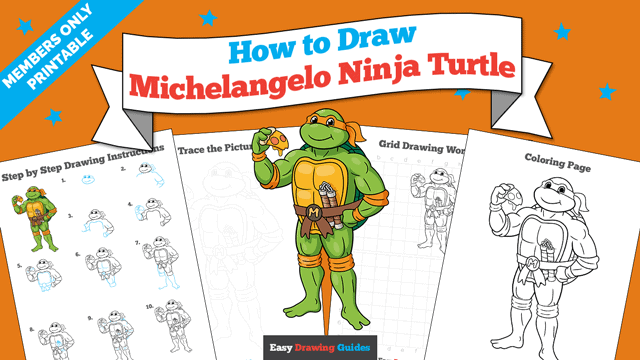
Learn how to draw a great looking Michelangelo Ninja Turtle with easy drawing instructions and video tutorial.
By following the simple steps, you too can easily draw a perfect Michelangelo Ninja Turtle.
Step-by-Step Instructions for Drawing Michelangelo Ninja Turtle
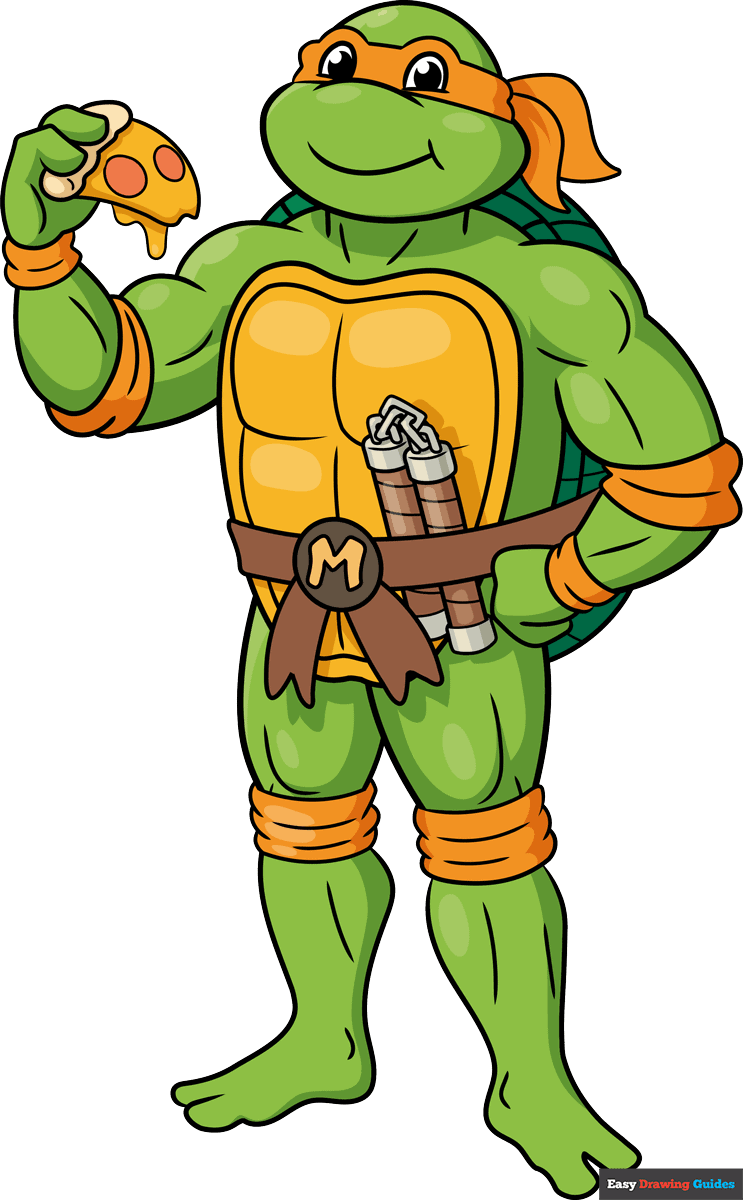
How to Draw a Great Looking Michelangelo Ninja Turtle for Kids and Beginners - Step 1
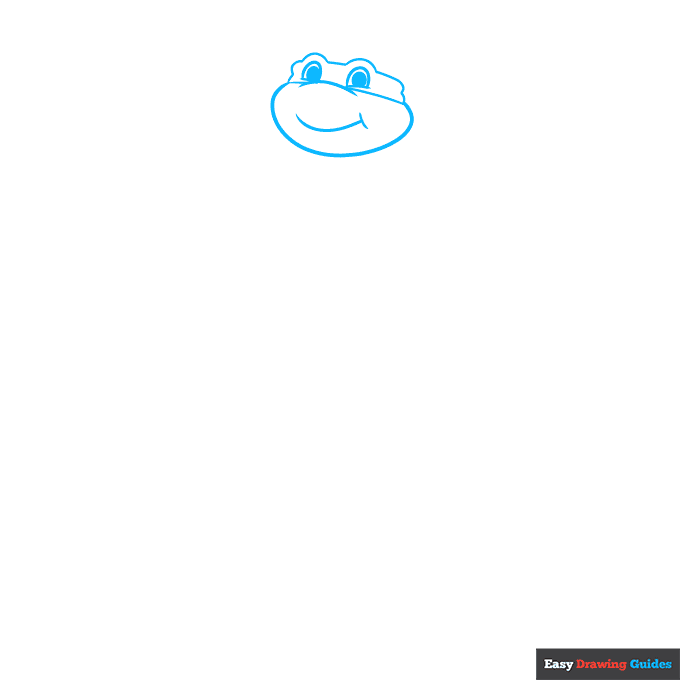
1. Begin the Michelangelo Ninja Turtle outline with a Teenage Mutant Ninja Turtle face drawing.
Start by outlining semicircles for the eyes and shading the round pupils inside. Then, use curved lines to draw the nose, mask, bottom of the face, smiling mouth, and dimple at its corner.
Drawing Step 2
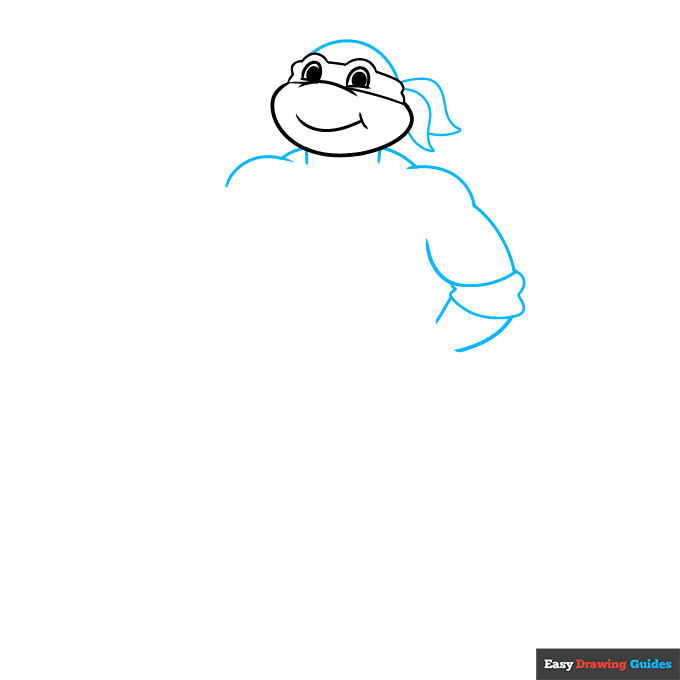
2. Use a curved line to draw the round top of the head. Then, extend pairs of lines from the head and allow them to meet at points, forming the ends of the cloth mask.
Next, use a series of overlapping curved lines to draw Michelangelo's neck, muscular shoulders and arms, and the armband at his elbow.
Unlock AD FREE and PRINTABLE drawing and coloring tutorials
- 2,600+ drawing & coloring PDFs
- 50+ ebooks
- Ad-free website
Drawing Step 3
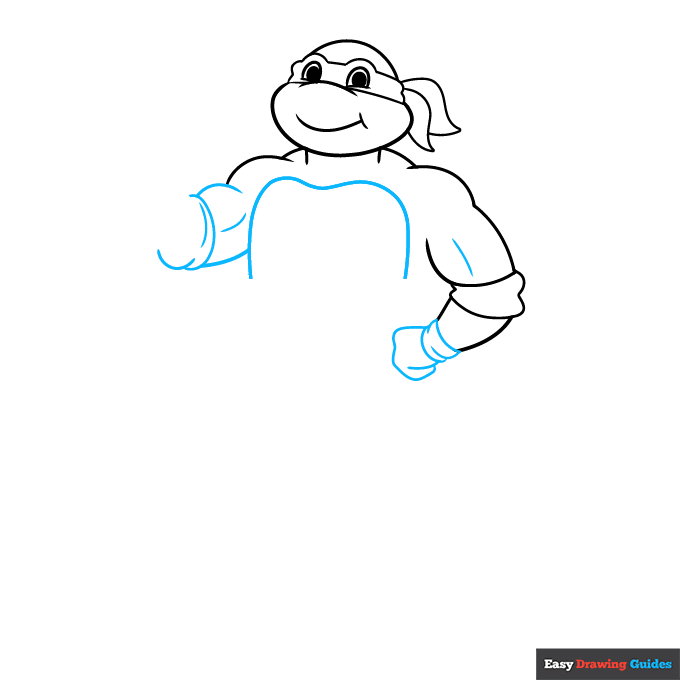
3. Use overlapping curved lines to draw a band around his wrist and his hand, folded on his hip. Then, begin the other muscular arm. Next, use a long curved line to begin drawing the carapace, the part of the turtle shell that covers his chest and belly.
Drawing Step 4
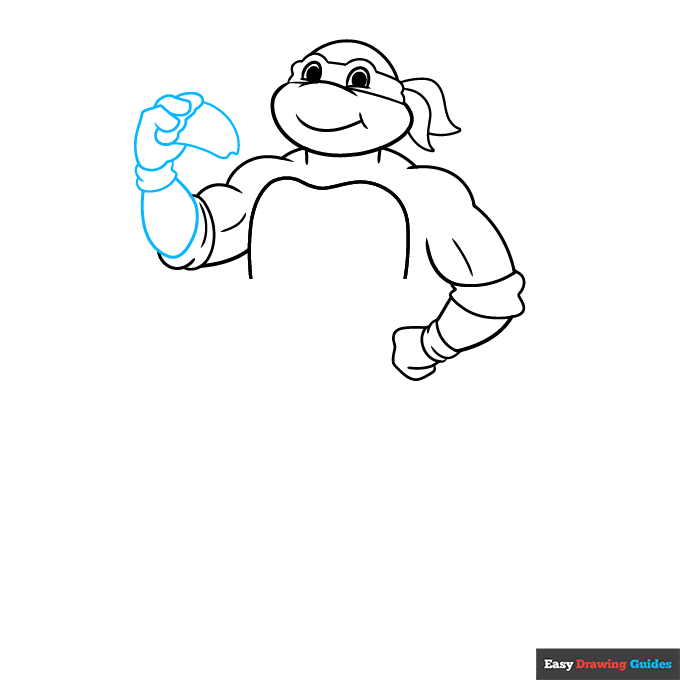
4. Use curved lines to draw the lower arm, wristband, hand, and the triangular pizza slice drawing.
Drawing Step 5
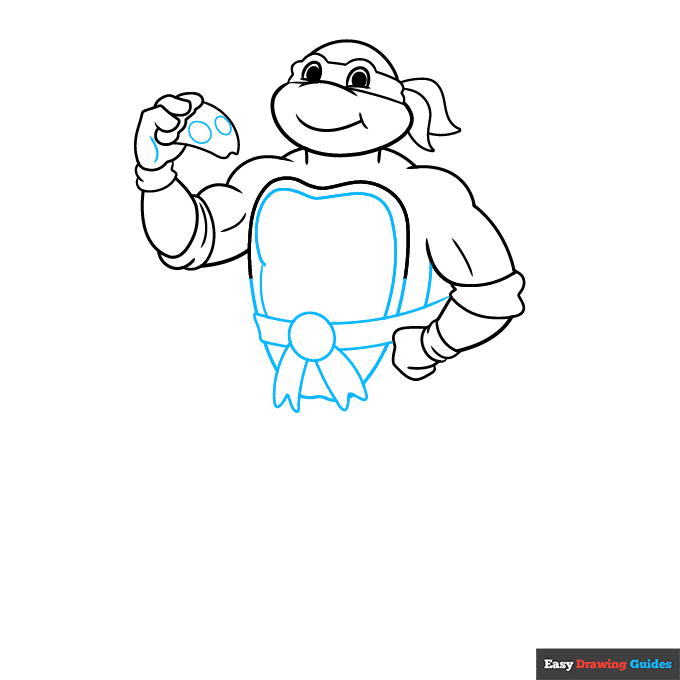
5. Draw two ovals on the pizza to indicate pepperoni, and contour the hand with a curved line. Next, draw a circle on the belly. Extend four sets of curved lines - two that end at the sides of the torso, and two that end in "V" shaped lines. Continue the line of the carapace, then draw another curved line parallel to the inside of it.
Drawing Step 6
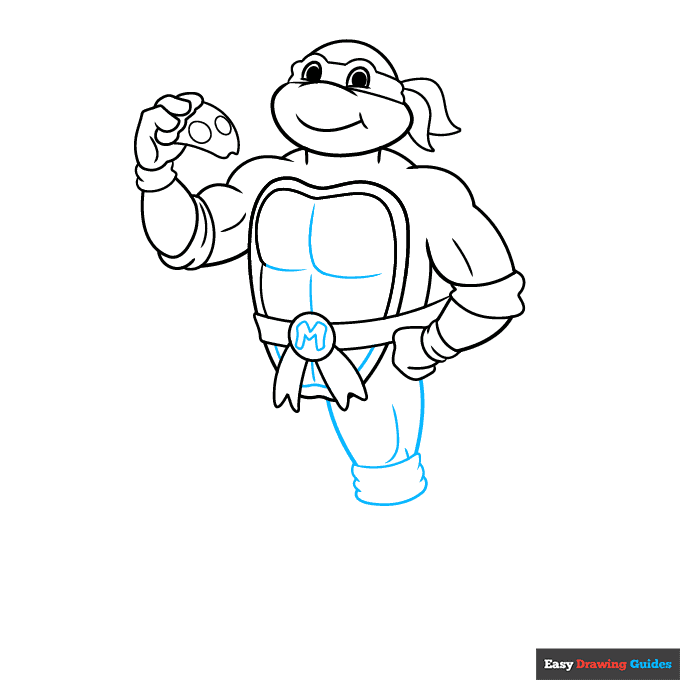
6. Draw an "M" for Michelangelo inside the circle. Contour the carapace with curved lines. Then, use curved lines to draw and contour the muscular upper leg and the band around the knee.
Drawing Step 7
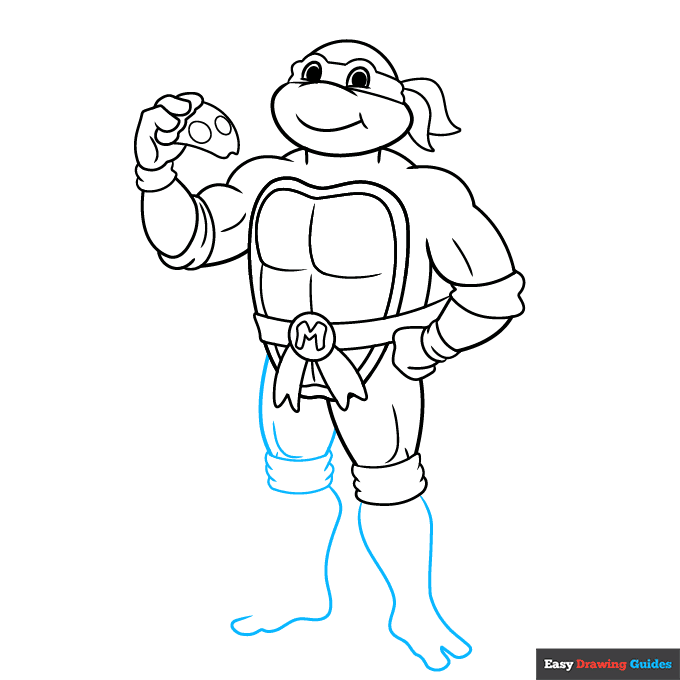
7. Extend a long curved line and double it back on itself to form the lower leg and foot. Notice that the humanoid foot is split into two toes. Then, draw the remaining leg.
Add More Details to Your Michelangelo Ninja Turtle Picture - Step 8
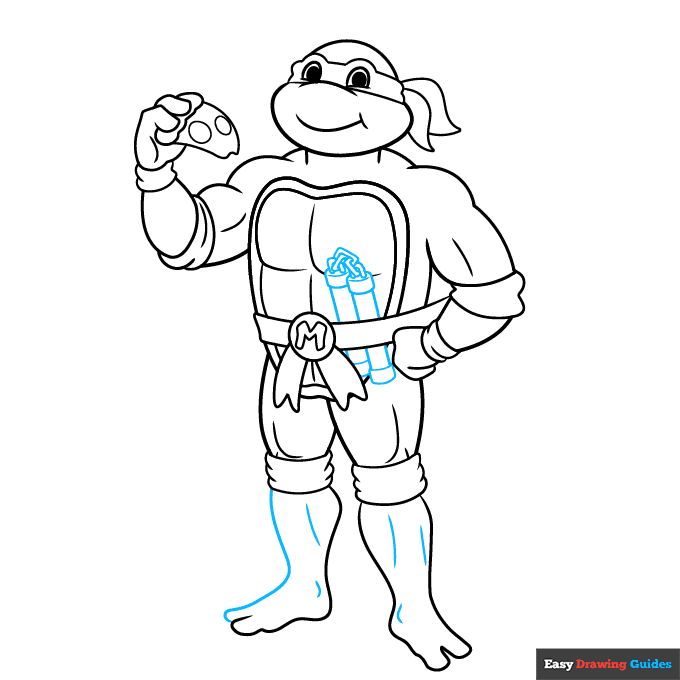
8. Complete the leg with its two-toed foot, and contour the legs and ankles with curved lines. Then, draw nunchucks tucked into his belt, erasing as necessary. Use curved lines to draw two rectangles with smaller rectangles at each end. Then draw a short chain between them.
Complete the Outline of Your Michelangelo Ninja Turtle Drawing - Step 9
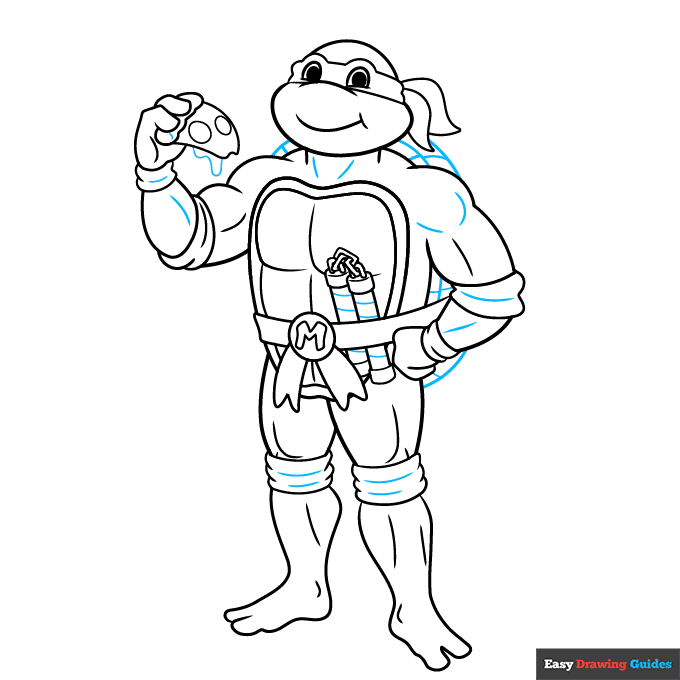
9. Use intersecting lines to draw the turtle shell, and curved lines to contour the muscles and fabric, and to detail the nunchucks. Use another curved line to enclose the cheese dripping off the slice of pizza.
Color Your Michelangelo Ninja Turtle Drawing
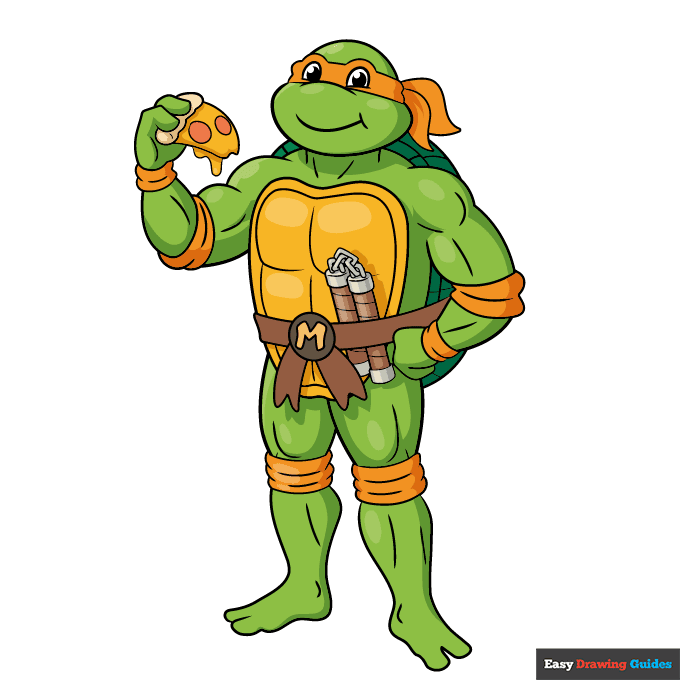
Your Michelangelo Ninja Turtle outline is now complete. Color your character. Michelangelo is green, and his mask and bands are orange.
Watch 'How to Draw Michelangelo Ninja Turtle' Video Tutorial
Click HERE to save the tutorial to Pinterest!
Learn More About The Michelangelo Ninja Turtle Drawing
Cowabunga! You can learn how to draw Michelangelo the Ninja Turtle with the help of this easy, step-by-step cartoon character drawing tutorial.
Michelangelo, sometimes called Mikey for short, loves skateboards, video games, and pizza. In fact, you can see the pizza in his hand in this drawing.
He's the youngest of the four teenage mutant superheroes. If you draw him alongside his brothers, he's the smallest. Did you know? All four turtles are named after famous artists.
Want more TMNT fun? Check out this chibi-style Raphael drawing.
Michelangelo Ninja Turtle Drawing Tutorial - Easy & Fun Printable Pages
Join now and get immediate access to thousands of printable drawing instruction and practice pages!
Learn how to get access to thousands of printable pages!

MEMBER TROUBLESHOOTING
Still seeing ads or not being able to download the PDF?
First, check that you're logged in. You can log in on the member login page.
If you're still not able to download the PDF, the likely solution is to reload the page.
You can do this by clicking the browser reload button.
It is a circular arrow-shaped icon at the top of the browser window, typically found in the upper-left side (you can also use keyboard shortcuts: Ctrl+R on PC and Command+R on Mac).