
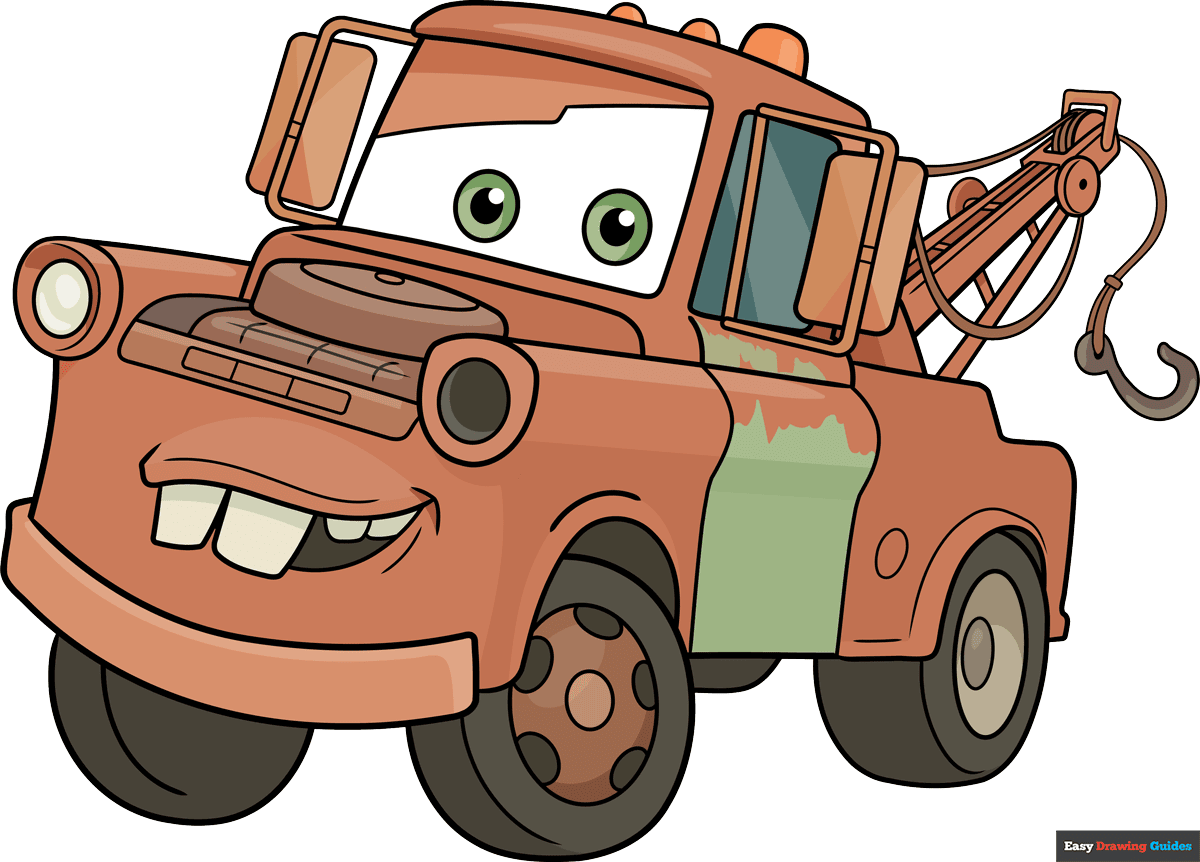
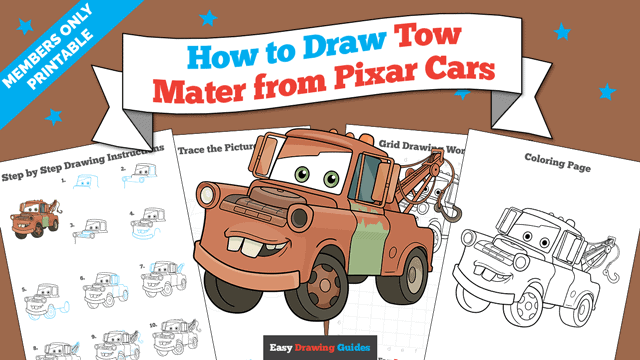
Learn how to draw a great looking Tow Mater from Pixar Cars with easy drawing instructions and video tutorial.
By following the simple steps, you too can easily draw a perfect Tow Mater from Pixar Cars.
Step-by-Step Instructions for Drawing Tow Mater from Pixar Cars
How to Draw a Great Looking Tow Mater from Pixar Cars for Kids and Beginners - Step 1
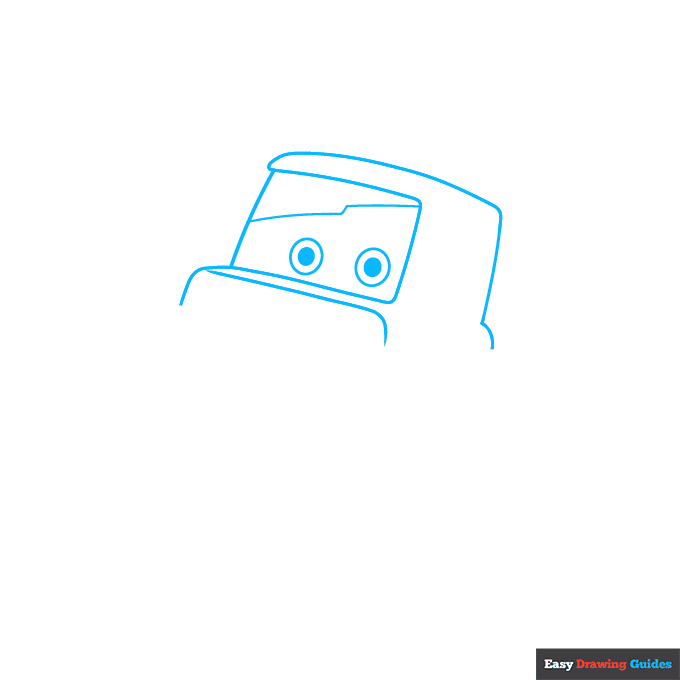
1. Begin the Tow Mater from Pixar's Cars outline by drawing his cab and eyes. Start with a rectangle for the front windshield. Draw a "Z" shaped line across it, with two circles below it.
Shade a smaller circle inside each. Then, use curved lines to outline the cab and the three-dimensional front of the upper hood.
Drawing Step 2
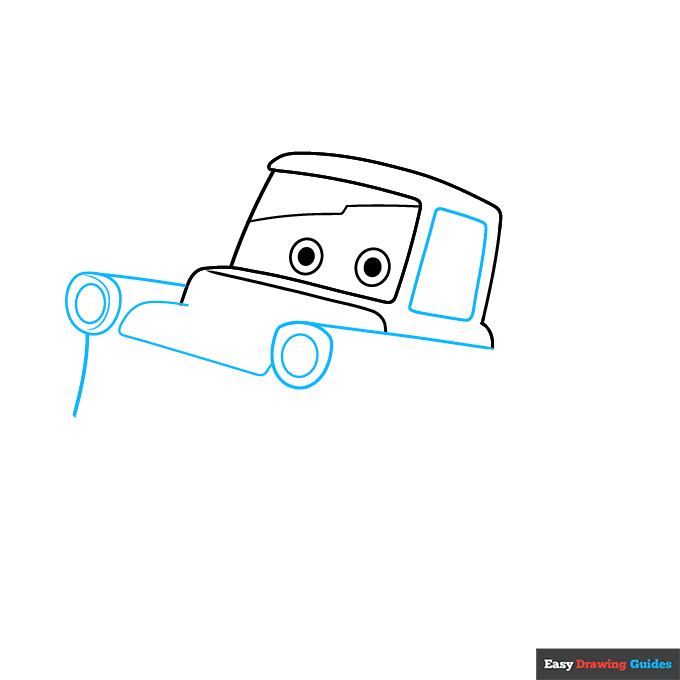
2. Next, draw a rectangle for the side window. Near the hood, draw two ovals for headlights and enclose irregular round shapes around them.
Draw a "C" shaped line through one to give it a three-dimensional appearance. Use straight and curved lines to continue drawing the front of the truck and the hood.
Unlock AD FREE and PRINTABLE drawing and coloring tutorials
- 2,600+ drawing & coloring PDFs
- 50+ ebooks
- Ad-free website
Drawing Step 3
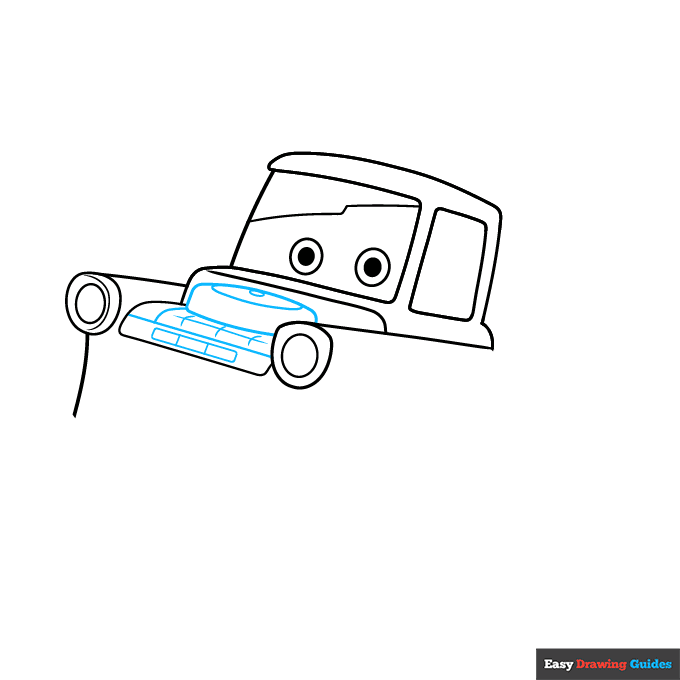
3. Draw the engine. In the hood area, draw a straight line and a rectangle. Above it, draw a flattened oval within an oval. Use curved lines to draw a flattened shape under the ovals and a rounded rectangle.
Detail the rectangle with a straight line crossed by three curved lines. Draw short, straight lines across the earlier rectangle.
Drawing Step 4
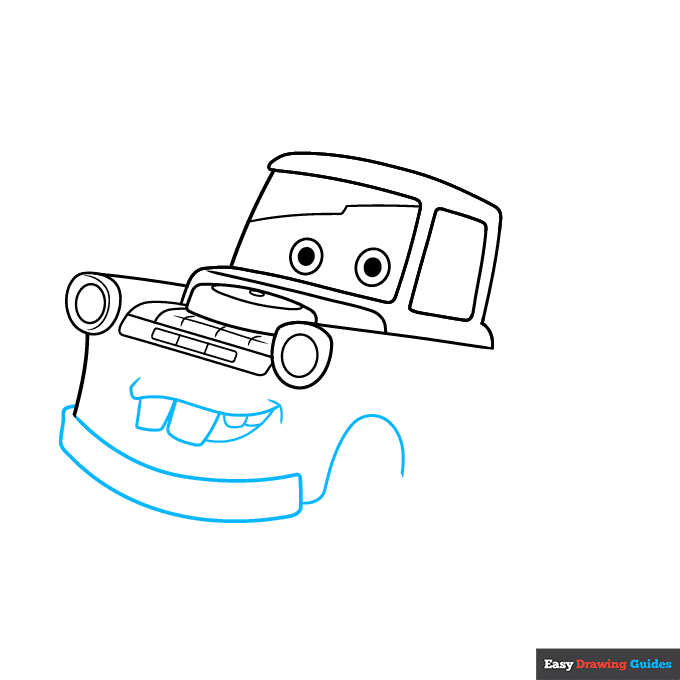
4. Draw Mater's smiling mouth. Use curved lines for the mouth and dimple, then enclose rounded rectangular teeth sticking out. Below the mouth, draw a curved rectangle for the bumper. Extend a question mark-shaped line from it to form the wheel well.
Drawing Step 5
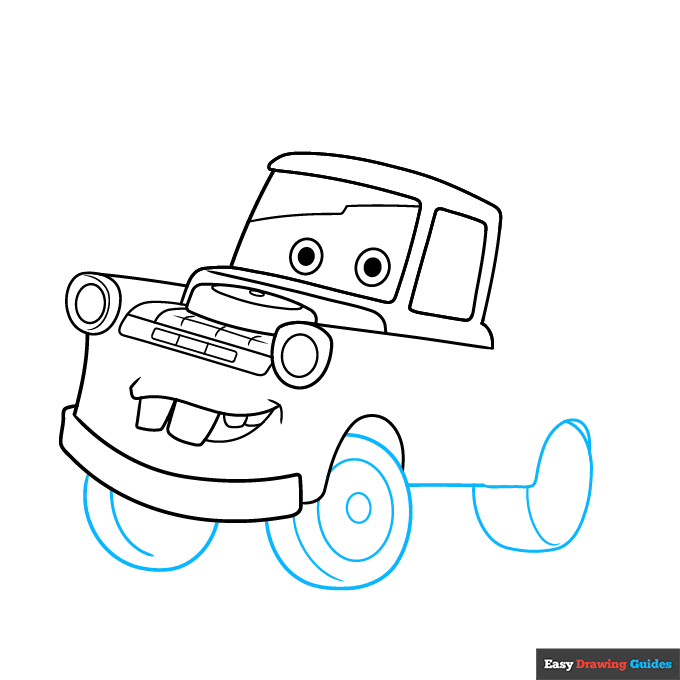
5. Use a straight line for the side of the truck and another curved line for the rear wheel well. Then, draw a wheel in each. Enclose partial oval shapes, and draw a curved line roughly parallel to the front side to give it a three-dimensional shape.
Draw a circle within a circle in one to separate the wheel from the tire and hubcap.
Drawing Step 6
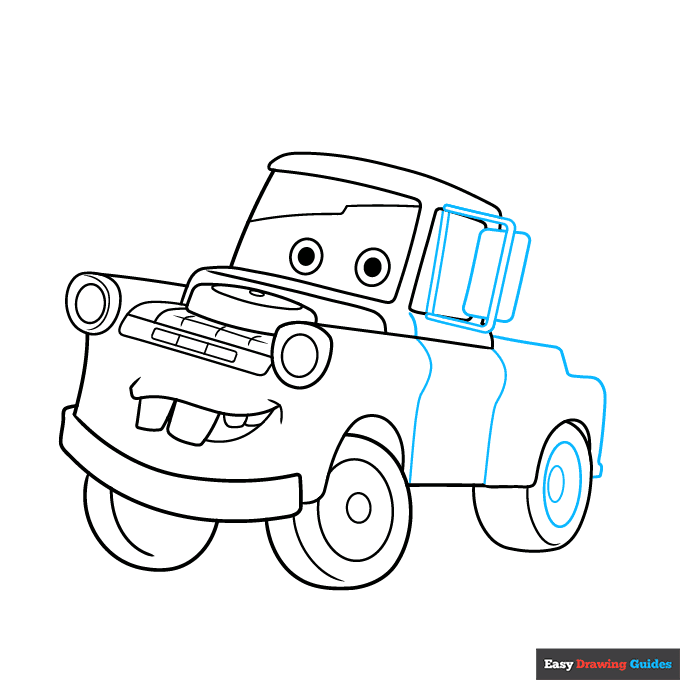
6. Draw an oval within an oval on the back wheel. Then, draw the side mirror, erasing as necessary. Use straight and curved lines to draw a rectangular frame; draw another one inside it.
Then, draw a round-cornered rectangle for the mirror itself, passing behind the frame. Next, use curved lines to draw the bed of the truck and the door.
Drawing Step 7
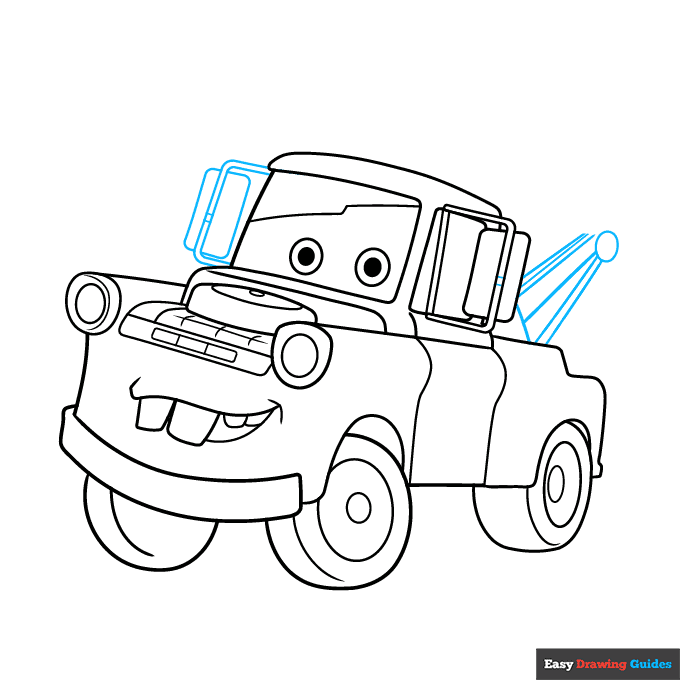
7. Draw the mirror on the opposite side, using curved lines to enclose the partial rectangle of the frame and the mirror itself. Draw two lines across the frame behind the mirror on each side to indicate the fasteners.
Then, draw the towing arm. Draw a diagonal line from the bed to the mirror, then six lines that would converge if they continued. Draw a circle to connect three of the lines.
Add More Details to Your Tow Mater from Pixar Cars Picture - Step 8
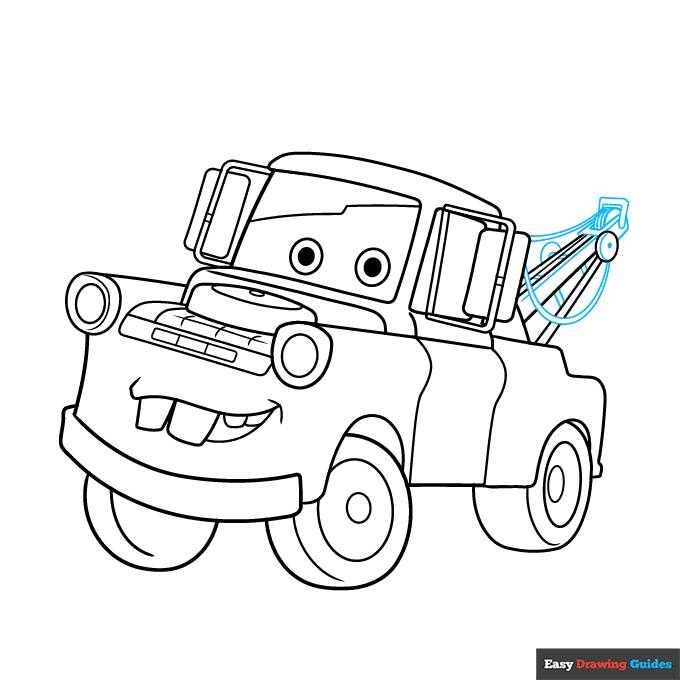
8. Use short, straight lines to connect the beams and give them a three-dimensional appearance. Use curved lines to complete the pulleys and cables.
Complete the Outline of Your Tow Mater from Pixar Cars Drawing - Step 9
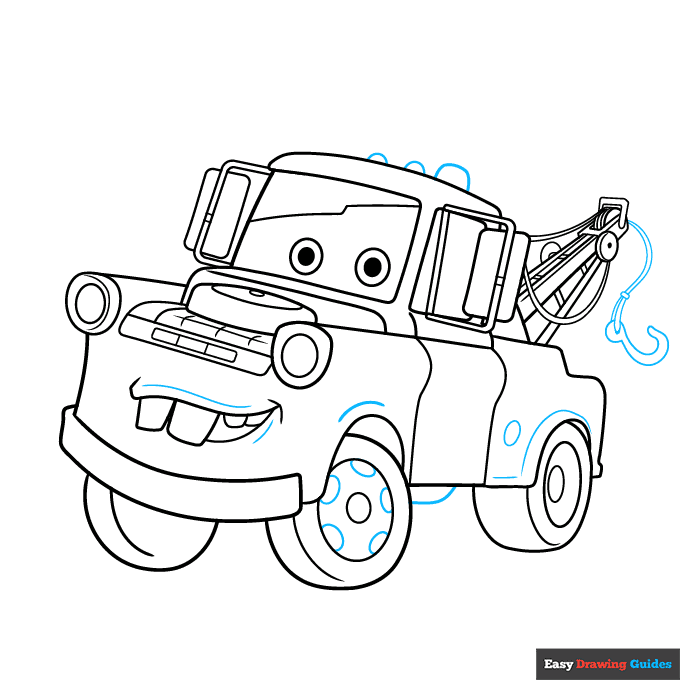
9. Draw ovals for the lights on top, gas tank cover, and wheel details. Use curved lines to contour the truck body and sketch the towing hook on its cable.
Color Your Tow Mater from Pixar Cars Drawing
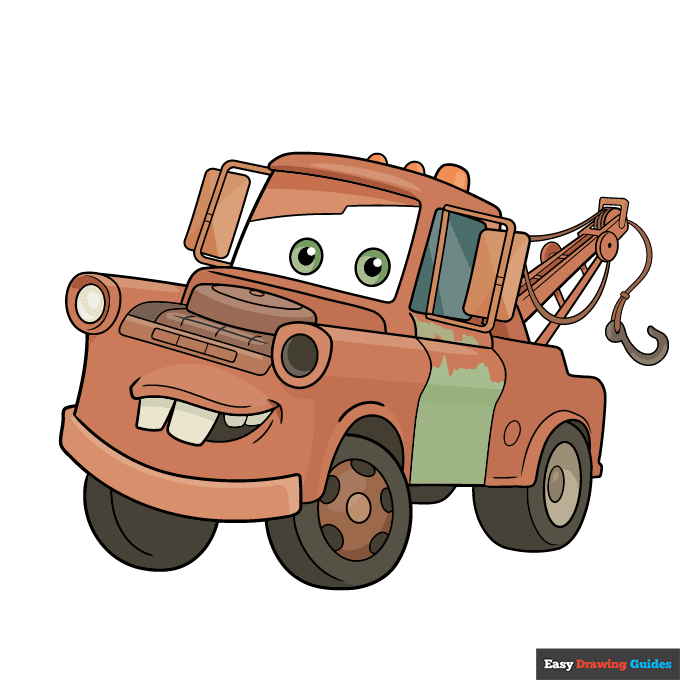
Your Tow Mater from Pixar Cars outline is complete. Color your character. Mater is a rusty reddish brown color.
Watch 'Tow Mater from Pixar Cars' Video Tutorial
Click HERE to save the tutorial to Pinterest!
Learn More About The Tow Mater from Pixar Cars Drawing
Dad gum! You can learn how to draw Tow Mater from Pixar Cars with the help of this easy, step-by-step drawing tutorial.
Tow Mater is a favorite Disney character. His country accent and ways are endearing.
Mater is a tow truck. You can see his towing equipment in the back.
Remember when Mater went tractor tipping? Recreate the scene with this Lightning McQueen drawing and this tractor drawing.
Tow Mater from Pixar Cars Drawing Tutorial - Easy & Fun Printable Pages
Join now and get immediate access to thousands of printable drawing instruction and practice pages!
Learn how to get access to thousands of printable pages!

MEMBER TROUBLESHOOTING
Still seeing ads or not being able to download the PDF?
First, check that you're logged in. You can log in on the member login page.
If you're still not able to download the PDF, the likely solution is to reload the page.
You can do this by clicking the browser reload button.
It is a circular arrow-shaped icon at the top of the browser window, typically found in the upper-left side (you can also use keyboard shortcuts: Ctrl+R on PC and Command+R on Mac).