
Learn how to draw a great looking Donkey from Shrek with easy drawing instructions and video tutorial.
By following the simple steps, you too can easily draw a perfect Donkey from Shrek.
Step-by-Step Instructions for Drawing Donkey from Shrek
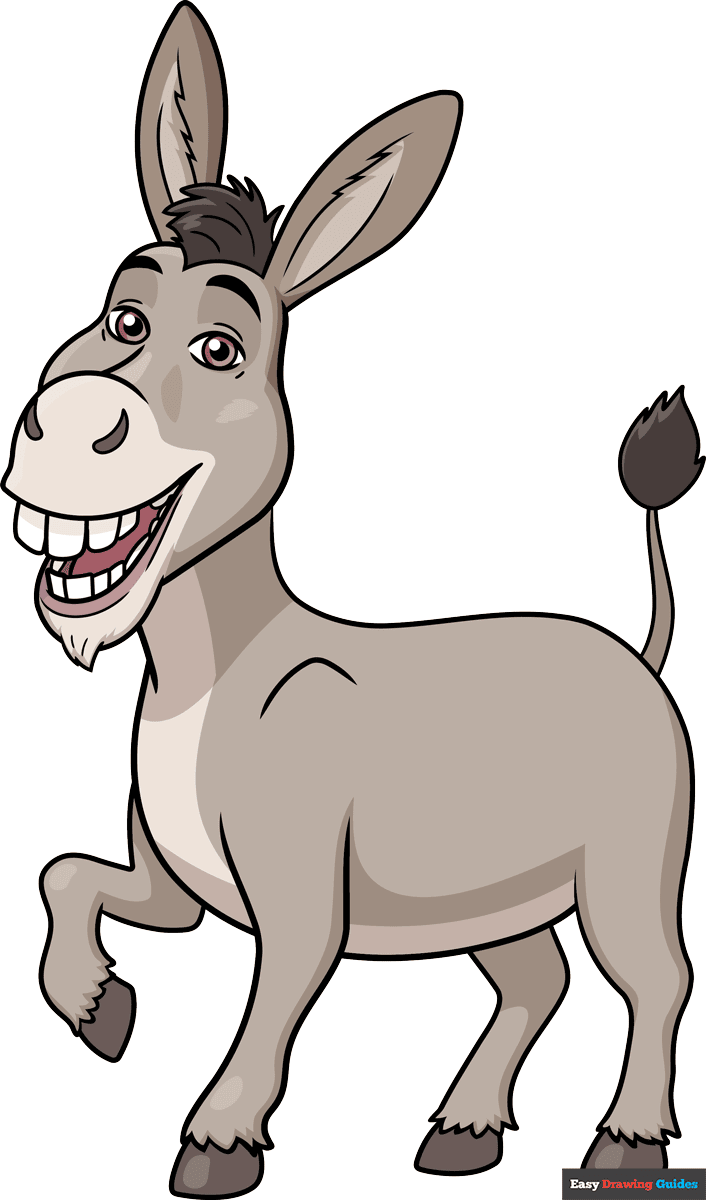
How to Draw a Great Looking Donkey from Shrek for Kids and Beginners - Step 1
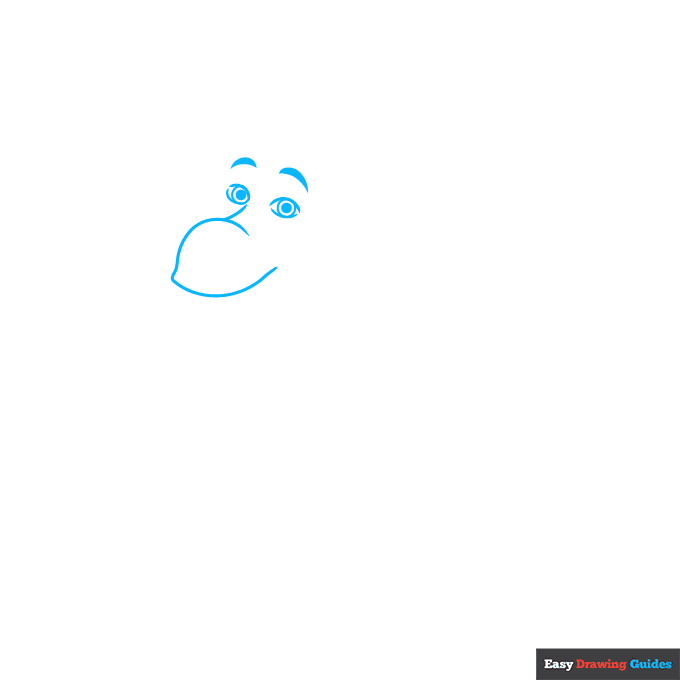
1. Begin the Donkey from Shrek outline by drawing his face. Use overlapping curved lines for his snout. Then, use two curved lines to draw each of his eyes.
Notice that the lines don't meet at the corners. Inside each eye, draw two concentric circles. Shade the smaller circles to indicate the pupils. Then shade thick curved lines for the eyebrows.
Drawing Step 2
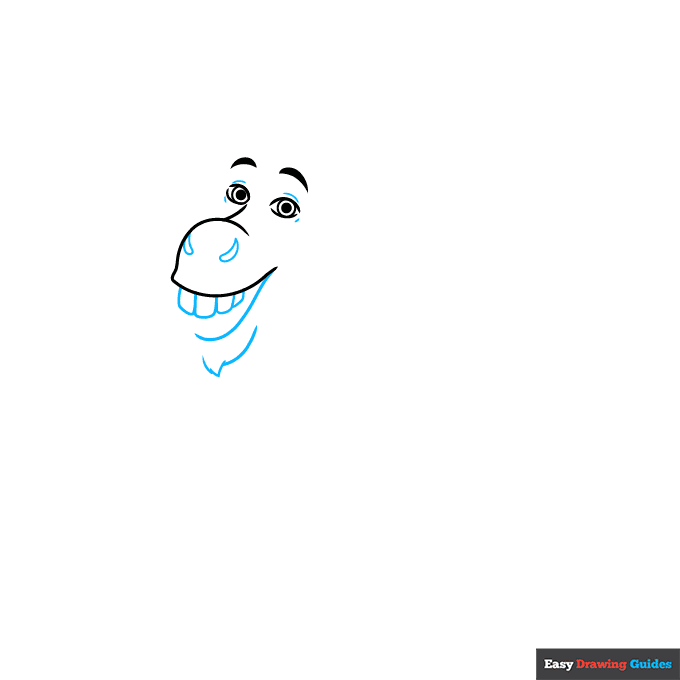
2. Draw short lines around the eyes to form the eyelids. Then, use curved lines to enclose the pointed shapes of the nostrils. Enclose rounded rectangles for the teeth, and use long and short lines for the bottom of the mouth and tuft of fur forming the donkey's "beard."
Unlock AD FREE and PRINTABLE drawing and coloring tutorials
- 2,600+ drawing & coloring PDFs
- 50+ ebooks
- Ad-free website
Drawing Step 3
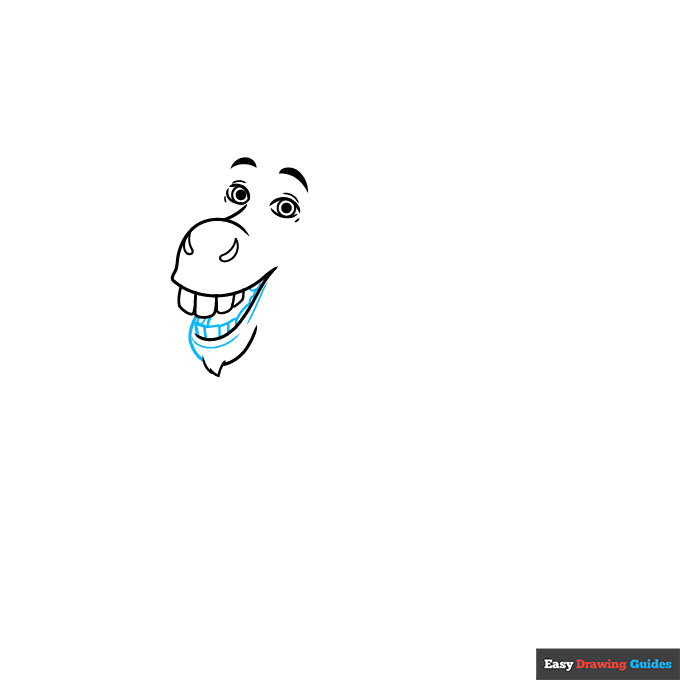
3. Enclose rectangular teeth in the bottom half of the mouth. Complete the mouth and lower jaw with curved lines.
Drawing Step 4
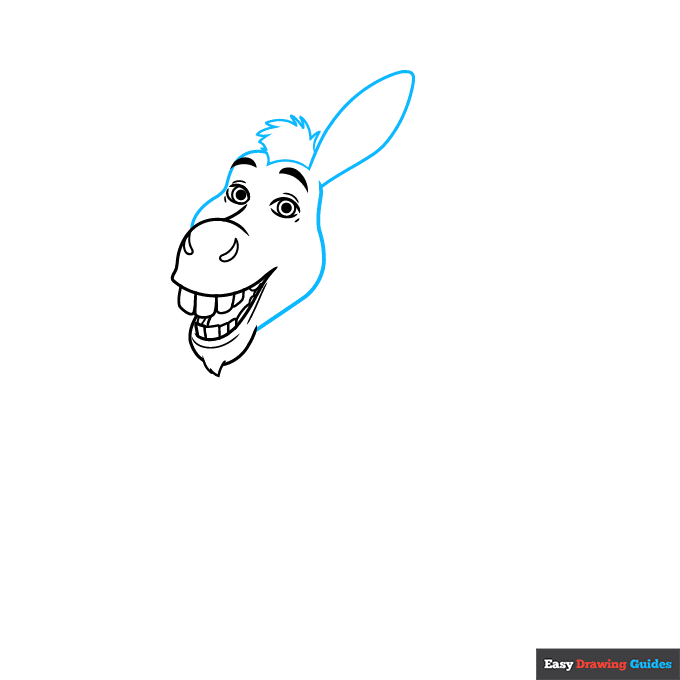
4. Use long curved lines for the sides of the face, and double one back to form the long ear. Use a series of shorter curved lines that meet at jagged points to form the mane.
Drawing Step 5
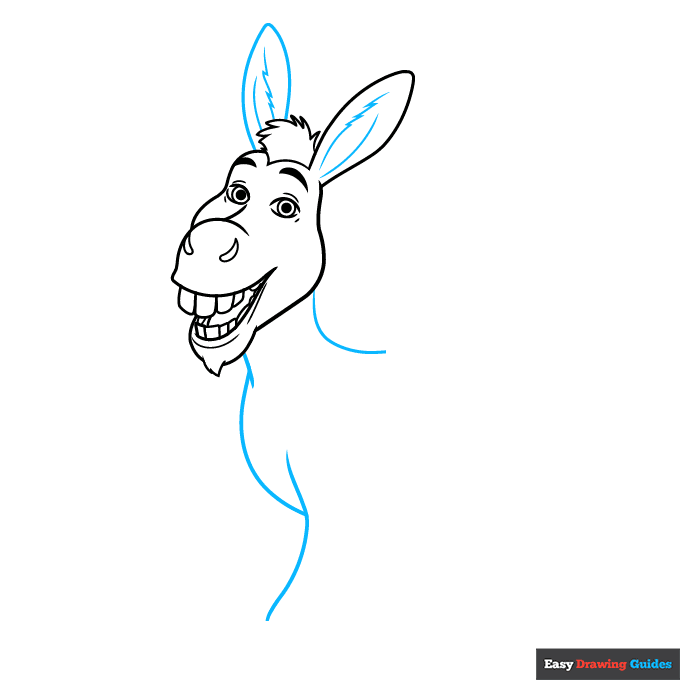
5. Draw the other ear using two curved lines that meet at a point. Use a series of long and short curved lines that meet at jagged points to detail inside the ear. Then, use a series of overlapping curved lines to draw Donkey's neck, chest, and leg.
Drawing Step 6
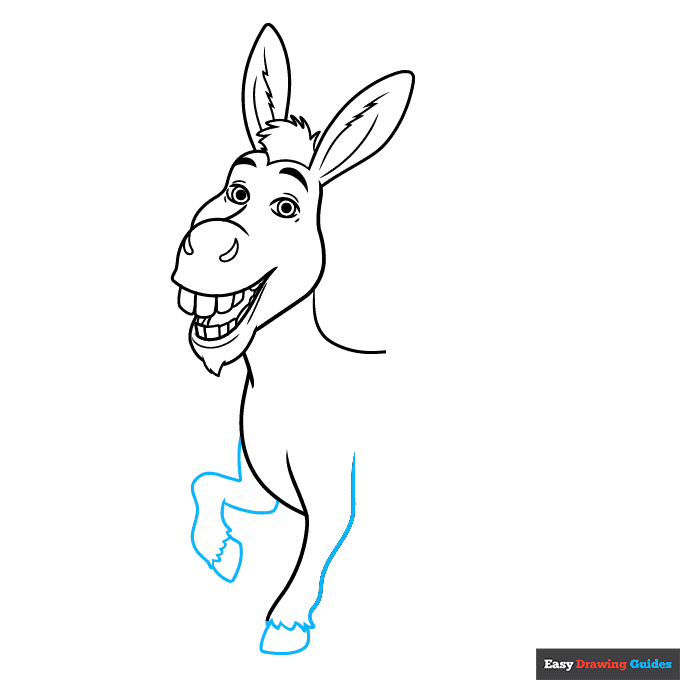
6. Use long curved lines to complete the sides of the front legs. Connect the lines at the bottom with a series of short lines to give a furry texture. Then, enclose the rounded rectangular hooves.
Drawing Step 7
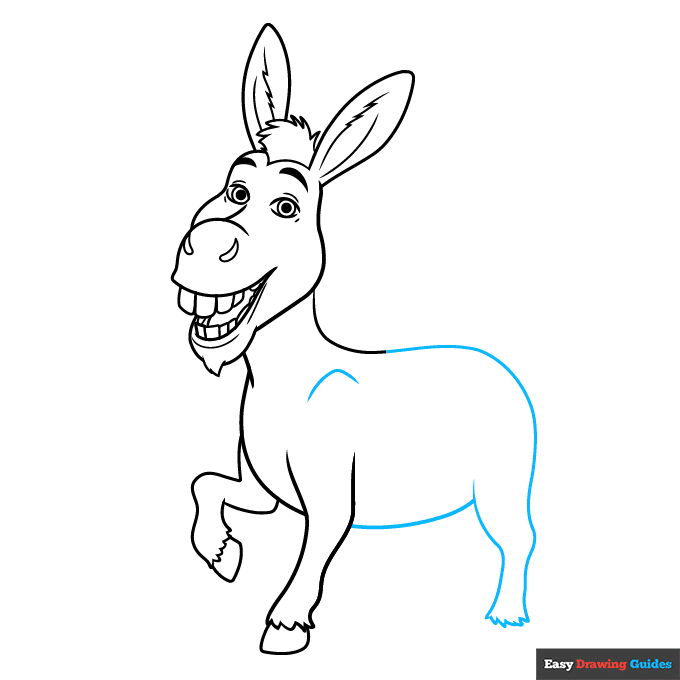
7. Use long curved lines for Donkey's back, belly, and rear leg. Connect the lines at the bottom of the leg with a series of short lines. Contour the shoulder with a curved line.
Add More Details to Your Donkey from Shrek Picture - Step 8
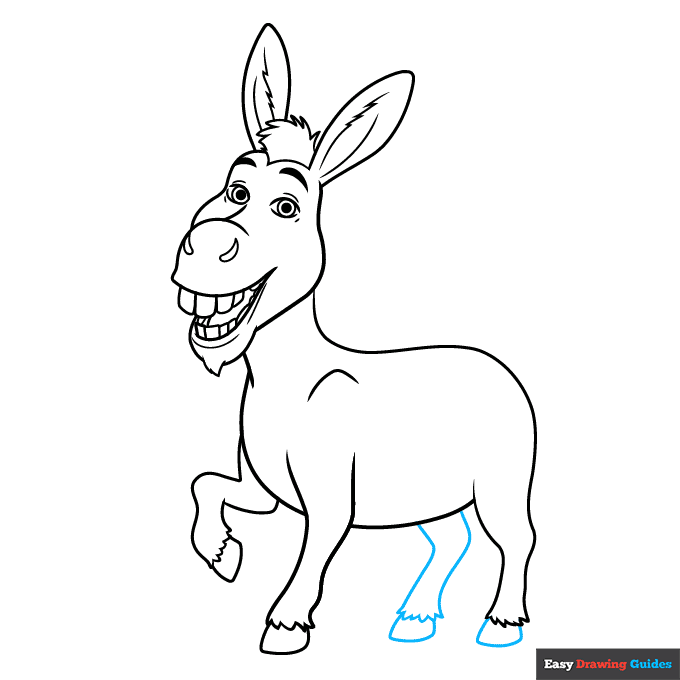
8. Use two long curved lines to sketch the sides of the remaining leg. Connect them at the bottom with a series of short lines. Draw the rounded rectangular hooves on both rear feet.
Complete the Outline of Your Donkey from Shrek Drawing - Step 9
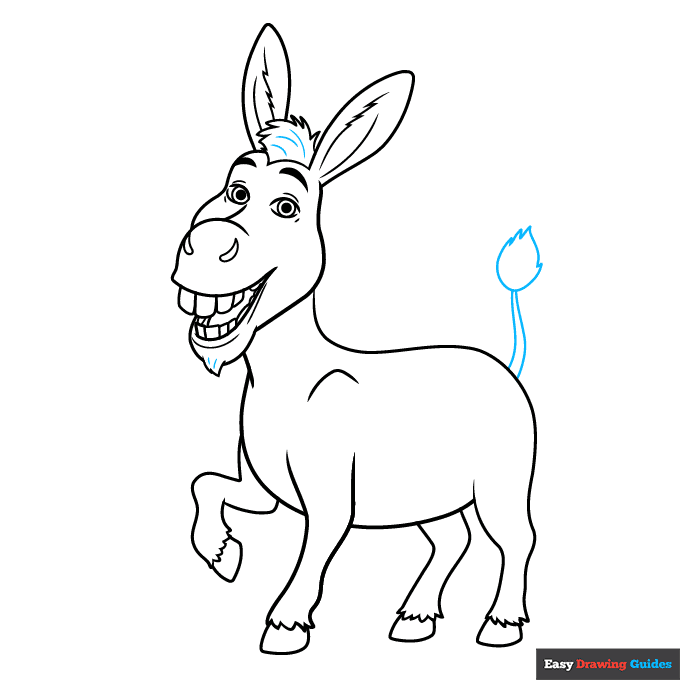
9. Extend two curved lines and allow them to meet at a point, forming Donkey's tail. Draw a tuft of hair at the end of the tail using curved lines that meet at jagged points.
Color Your Donkey from Shrek Drawing
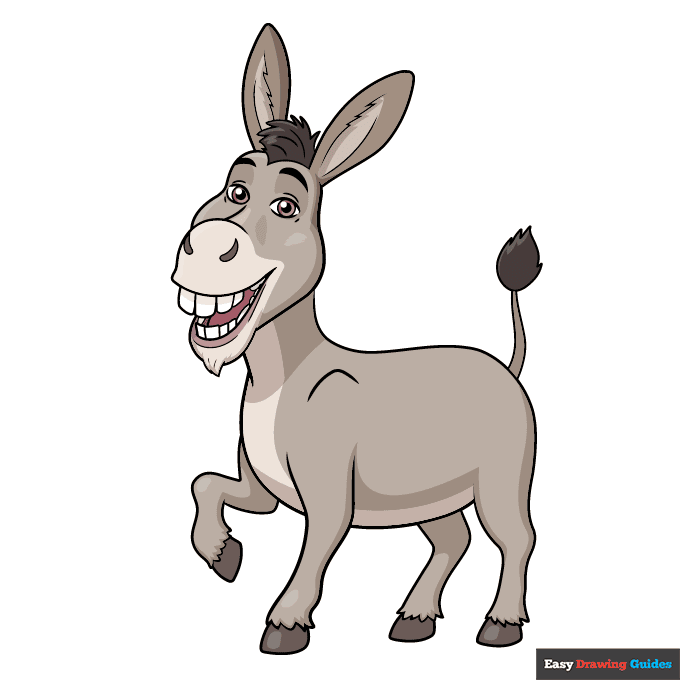
Your Donkey from Shrek outline is now complete. Color your cartoon character. Like most donkeys, Donkey has grey fur with a lighter snout and belly.
Watch 'How to Draw Donkey from Shrek' Video Tutorial
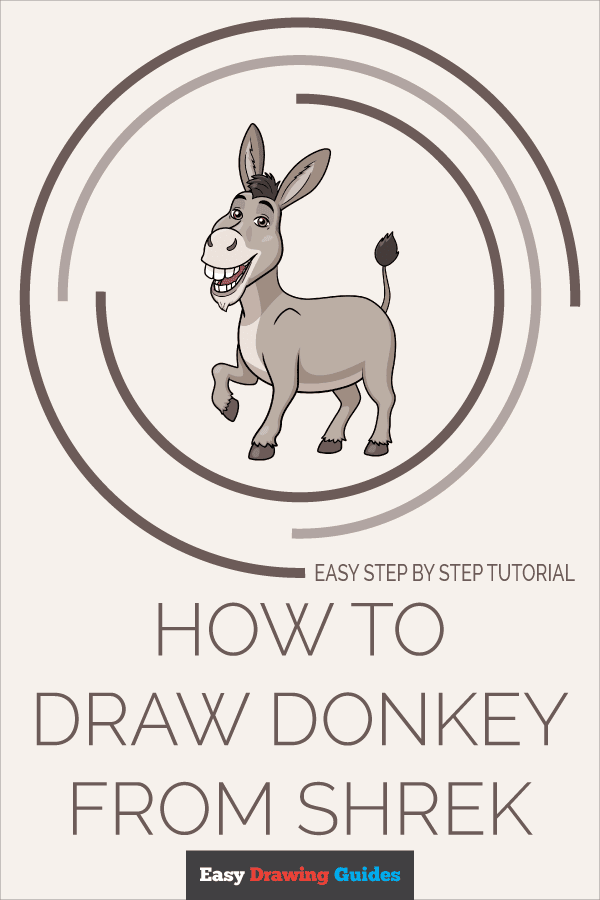
Learn More About The Donkey from Shrek Drawing
Awesome things come in small packages - this Donkey from Shrek drawing is proof! Our easy, step-by-step cartoon character drawing tutorial will help you complete your drawing in no time.
Donkey has a lot of personality - and he loves to talk! Don't let his ordinary appearance fool you; he is a fairytale creature once pursued by the evil Lord Farquaad.
He also loves making friends, which you can see in his friendly smile in this drawing.
Shrek is his best friend. You can learn how to draw Shrek with the help of this tutorial.
He was reluctant to befriend the dragon guarding Fiona's castle, but eventually the two married. You can learn how to draw a dragon here. They had hybrid children called Dronkeys. Can you combine the characteristics of a donkey and a dragon to create a donkey? Put your skills to the test!
Donkey from Shrek Drawing Tutorial - Easy & Fun Printable Pages
Join now and get immediate access to thousands of printable drawing instruction and practice pages!
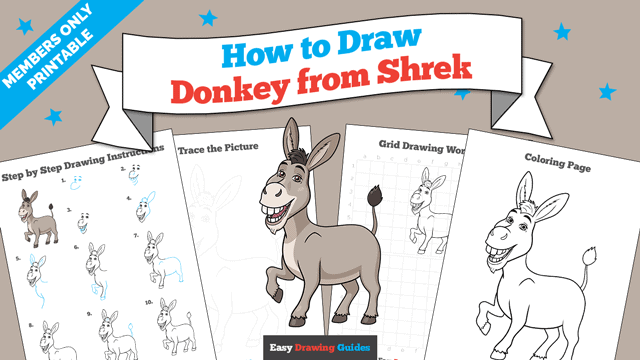
Learn how to get access to thousands of printable pages!

MEMBER TROUBLESHOOTING
Still seeing ads or not being able to download the PDF?
First, check that you're logged in. You can log in on the member login page.
If you're still not able to download the PDF, the likely solution is to reload the page.
You can do this by clicking the browser reload button.
It is a circular arrow-shaped icon at the top of the browser window, typically found in the upper-left side (you can also use keyboard shortcuts: Ctrl+R on PC and Command+R on Mac).