
Learn how to draw a great looking Princess Fiona from Shrek as Human with easy drawing instructions and video tutorial.
By following the simple steps, you too can easily draw a perfect Princess Fiona from Shrek as Human.
Step-by-Step Instructions for Drawing Princess Fiona from Shrek as Human
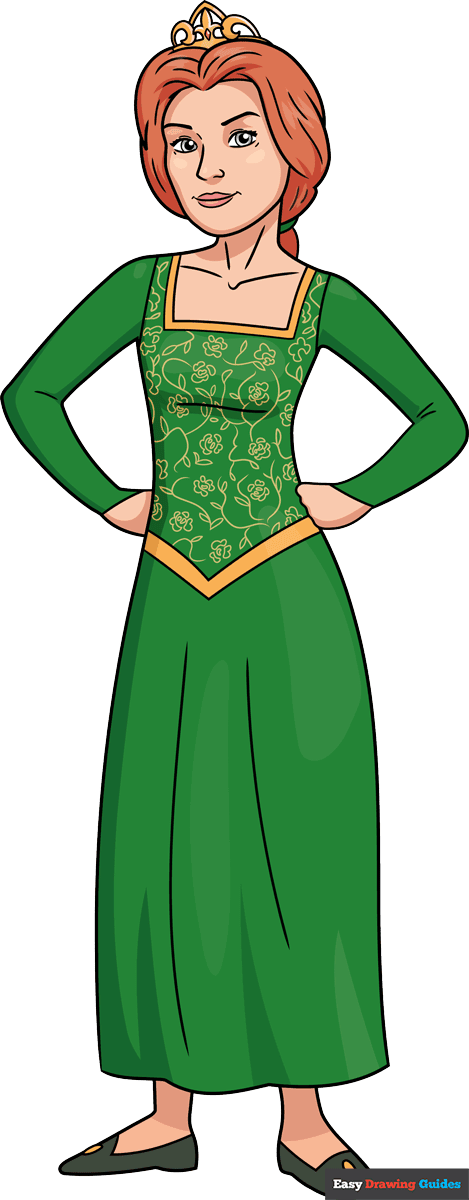
How to Draw a Great Looking Princess Fiona from Shrek as Human for Kids and Beginners - Step 1
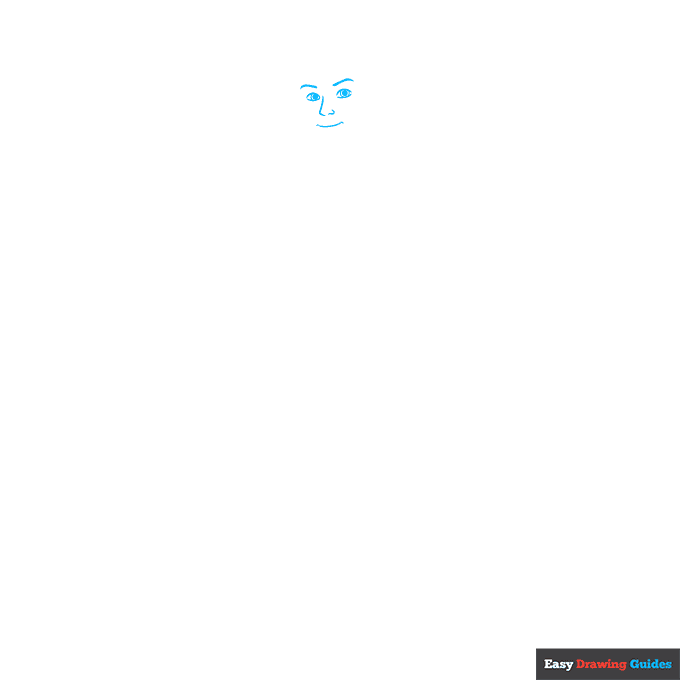
1. Begin the Princess Fiona from Shrek as a human outline by drawing her face. Use thick curved lines for her eyebrows and regular ones for her eyes, nose, and mouth. Inside each eye, draw two circles. Shade the smaller circles to form the pupils.
Drawing Step 2
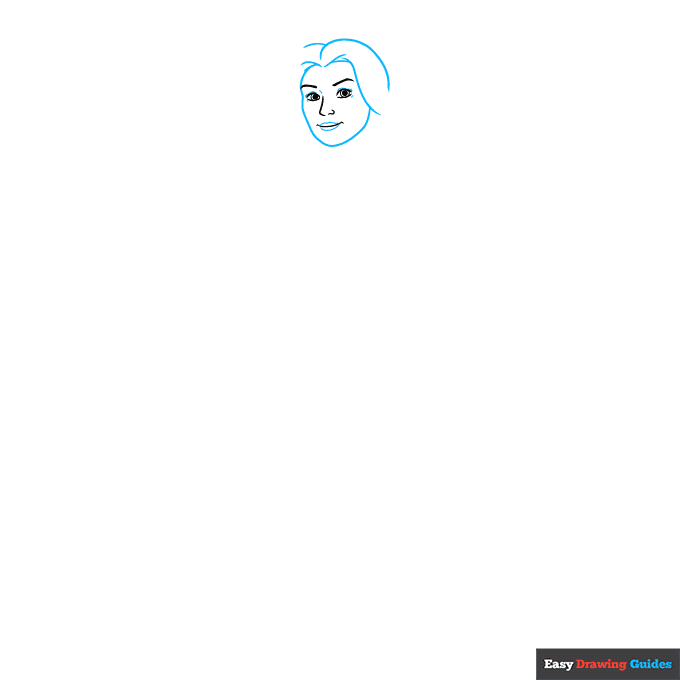
2. Use overlapping curved lines to sketch her face and hair. Use shorter lines to enclose her lips above and below her mouth.
Unlock AD FREE and PRINTABLE drawing and coloring tutorials
- 2,600+ drawing & coloring PDFs
- 50+ ebooks
- Ad-free website
Drawing Step 3
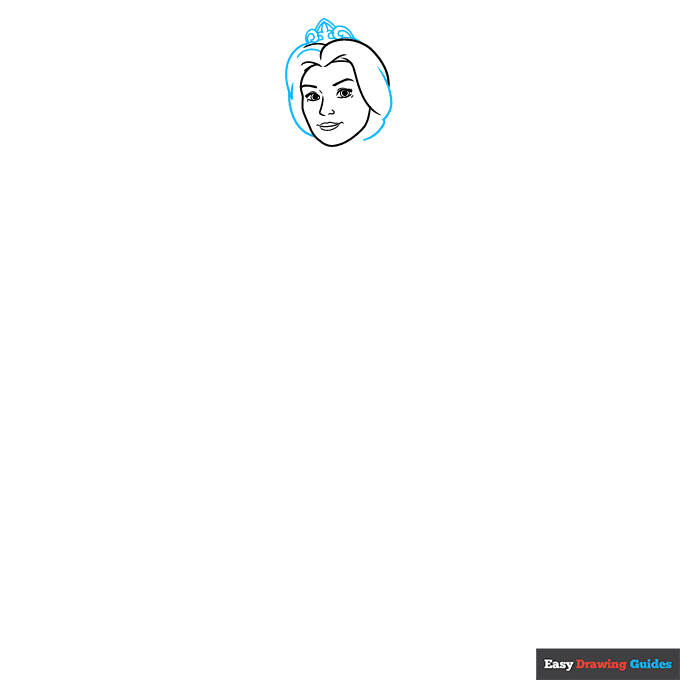
3. Continue the hair, using curved lines. Draw a crown on top of her head. In the center, enclose a three-pointed shape. Draw spiral shapes on each side of it. Use a pair of lines to enclose a triangular shape above the three-pointed fleur de lis.
Drawing Step 4
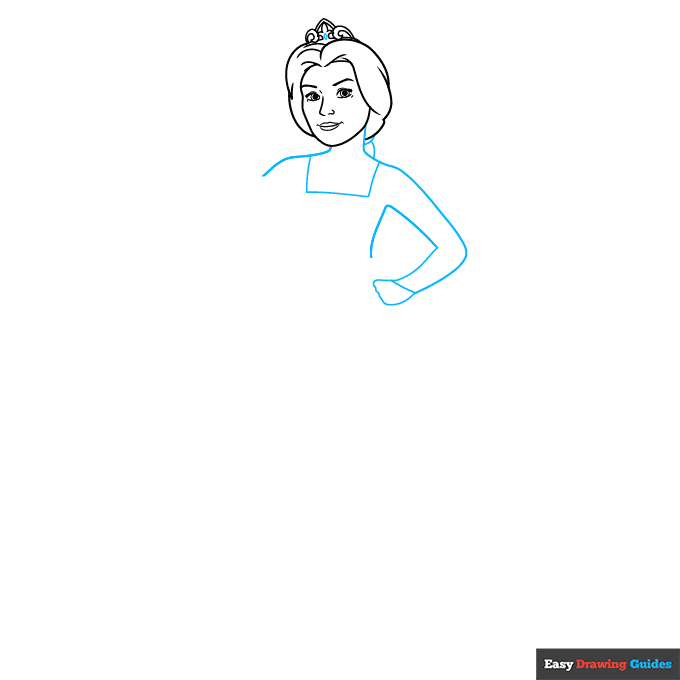
4. Use long curved lines to draw Fiona's neck, shoulders, arm, and torso. Use a scalloped line to complete her hand and a rectangle shape for the neckline of her dress. Use curved lines to enclose the sections of her braid.
Drawing Step 5
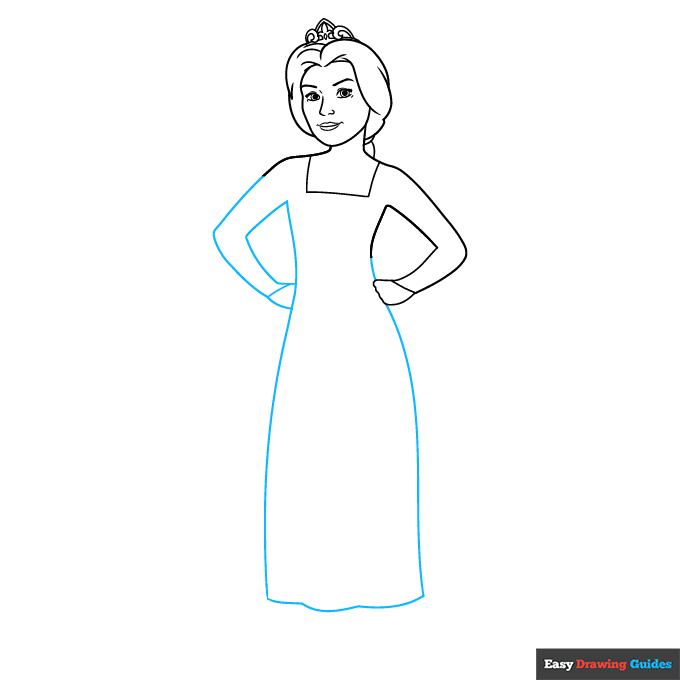
5. Use long curved lines to draw her remaining arm and the skirt of her dress. Use a short line to form the end of her sleeve.
Drawing Step 6
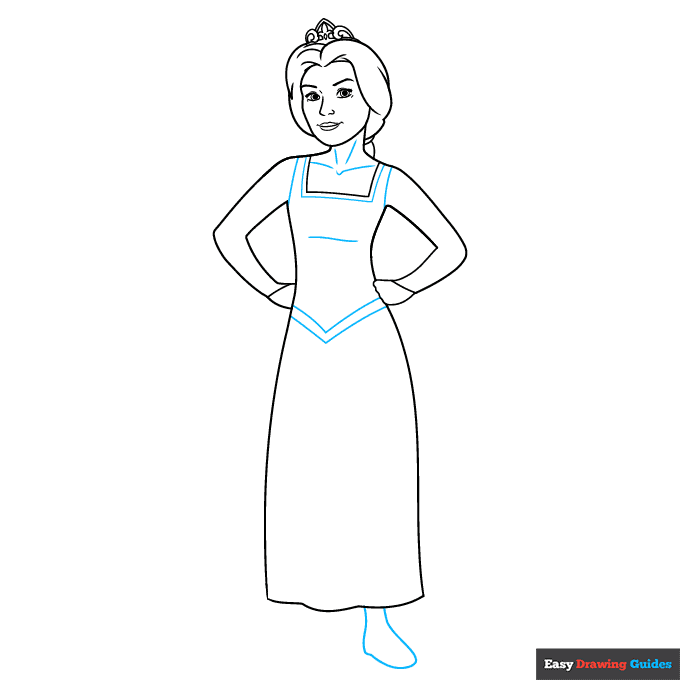
6. Draw lines parallel to the neck and at the shoulders of the dress. Draw two "V" shaped lines between the bodice and skirt. Use curved lines to contour the neck, collarbones, and torso. Extend a line below the skirt and double it back on itself to form the foot.
Drawing Step 7
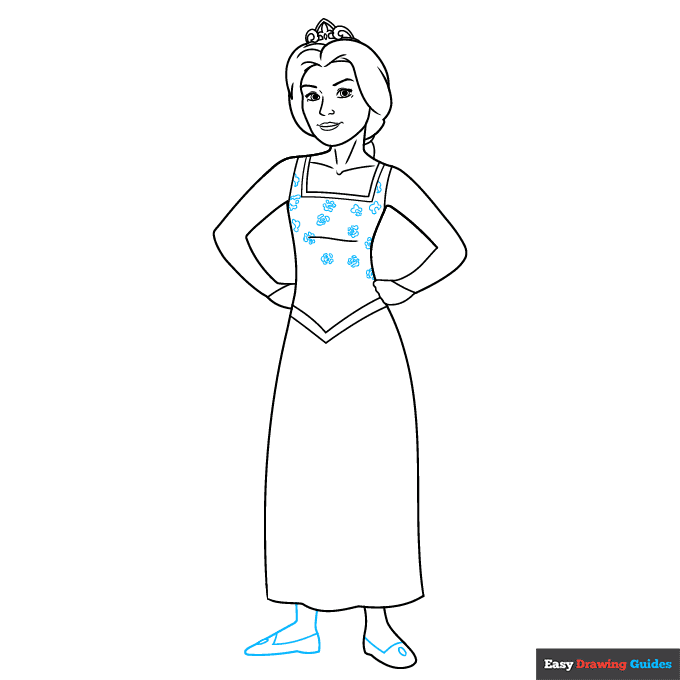
7. Use curved lines to draw small rose flowers decorating the bodice. You can learn more about this pattern from this rose outline drawing. Extend another line below the skirt and double it back to form the remaining foot. Draw "L" shaped lines and small ovals on each shoe.
Add More Details to Your Princess Fiona from Shrek as Human Picture - Step 8
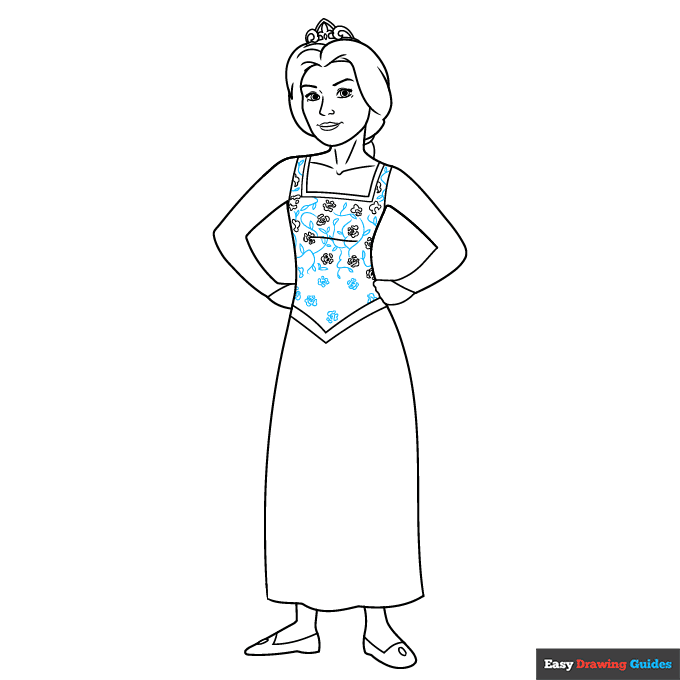
8. Continue to draw small rose blossoms and a vine pattern on the bodice. For the vines, use branching, wavy, curved lines and small teardrop shapes for leaves.
Complete the Outline of Your Princess Fiona from Shrek as Human Drawing - Step 9
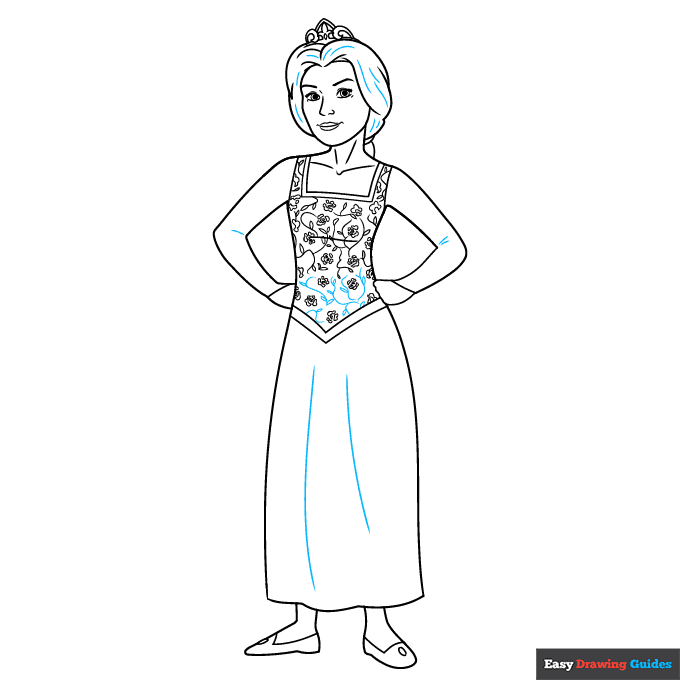
9. Finish drawing the vine pattern. Texture the hair and fabric with curved lines.
Color Your Princess Fiona from Shrek as Human Drawing
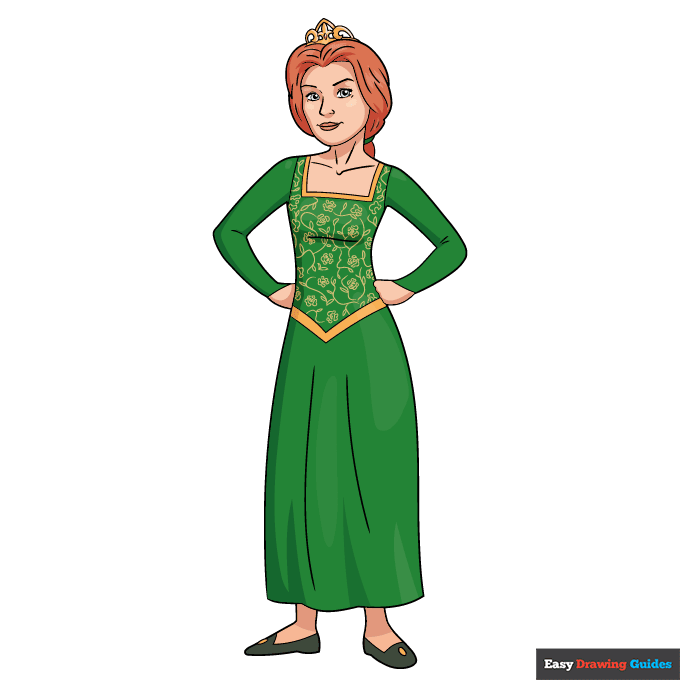
Your Princess Fiona from Shrek as a human outline is now complete. Color your cartoon character. Fiona has fiery red hair and wears a dress that is gold and green.
Watch 'How to Draw Princess Fiona from Shrek as Human' Video Tutorial
Click HERE to save the tutorial to Pinterest!
Learn More About The Princess Fiona from Shrek as Human Drawing
When we first meet Princess Fiona, she's exactly what you'd expect - a beautiful princess locked away in a dragon-guarded castle. But she was full of surprises. For now, though, you can learn how to draw Princess Fiona from Shrek as a human. This easy, step-by-step drawing tutorial will walk you through it.
Princess Fiona grew up in the land of Far Far Away. She was cursed by a witch when she was a child. The curse turned her into an "ugly" ogre at night.
Eventually, her parents and her fairy godmother locked her away in a castle guarded by a dragon until her true love would rescue her and break the curse. You can learn how to draw a fairytale castle and a dragon drawing.
Help Fiona find her true prince charming! Add this Shrek drawing to your picture.
Do you know what happens when Shrek and Fiona share true love's first kiss? You can find out with this Princess Fiona in ogre form drawing. How do the two Fionas differ? How are they similar?
Princess Fiona from Shrek as Human Drawing Tutorial - Easy & Fun Printable Pages
Join now and get immediate access to thousands of printable drawing instruction and practice pages!
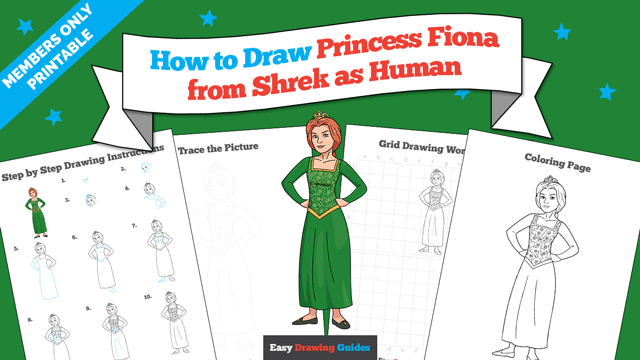
Learn how to get access to thousands of printable pages!
MEMBER TROUBLESHOOTING
Still seeing ads or not being able to download the PDF?
First, check that you're logged in. You can log in on the member login page.
If you're still not able to download the PDF, the likely solution is to reload the page.
You can do this by clicking the browser reload button.
It is a circular arrow-shaped icon at the top of the browser window, typically found in the upper-left side (you can also use keyboard shortcuts: Ctrl+R on PC and Command+R on Mac).