
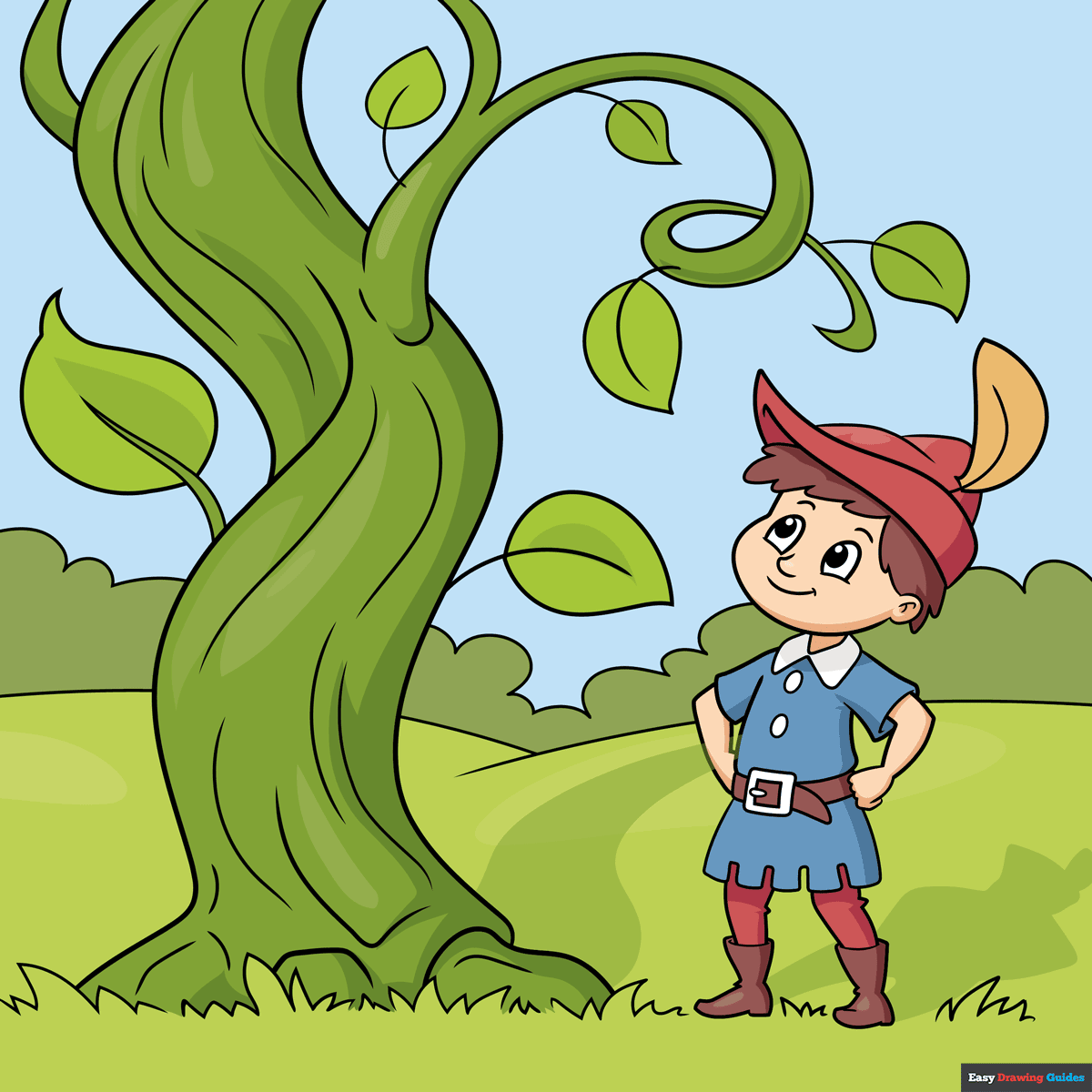
Learn how to draw a great looking Jack and the Beanstalk with easy drawing instructions and video tutorial.
By following the simple steps, you too can easily draw a perfect Jack and the Beanstalk.
Step-by-Step Instructions for Drawing Jack and the Beanstalk
How to Draw a Great Looking Jack and the Beanstalk for Kids and Beginners - Step 1
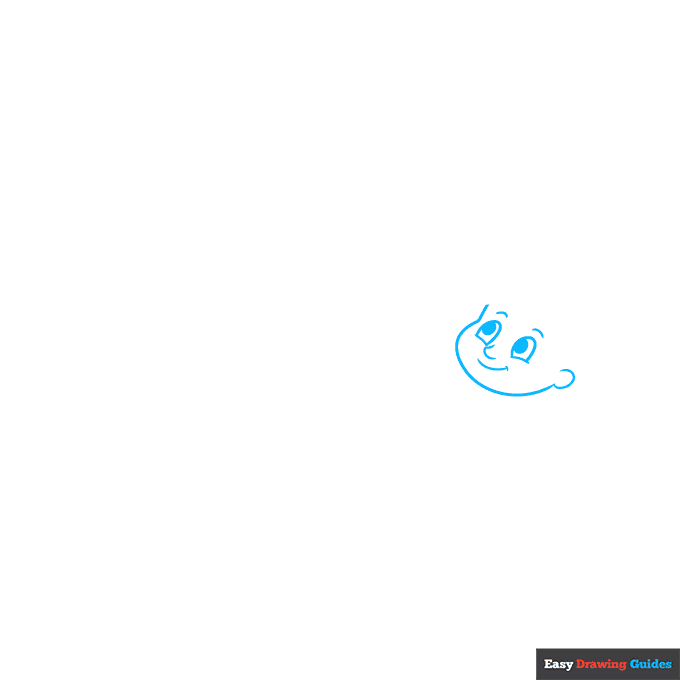
1. Begin the Jack and the Beanstalk outline by drawing Jack's face. Use curved lines for the cheeks, eyes, eyebrows, nose, mouth, face, and ear. Shade a small oval inside each eye to form the pupils.
Drawing Step 2
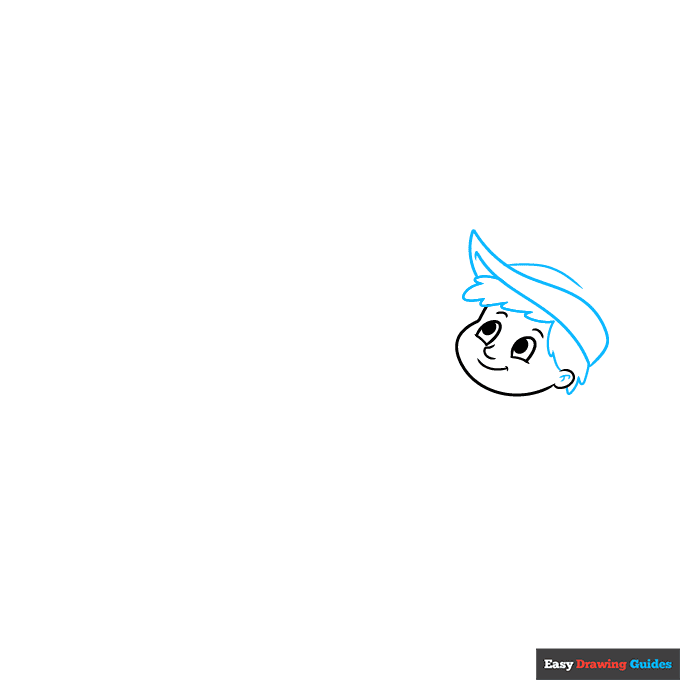
2. Next, draw Jack's hair and hat. Use long curved lines - some that meet at sharp points - to draw his Robin Hood-style hat. Between the hat and the face, use a series of short curved lines to enclose his hair.
Unlock AD FREE and PRINTABLE drawing and coloring tutorials
- 2,600+ drawing & coloring PDFs
- 50+ ebooks
- Ad-free website
Drawing Step 3
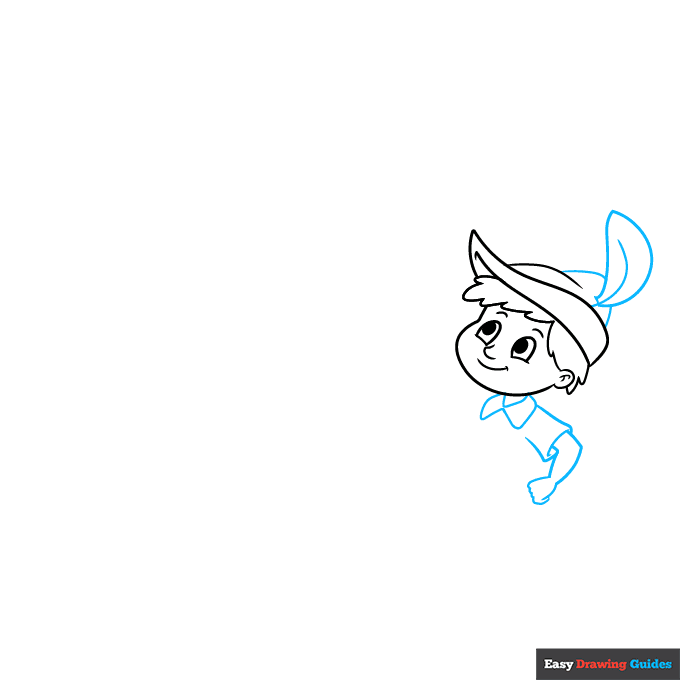
3. Use three curved lines to draw a feather in his hat - one for the central rachis, and two for the outer edges. Then, use a curved line for the top of his hat. Sketch his neck, the collar of his shirt, his sleeve, arm, and hand using curved lines.
Drawing Step 4
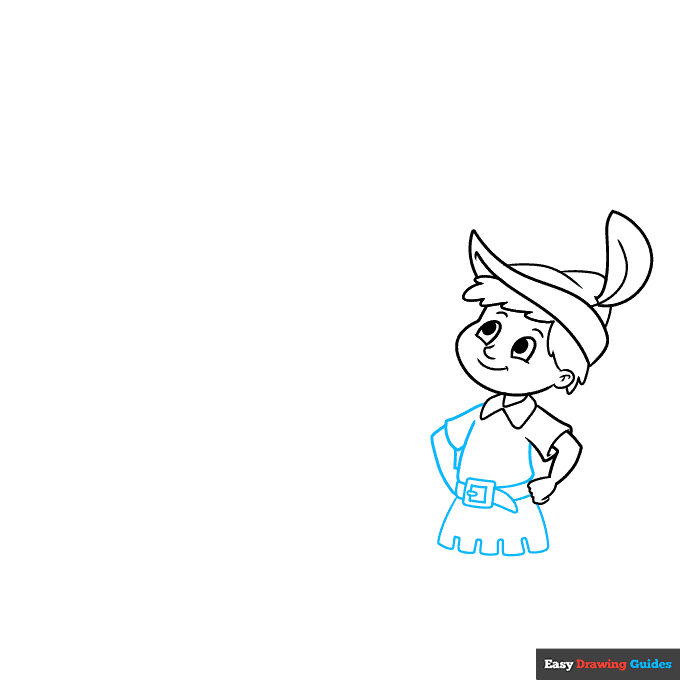
4. Continue to sketch his body and clothing using curved lines. Draw the opposite sleeve and arm, hands on his hips. Draw his belt with its square buckle and the scalloped bottom edge of his tunic.
Drawing Step 5
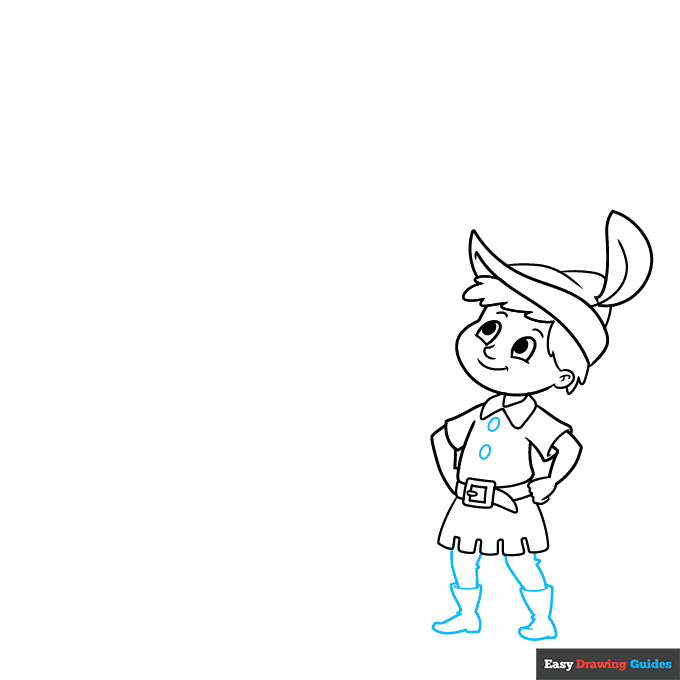
5. Draw two oval-shaped buttons on the front of his clothing. Below his body, sketch the irregular shapes of his boots. Connect each boot to the body with two lines, noting the squiggly portions that indicate wrinkles in the fabric.
Drawing Step 6
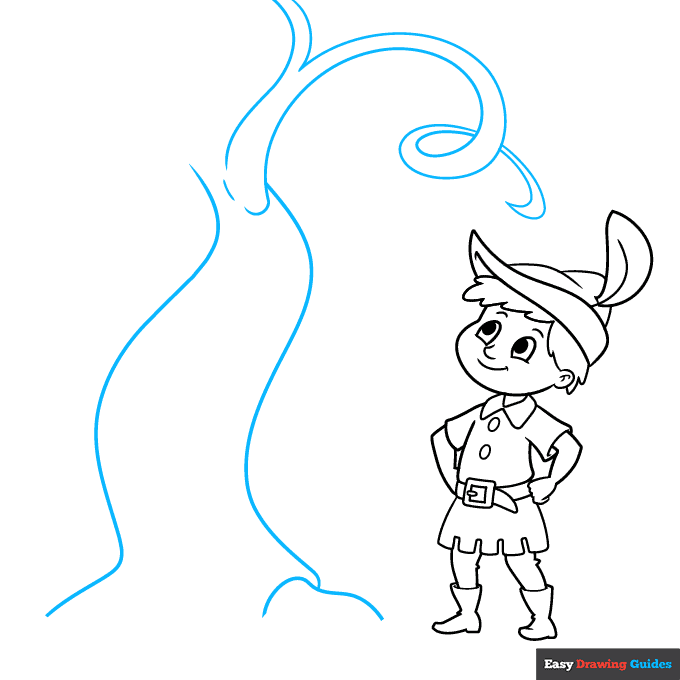
6. Draw the vines of the beanstalk. Use a short curved line for the root, then two long curved lines for the tree-like trunk.
From there, use curved and "V" shaped lines to draw the branching tendrils. Draw the end of the tendril in an overlapping spiral shape.
Drawing Step 7
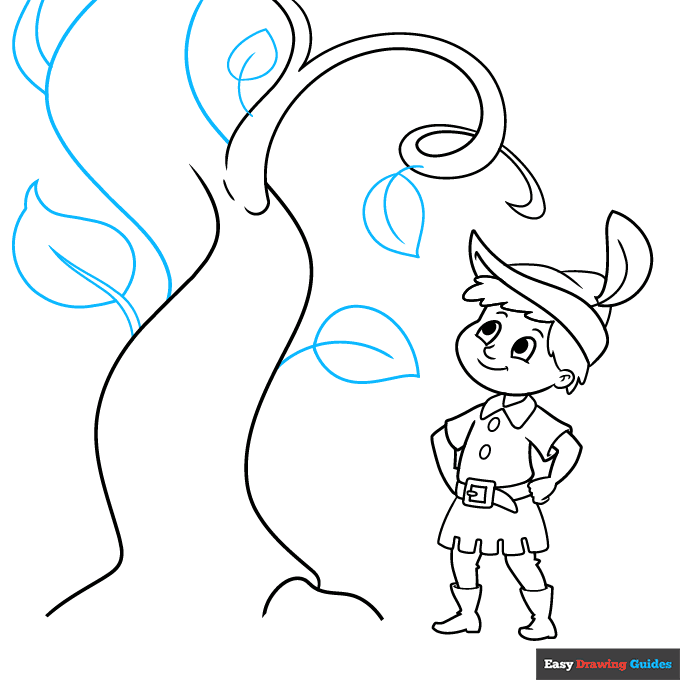
7. Continue the twisting trunk with long curved lines. Then, draw leaves along the trunk and tendrils.
For the larger leaves, use two lines that meet at a sharp point for the central vein; for smaller ones, use only a single curved line. Then, enclose the teardrop-shaped leaves around them.
Add More Details to Your Jack and the Beanstalk Picture - Step 8
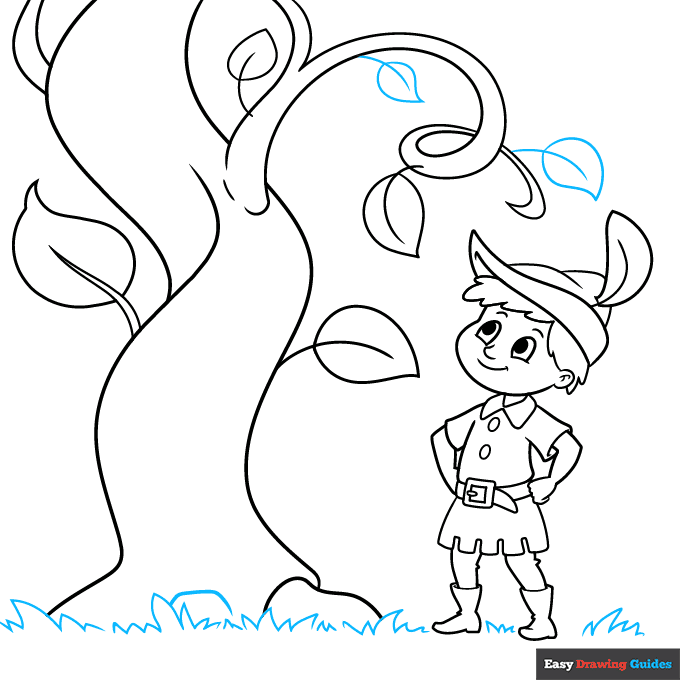
8. Draw more leaves. Then use pairs of lines that meet at jagged points to draw the grass beneath Jack's feet.
Complete the Outline of Your Jack and the Beanstalk Drawing - Step 9
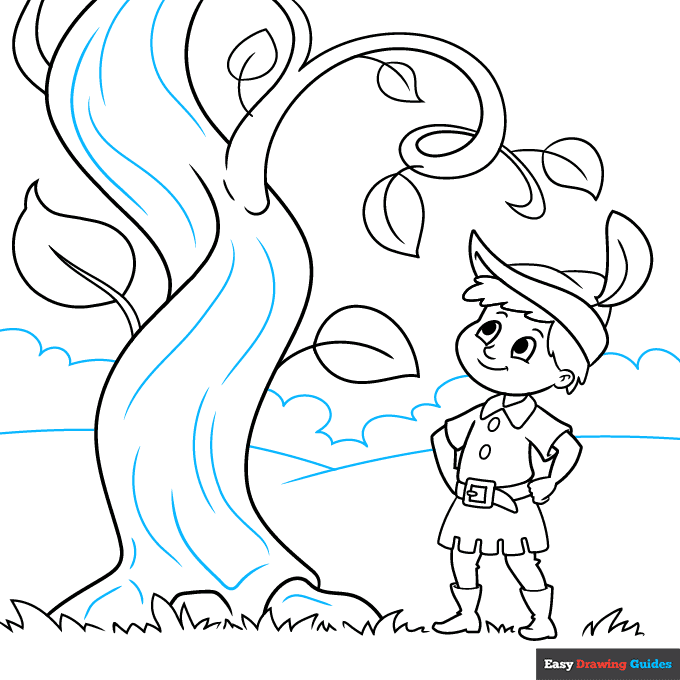
9. Texture the trunk of the beanstalk with long, curved lines. Draw two long, overlapping lines to indicate the hills in the distance. Use a series of curved lines to sketch the treeline on the horizon.
Color Your Jack and the Beanstalk Drawing
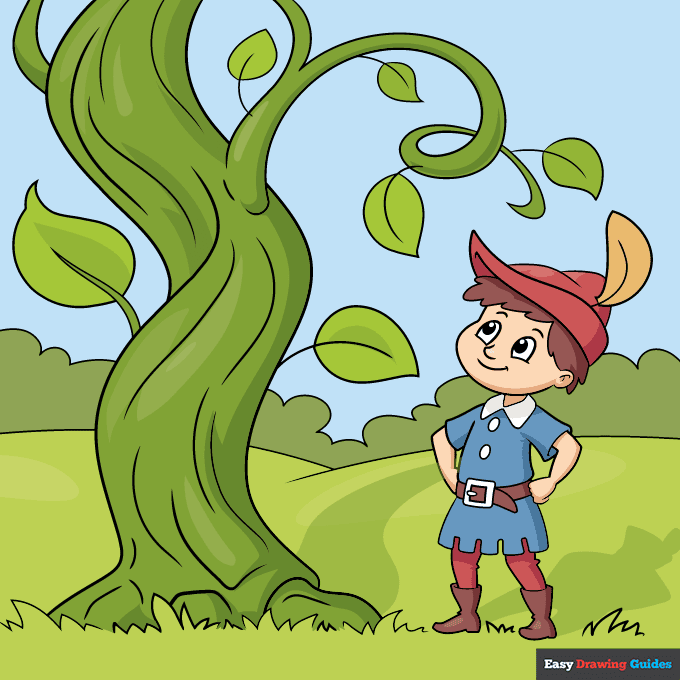
Your Jack and the Beanstalk outline is now complete. Color your drawing.
Watch 'How to Draw Jack and the Beanstalk' Video Tutorial
Click HERE to save the tutorial to Pinterest!
Learn More About The Jack and the Beanstalk Drawing
Jack and the Beanstalk is a classic English fairy tale. Create your own storybook when you learn how to draw Jack and the Beanstalk.
Jack is a young boy from a poor family. When his mother sends him to sell their last cow, he trades it for magic beans. His mother is angry because she thinks he has been tricked. Learn how to draw beans and a cow drawing to illustrate this part of the story.
When Jack plants the beans, they grow into an enormous plant — the beanstalk — that reaches to the clouds. Jack climbs the beanstalk and finds a giant's castle. Learn how to draw a castle.
Jack steals a hen that lays golden eggs - check out this chicken drawing - and other treasures from the giant. Jack escapes and chops the beanstalk down. The poor boy and his mother are now very rich.
Jack and the Beanstalk Drawing Tutorial - Easy & Fun Printable Pages
Join now and get immediate access to thousands of printable drawing instruction and practice pages!
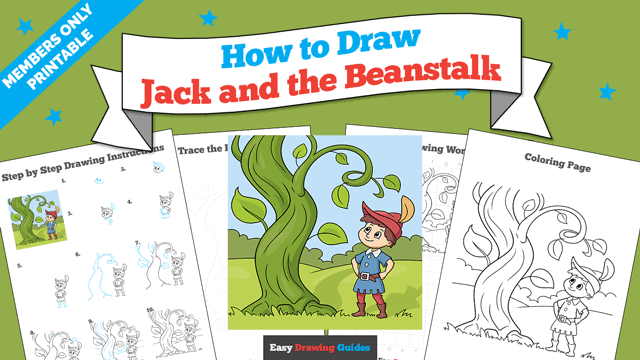
Learn how to get access to thousands of printable pages!

MEMBER TROUBLESHOOTING
Still seeing ads or not being able to download the PDF?
First, check that you're logged in. You can log in on the member login page.
If you're still not able to download the PDF, the likely solution is to reload the page.
You can do this by clicking the browser reload button.
It is a circular arrow-shaped icon at the top of the browser window, typically found in the upper-left side (you can also use keyboard shortcuts: Ctrl+R on PC and Command+R on Mac).